
Looking for a free Mac cleaner? Try diCleaner

Paint.NET4.0
 تحميل مجاني
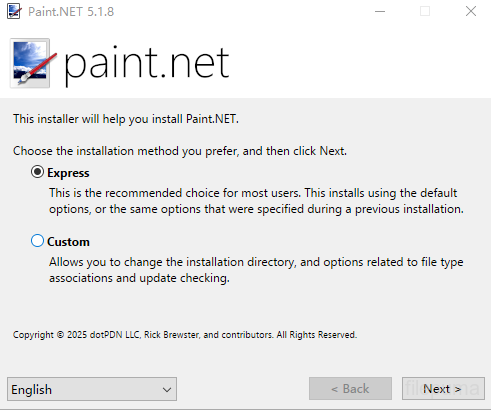
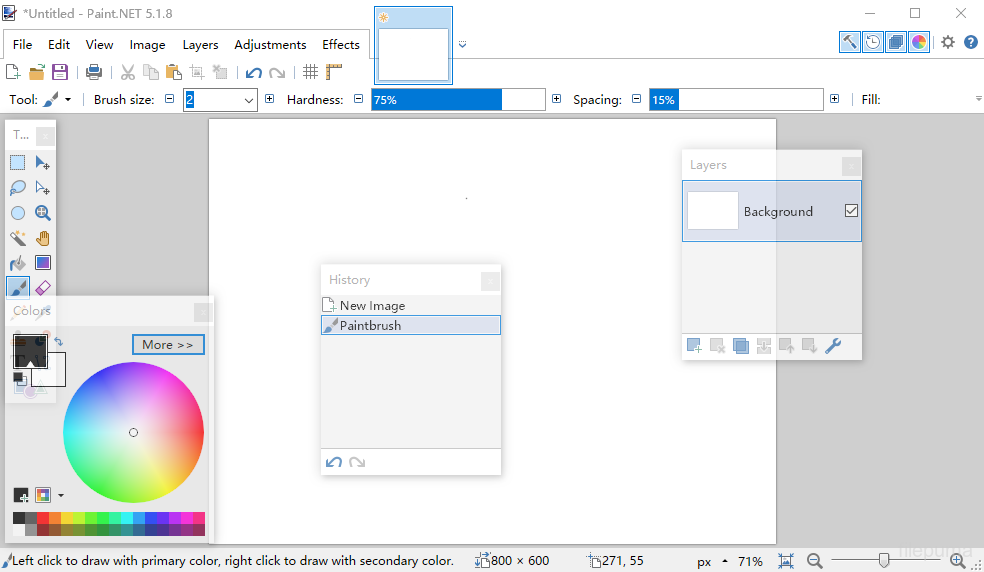


Paint.NETهو برنامج تحرير الصور مجاني مصمم لأجهزة الكمبيوتر التي تعمل بنظام Windows. يقدم واجهة نظيفة وبديهية تتيح للمستخدمين تعلم وتحسين الصور بسهولة وسرعة. تم تطويره في الأصل كمشروع جامعي، وقد نما ليصبح تطبيقًا محترمًا ومتاحًا بفضل دعم مجتمع قوي عبر الإنترنت.
Paint.NETيدعم الطبقات، مما يمكّن المستخدمين من إدارة التركيبات المعقدة بدقة. وتتوفر وظائف التحرير القياسية مثل القص وتغيير الحجم والتدوير، إلى جانب قدرات أكثر تقدمًا مثل تعديلات المنحنيات وأوضاع الدمج وتنوع من التأثيرات الفنية. تساعد هذه الأدوات المستخدمين على تحسين الصور أو إنشاء الأعمال الفنية الرقمية بكفاءة.
Paint.NETيدعم مجموعة واسعة من تنسيقات الصور، بما في ذلك JPEG وPNG وBMP وحتى ملفات Photoshop PSD مع الإضافات. يتيح نظام الإضافات للمستخدمين توسيع الوظائف بإضافة تأثيرات جديدة وتعديلات وأنواع ملفات، مما يجعله قابلاً للتكيف مع مختلف أساليب العمل الإبداعية.
المجتمع وراءPaint.NETيتم تطوير دروس تعليمية وملحقات وامتدادات بنشاط، مما يساهم في التحسين المستمر للبرمجيات. مع تحديثات منتظمة وتركيب خفيف الوزن، فإنه يوفر تجربة تحرير سريعة الاستجابة دون متطلبات أجهزة عالية.aint.NETهو خيار جيد لأولئك الذين يبحثون عن محرر صور موثوق وبسيط.
الميزات الرئيسية:
- واجهة سهلة الاستخدام: تصميم بسيط، نظيف، وبديهي لسهولة الاستخدام.
- دعم الطبقات: يسمح بالتكوين المتقدم للصورة من خلال الطبقات، مشابه لـ Photoshop.
- أدوات قوية: وتشمل التحديد، التحريك، التكبير، التدرج، ختم الاستنساخ، وأدوات النص.
- التأثيرات الخاصة: تقدم تأثيرات مثل التشويش، التوضيح، إزالة العين الحمراء، التشويه، والنقش.
- سجل غير محدود: تراجع غير محدود مع نافذة سجل مرئية لاستعادة الأخطاء.
- دعم المكونات الإضافية: يمكن توسيع الوظائف باستخدام المكونات الإضافية التي ينشئها المجتمع للفلاتر، والتأثيرات، والأدوات.
- المجتمع النشط: الوصول إلى الدروس، تنزيلات الإضافات، والدعم عبر منتدى كبير للمستخدمين.
- أداء سريع: مُحَسَّن للسرعة والأداء حتى على الأجهزة البسيطة.
- التحديثات المنتظمة: يتم تحديثها بشكل متكرر بإصلاحات للأخطاء وميزات جديدة وتحسينات.
ما الجديد؟
System Requirements
- Windows 7 SP1 or newer is now required.
- NET Framework 4.5 is now required, and will be installed if needed.
- A dual-core (or more!) processor is highly recommended.
- Hardware acceleration (GPU) via Direct2D is now supported.
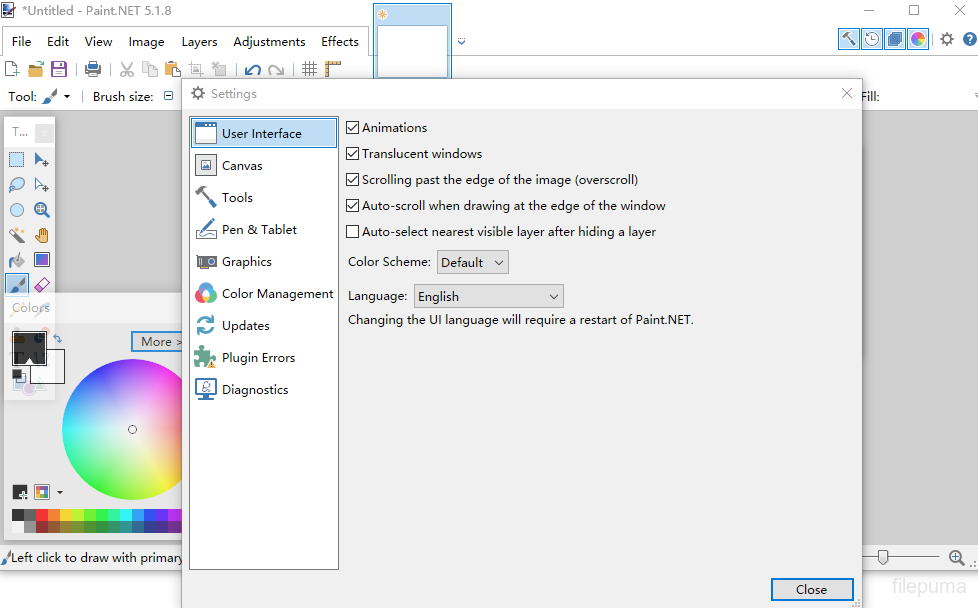
- Please disable this in the Settings dialog if you experience visual artifacts.
- A brand new, asynchronous, fully multithreaded rendering engine allows performance to scale very well with respect to the number of CPU cores whether you have 2, 4, 6, or even 16 of them.
- The responsiveness of the user interface has been greatly improved, especially when working with large images.
- Memory usage is lower.
- Improved battery life impact due to fixing the way the floating windows manage their transparency.
- Startup performance when many plugins are installed is improved, thanks to the Multicore JIT feature introduced in .NET 4.5.
- Selections are now antialiased, which greatly improves the quality around the edges of selected content. You can turn this on and off at any time from the toolbar.
- Everything related to selections now has much higher performance and greatly reduced CPU usage, especially if hardware acceleration (GPU) is enabled.
- The selection outline is now rendered using the “dancing ants” animation, which greatly improves the contrast between it and the image itself.
- The functionality previously provided by the Utilities, Window, and Help menus has been simplified, consolidated, and moved to the top-right corner of the main window.
- The image thumbnail list has been moved up 1 row so that it no longer intrudes into the current Tool’s toolbar space. This means it will no longer “jump around” when you switch between tools. This also means that it is aligned to the top of the monitor when the main window is maximized, making it easier to click on images (Fitt's Law)
- The image thumbnail list can now be reordered with drag-and-drop.
- The zoom slider and units selector have been moved from the toolbar to the bottom right corner of the window (into the status bar).
- Layers can now be reordered with drag-and-drop.
- Improved quality of Image->Resize.
- Copying to the clipboard now includes the “PNG” format, which allows transparency to survive from many popular applications (e.g. Office)
- Shift+Backspace will now fill the selection with the secondary color (Backspace, the shortcut key for Edit -> Fill Selection, still fills with primary color as usual).
- EXIF rotation metadata is now applied when opening images (e.g. JPG taken with a rotated camera).
- Crash logs are now stored in%LOCALAPPDATA%\paint.net\CrashLogs (e.g. C:\Users\username\AppData\Local\paint.net\CrashLogs) instead of on the desktop.
- Drawing tools (Pencil, Paintbrush, Eraser, Clone Stamp, Recolor) now have much smoother mouse input handling via GetMouseMovePointsEx.
- Brush tools (Paintbrush, Eraser, Clone Stamp, Recolor) now have soft brushes support via a “Hardness” setting in the toolbar.
- The Move tools (Move Selected Pixels, Move Selection) have a much better UI for scaling, moving, and (especially) rotation.
- The Move tools now support moving the rotation anchor, which changes the center of rotation.
- The new Shapes tool replaces the Rectangle, Rounded Rectangle, Ellipse, and Freeform shape tools. 27 shapes are currently available. You may move, resize, and rotate a shape, as well as reconfigure any other properties from the toolbar (color, outline size, etc.) before committing it to the layer.
- Color Picker has a configurable sampling radius, and can sample from either the current layer or the whole image.
- Gradient tool now supports a new Spiral gradient type and allows configuration of the repeat mode (none, repeat, wrapped).
- Gradient tool has improved rendering quality via dithering and antialiasing. You can control both of these with the standard antialiasing toggle in the toolbar.
- Magic Wand and Paint Bucket now allow live adjustment of Tolerance and the Origin (click location) after clicking (press Enter to commit/finish).
- Magic Wand and Paint Bucket can now sample from either the current layer or the whole image.
- Paint Bucket tool now supports anti-aliasing.
- Recolor tool can now use the color of the pixel where you click as the color to be replaced. Or, as usual, it can use the secondary color.
- Text tool now supports multiple rendering modes: Smooth, Sharp (Modern), and Sharp (Classic). These correspond to DirectWrite rendering modes of Outline, ClearType Natural Symmetric, and GDI Classic, respectively.
- Text tool now supports colored fonts on Windows 8.1.
البرنامج متوفر بلغات أخرى
- Download Paint.NET
- Télécharger Paint.NET
- Herunterladen Paint.NET
- Scaricare Paint.NET
- ダウンロード Paint.NET
- Descargar Paint.NET
- Baixar Paint.NET
مراجعات المستخدمين
تقييم المستخدم
 224
224
رخصة:
مجاني
متطلبات:
Windows 7/ Windows 8/ Windows 8.1
اللغات:
Multi-languages
حجم:
6.0MB
ناشر:
محدث:
Jun 25, 2014
نظيف
برنامج التقارير
أحدث إصدار
إصدارات قديمة
برنامج المطور
 Paint.NET 5.1.12
 FastStone Image Viewer 8.5
 XnView 2.52.5
 Picasa 3.9 Build 141 259
 IrfanView (32bit) 4.75
مستويات الأمان
لتجنب أي ضرر محتمل لجهازك وضمان أمان بياناتك وخصوصيتك، تقوم فريقنا بالتحقق في كل مرة يتم فيها رفع ملف تثبيت جديد على خوادمنا أو ربطه بخادم بعيد، كما يتم مراجعة الملف بشكل دوري لتأكيد حالته أو تحديثها. استنادًا إلى هذه العملية، نحدد مستويات الأمان التالية لأي ملفات قابلة للتنزيل.
 نظيف
نظيف
من المرجح جدًا أن يكون هذا البرنامج خاليًا من الفيروسات.
لقد قمنا بفحص الملفات وعناوين URL المرتبطة بهذا البرنامج في أكثر من 60 من خدمات مكافحة الفيروسات الرائدة في العالم؛ ولم يتم العثور على أي تهديدات محتملة. ولا يوجد أي برنامج طرف ثالث مُدمج.
 تحذير
تحذير
هذا البرنامج مدعوم بإعلانات وقد يقدم عرضًا لتثبيت برامج طرف ثالث غير مطلوبة. قد تشمل هذه برامج شريط الأدوات، أو تغيير الصفحة الرئيسية، أو محرك البحث الافتراضي، أو تثبيت برامج أخرى. قد تكون هذه نتائج إيجابية زائفة، وينصح مستخدمونا بأن يكونوا حذرين عند تثبيت واستخدام هذا البرنامج.
 معاق
معاق
هذا البرنامج لم يعد متاحًا للتنزيل. من المحتمل جدًا أن يكون هذا البرنامج ضارًا أو يحتوي على مشكلات أمان أو أسباب أخرى.
قدّم تقريراً
شكراً لك!
تم إرسال تقريرك.
سوف نراجع طلبك ونتخذ الإجراء المناسب.
يرجى ملاحظة أنك لن تتلقى إشعارًا بشأن أي إجراء يُتخذ نتيجةً لهذا التقرير. نعتذر عن أي إزعاج قد يسببه ذلك.
نُقدّر مساعدتك في الحفاظ على موقعنا الإلكتروني نظيفًا وآمنًا.