
Looking for a free Mac cleaner? Try diCleaner

Audacity (32bit)2.0.6
 免费下载
免费下载
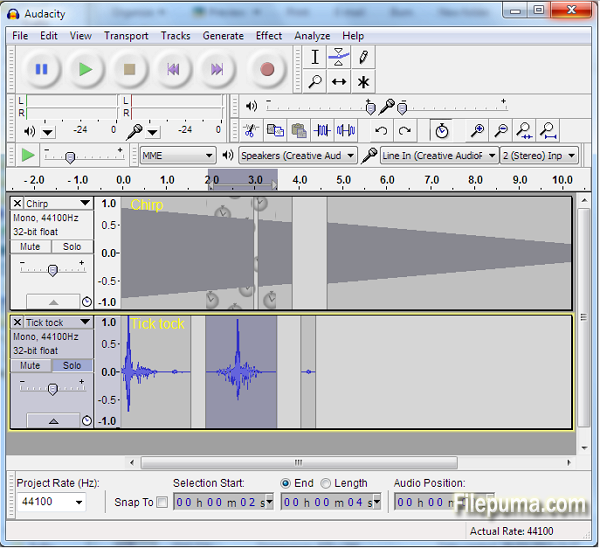


Audacity是一款流行的开源音频编辑软件,提供了广泛而强大的功能,用于录制、编辑和处理音频文件。凭借其用户友好的界面和广泛的工具,Audacity 已成为音频爱好者、音乐家和播客的首选。
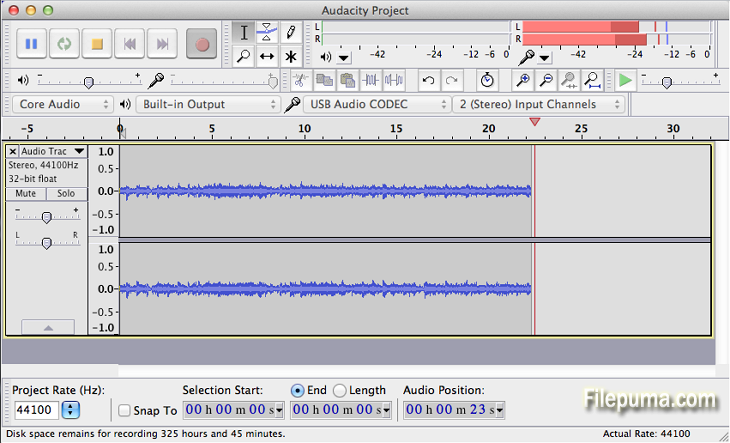
Audacity的一个关键功能是能够从多个来源录制音频,例如麦克风、线路输入,甚至计算机播放。这使它非常适合录制画外音、采访和音乐表演。用户还可以导入和导出各种音频文件格式,包括WAV、MP3和FLAC,使其适用于不同的音频需求。
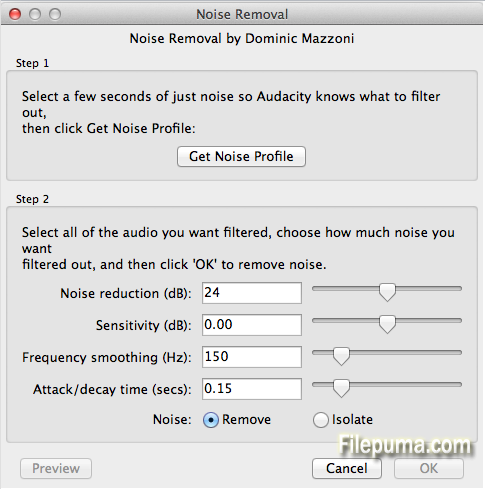
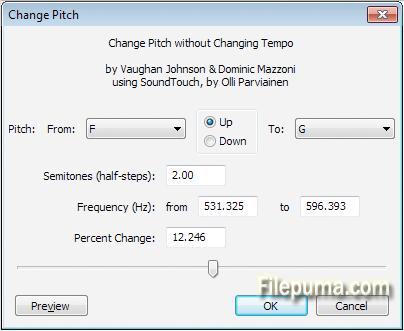
Audacity提供多种编辑工具,包括剪切、复制和粘贴音频片段,以及调整音高、速度和音量。用户还可以应用各种音频效果,如均衡、混响和降噪,以增强音质。此外,Audacity支持多轨编辑,允许用户同时处理多个音轨,以便进行更复杂的音频项目。
此外,Audacity 提供了一套强大的分析工具,包括频谱图视图、波形显示和音频计量,可以帮助精确音频编辑和母带制作。它还支持插件和扩展,可以进一步扩展其功能。
Audacity是一款强大且多功能的音频编辑软件,提供广泛的录音、编辑和分析音频文件的功能。其用户友好的界面、丰富的工具和开源特性使其成为音频爱好者和专业人士的热门选择。
主要特点:
- 多轨录音
- 编辑工具(剪切、复制、粘贴、修剪、删除)
- 效果和滤镜(均衡化、降噪等)
- 用于可视化频率内容的频谱图视图
- 音频效果的实时预览
- 插件支持扩展功能
- 批处理以对多个文件应用效果
- 无障碍功能(键盘快捷键、屏幕阅读器支持)
- 界面和设置的自定义功能。
有什么新鲜事
- Redesigned, searchable Keyboard Preferences with Tree, Name and Key views.
- Edit Menu: "Cut" and "Delete" are now in the top level of the menu.
- Transport Menu now includes "Play/Stop" and "Play/Stop and Set Cursor" (use Keyboard Preferences to create shortcuts for "Play" and "Stop").
- Tracks Menu now includes "Mix and Render to New Track".
- Track Drop-Down Menu now has Move Track To Top and Move Track To Bottom.
- New right-click menu choice "Delete Label" to remove single labels.
- "Snap To" now offers choice of snap to the "closest" or "prior" position. Note: the previous "Snap To On" keyboard shortcut will no longer work.
- "Snap To" settings are now independent for each project.
- Truncate Silence: redesigned with simpler option "Truncate Detected Silence" to shorten to the specified length without compressing silence.
- VST effects: New "Settings" dialog lets you specify buffer size (for faster processing) and enable buffer delay compensation (to prevent inserted silence). Compensation may cause a crash in a few plug-ins.
- VST effects now support standard FXP presets.
- LV2 effects are now supported on all platforms (textual interface only).
- Import or export using FFmpeg now requires FFmpeg 1.2 or later (or libav 0.8 or later). For recommended downloads of recent FFmpeg please visit http://manual.audacityteam.org/o/man/faq_installation_and_plug_ins.html#ffdown.
- New Tamil translation (largely complete).
- (Windows) FLAC exports can now exceed 2 GB in size.
- (OS X) Easier Audacity installation using the DMG: drag the Audacity folder to the /Applications shortcut.
- (Linux) Self-compiled builds of Audacity now search for system LADSPA effects in /usr/lib/ladspa.
- Region Restore did not restore the region after using Preferences.
- Dragging selections with the keyboard or Selection Toolbar digits was very slow.
- (Windows) Help > About Audacity crashed when run in Magyar language.
- (OS X) Some full and reduced Menu Bar items were not translated.
- (OS X and Linux) Fixed various interface crashes.
Effects:
- Reverb and Paulstretch were missing from Chains.
- Analyze > Contrast could report very inaccurate rms levels.
- Noise Removal: Attack and decay times were half as long as set.
- (OS X and Linux) Nyquist effects ran much more slowly than on Windows.
- Click or drag on the Timeline after Loop Play continued to loop.
- Transcription Toolbar did not play slower than 0.1x speed.
- (Linux) Audacity did not build if python 2 was not available.
该程序可提供其他语言版本。
- Download Audacity (32bit)
- Télécharger Audacity (32bit)
- Herunterladen Audacity (32bit)
- Scaricare Audacity (32bit)
- ダウンロード Audacity (32bit)
- Descargar Audacity (32bit)
- Baixar Audacity (32bit)
用户评论
用户评分
 208
208
许可证:
免费
要求:
Windows 2000/ XP/ Vista/ Windows 7/ Windows 8
语言:
Multi-languages
尺寸:
21.8MB
出版商:
已更新:
Sep 30, 2014
清洁
报告软件
最新版本
旧版本
 Audacity (32bit) 3.7.9
 Audacity (64bit) 3.7.9
 Audacity (64bit) 4.0.0
 HandBrake 1.11.2
 HD Video Converter Factory Pro 28.9
 Free HD Video Converter 15.0
安全级别
为了避免对您的设备造成潜在危害,并确保您的数据和隐私的安全,我们团队在每次新的安装文件上传到我们的服务器或链接到远程服务器时都会进行检查,并定期审查该文件以确认或更新其状态。基于这些检查,我们为所有可下载文件设置了以下安全级别。
 清洁
清洁
这个软件程序很可能是干净的。
我们在全球60多款领先的 antivirus 服务中扫描了与该软件程序相关的文件和 URL;没有发现任何潜在威胁。同时也没有捆绑任何第三方软件。
 警告
警告
该程序是由广告支持的,可能会提供安装不必要的第三方程序。这些程序可能包括工具栏、更改主页、默认搜索引擎或安装其他第三方程序。这些可能是误报,我们建议用户在安装和使用该软件时要小心。
 残疾人
残疾人
该软件不再提供下载。该软件程序很可能是恶意的,或者存在安全问题或其他原因。
提交报告
谢谢!
您的报告已发送。
我们将审核您的请求并采取适当的措施。
请注意,您将不会收到有关此报告所采取任何行动的通知。对于可能造成的任何不便,我们深表歉意。
我们感谢您帮助保持我们网站的整洁和安全。