

Keepass2.28
 免费下载
免费下载
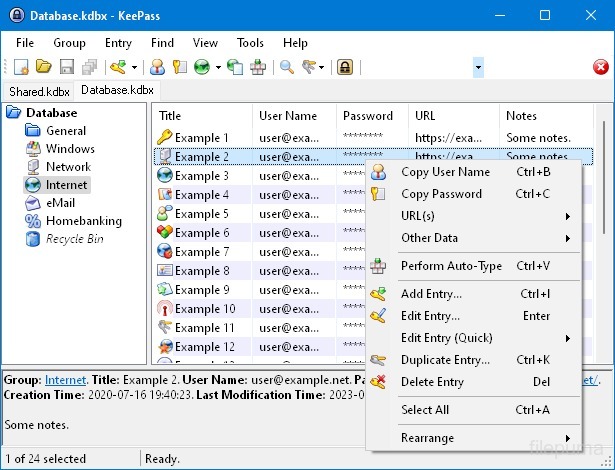
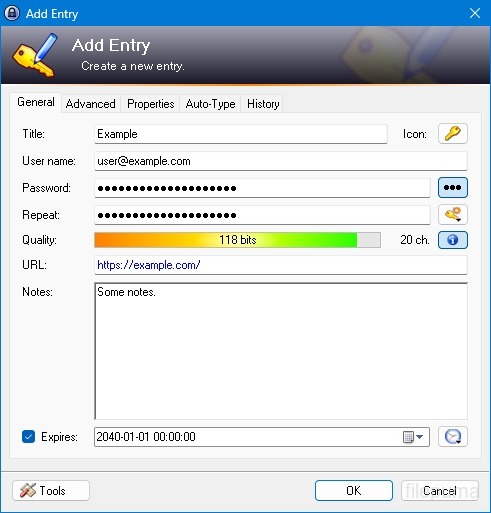


KeePass是一个高度安全且受欢迎的开源密码管理器,用于以安全的方式存储和管理密码、用户名和其他敏感信息。它由Dominik Reichl开发,可用于包括Windows、macOS、Linux和移动设备在内的各种平台。
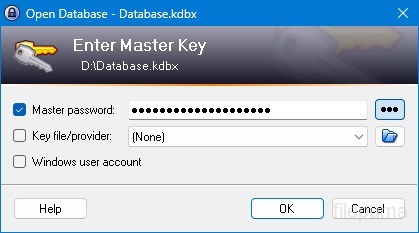
KeePass的一个关键功能是其强大的安全性。它使用强加密算法(例如,AES,Twofish)来保护存储的数据,确保只有拥有主密码的授权用户可以访问他们的密码。主密码作为解锁加密数据库的主要密钥。
KeePass提供了一个用户友好的界面,允许用户使用文件夹和类别以结构化的方式组织密码。此外,它提供了密码生成工具,帮助用户创建复杂且独特的密码以增强安全性。
该软件使用户能够快速搜索特定密码,并提供自动填充等功能,可以自动填写网站和应用程序的登录表单。KeePass 还支持插件,扩展其功能并使其可定制以满足个人需求。
此外,KeePass通过允许用户将其加密的密码数据库存储在各种存储介质上,如本地驱动器、USB驱动器或云存储,从而强调了便携性和可访问性。这使用户能够在不同设备上访问其密码,同时保持安全性和隐私性。
总体来说,KeePass 是一个可靠且安全的密码管理解决方案,可以帮助用户整理和保护敏感信息。
关键特性:
- 安全密码存储安全存储和管理密码。
- 强加密: 使用高级加密进行数据安全。
- 主密码和密钥文件使用强主密码和可选密钥文件访问数据库。
- 双因素认证 (2FA):提供额外的安全层。
- 自动输入功能自动化输入用户名和密码。
- 密码生成器:创建强且随机的密码。
- 组织密码将密码分类为组和子组。
- 搜索与筛选快速查找特定条目。
- 自定义字段: 向条目添加额外信息。
- 附件: 安全地将文件附加到密码条目。
- 安全功能: 提供额外的安全选项。
- 跨平台: 可在各种操作系统上访问。
- 插件和扩展程序通过添加附加功能来扩展功能。
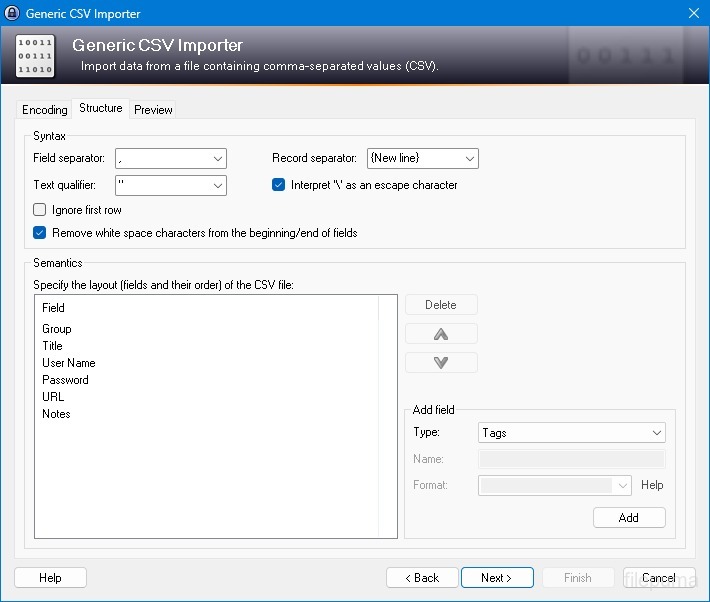
- 进出口轻松导入/导出密码。
- 数据库同步: 安全地跨设备同步数据库。
有什么新鲜事
- Enhanced high DPI support.
- Added trigger action 'Show message box' (which can abort the current trigger execution or execute a command line / URL).
- The 'Database has unsaved changes' trigger condition now supports choosing between the active database and the database that triggered the event.
- Added parameter for the trigger action 'Activate database (select tab)' that allows activating the database that triggered the event.
- Auto-Type: added workaround for KiTTY's default Ctrl+Alt behavior (which differs from Windows' behavior).
- Auto-Type: added workaround for PuTTYjp's default Ctrl+Alt behavior (which differs from Windows' behavior).
- Added up/down arrow buttons for reordering auto-type associations in the entry editing dialog.
- While entering the master key on a secure desktop, dimmed screenshots are now also displayed on all non-primary screens.
- Added support for importing VisKeeper 3.3.0 TXT files.
- The group tree view is now saved and restored during most group tree updates.
- In the main entry list, multiple entries can now be moved by one step up/down at once.
- If Caps Lock is on, a balloon tip indicating this is now also displayed for password text boxes immediately after opening a dialog (where the password text box is the initially focused control).
- In the cases where Windows would display outdated thumbnail and peek preview images for the main window, KeePass now requests Windows to use a static bitmap instead (showing only the KeePass logo).
- Added fallback method for parsing dates/times (the default parser fails for some custom formats specified in the Control Panel).
- Added workaround for .NET ToolStrip height bug.
- Added own process memory protection for Unix-like systems (as Mono doesn't provide any effective memory protection method).
- On Unix-like systems, Shift+F10 (and Ctrl+Alt+5 and Ctrl+NumPad5 on Mac OS X) now shows the context menu in most list/tree view controls and rich text boxes (like on Windows).
- KPScript: for the 'Import' command, a different master key can now be specified using the standard master key command line parameters with the prefix 'imp_' (e.g. -imp_pw:Secret).
- KPScript: added option '-FailIfNotExists' for the 'GetEntryString' command.
- KPScript: added '-refx-Group' and '-refx-GroupPath' entry identification parameters.
- Improved compatibility with ClearType.
- Improved support for high contrast themes.
- When duplicating a group/entry, the creation time and the last access time of the copy are now set to the current time.
- Character picker dialog: initially the text box is now focused, improved tab order, and picked characters are now inserted at the current insertion point (instead of the end).
- Ctrl+Tab is now handled only once when the database tab bar has the focus.
- When exporting to a KeePass 1.x KDB file, a warning/error is now shown if the master key contains/is a Windows User Account.
- Unknown trigger events/conditions/actions are now ignored by the trigger dialog.
- Reduced group tree view flickering.
- Improved default value for the entry history size limit.
- Improved menu check mark and radio images.
- Improved list view column resizing.
- Improved list view scrolling.
- Secure edit control performance improvements.
- In some cases, double-clicking the tray icon now brings KeePass to the foreground.
- Improved concurrent UI behavior during auto-type.
- Auto-Type: improved compatibility with keyboard layouts with combining apostrophes, quotation marks and tildes.
- Auto-Type: improved virtual key translation on Unix-like systems.
- KPScript: the 'EditEntry' command now also updates the time fields of all affected entries.
- KPScript: the 'DeleteEntry' and 'DeleteAllEntries' commands now create deleted object information (improving synchronization behavior).
- Upgraded installer.
- Various code optimizations.
- Minor other improvements.
- When auto-typing a sequence containing a {NEWPASSWORD} placeholder, the raw new password is now stored (in the password field of the entry), not its corresponding auto-type sequence.
- Synchronizing two unrelated databases now always works as expected.
该程序可提供其他语言版本。
- Download Keepass
- Télécharger Keepass
- Herunterladen Keepass
- Scaricare Keepass
- ダウンロード Keepass
- Descargar Keepass
- Baixar Keepass
用户评论
用户评分
 26
26
许可证:
免费
要求:
Windows All
语言:
Multi-languages
尺寸:
2.4MB
出版商:
已更新:
Oct 8, 2014
清洁
报告软件
最新版本
旧版本
开发者软件
 Keepass 2.61.1
 RoboForm 10.0.0
 Dashlane 6.2632.0
 1Password 8.12.36
安全级别
为了避免对您的设备造成潜在危害,并确保您的数据和隐私的安全,我们团队在每次新的安装文件上传到我们的服务器或链接到远程服务器时都会进行检查,并定期审查该文件以确认或更新其状态。基于这些检查,我们为所有可下载文件设置了以下安全级别。
 清洁
清洁
这个软件程序很可能是干净的。
我们在全球60多款领先的 antivirus 服务中扫描了与该软件程序相关的文件和 URL;没有发现任何潜在威胁。同时也没有捆绑任何第三方软件。
 警告
警告
该程序是由广告支持的,可能会提供安装不必要的第三方程序。这些程序可能包括工具栏、更改主页、默认搜索引擎或安装其他第三方程序。这些可能是误报,我们建议用户在安装和使用该软件时要小心。
 残疾人
残疾人
该软件不再提供下载。该软件程序很可能是恶意的,或者存在安全问题或其他原因。
提交报告
谢谢!
您的报告已发送。
我们将审核您的请求并采取适当的措施。
请注意,您将不会收到有关此报告所采取任何行动的通知。对于可能造成的任何不便,我们深表歉意。
我们感谢您帮助保持我们网站的整洁和安全。