

IsoBuster (32bit)3.6
 آزمایش رایگان
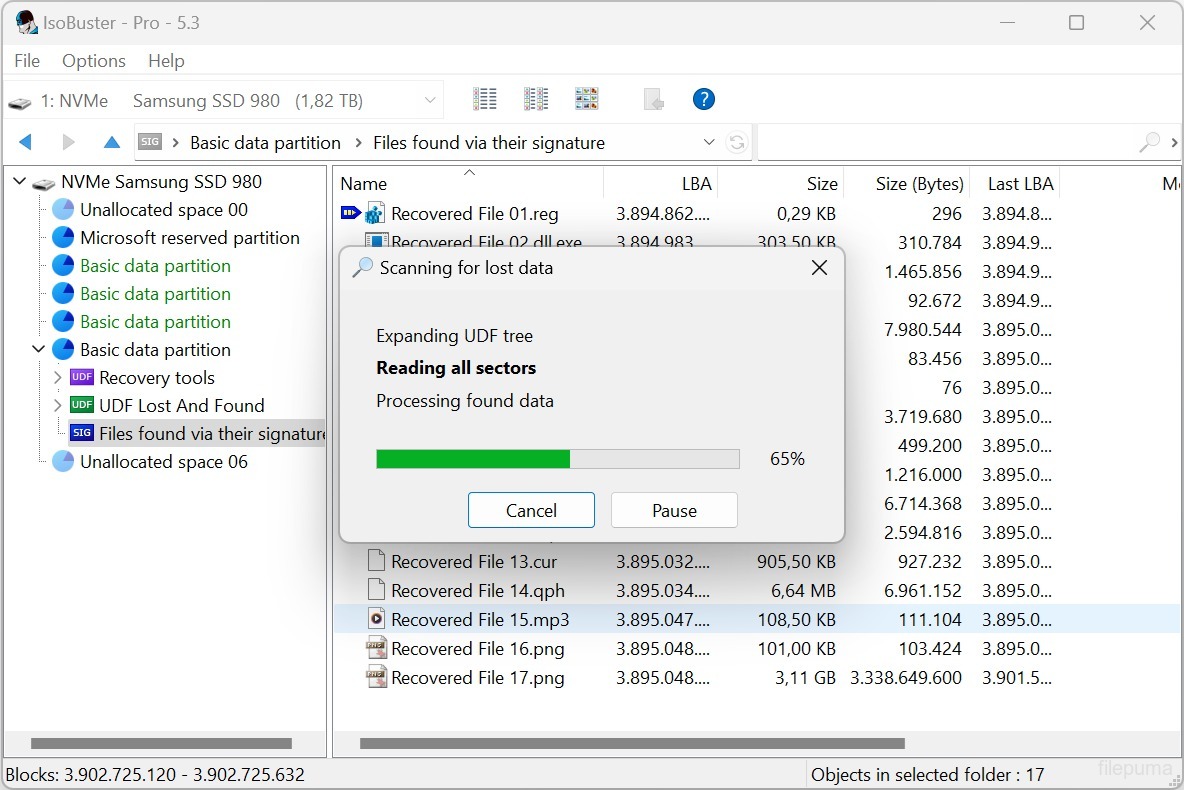
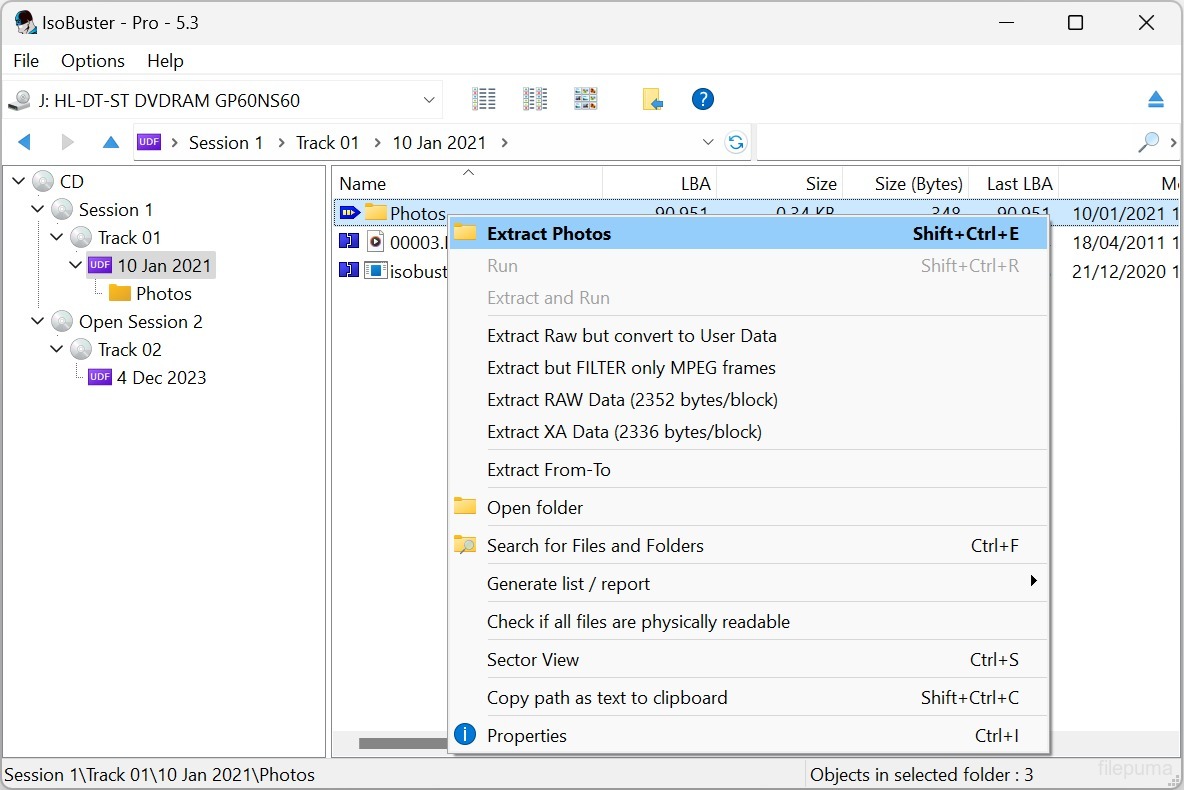
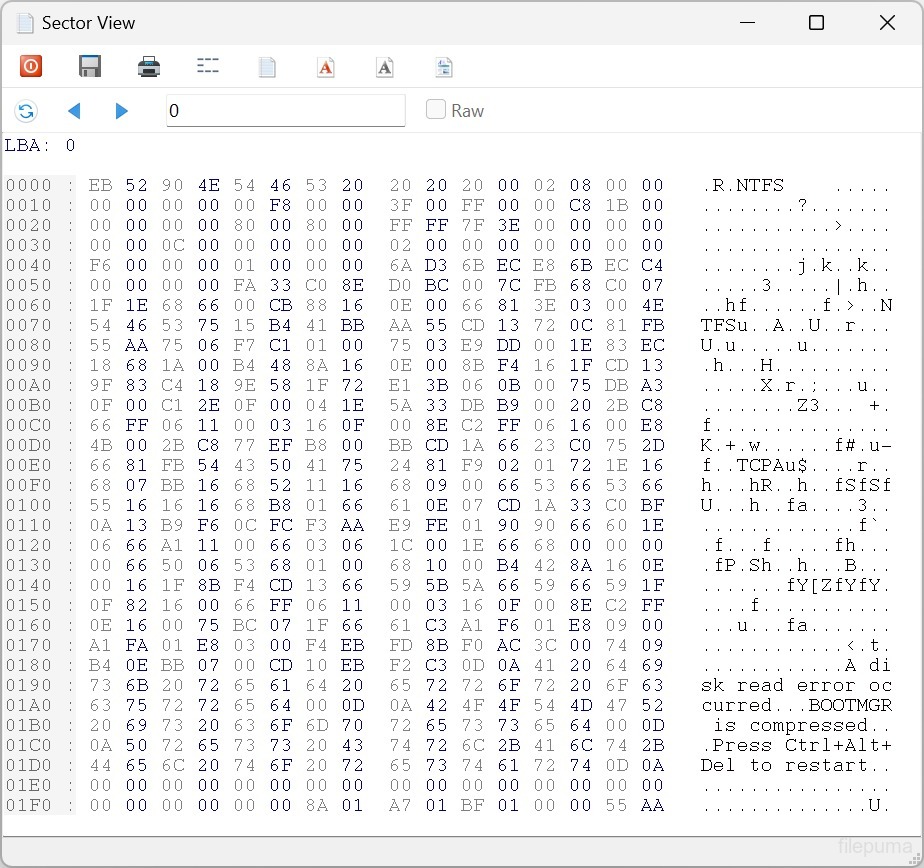
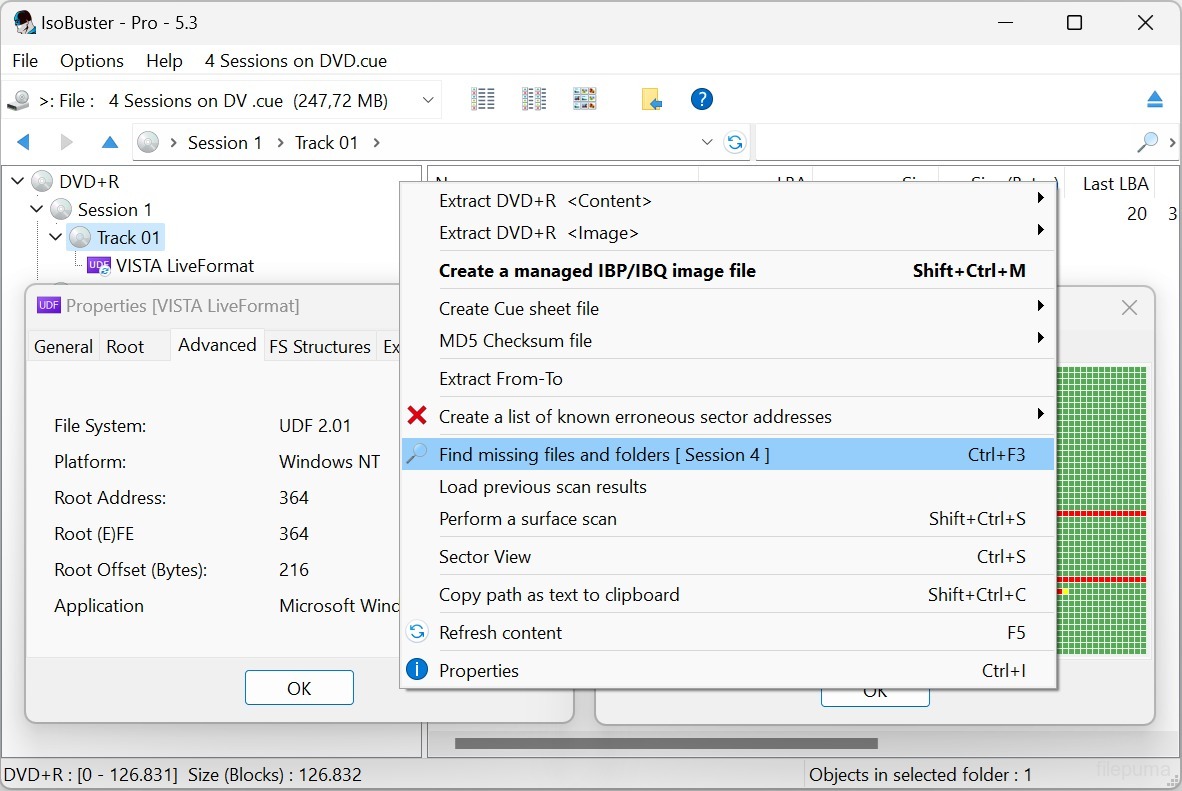
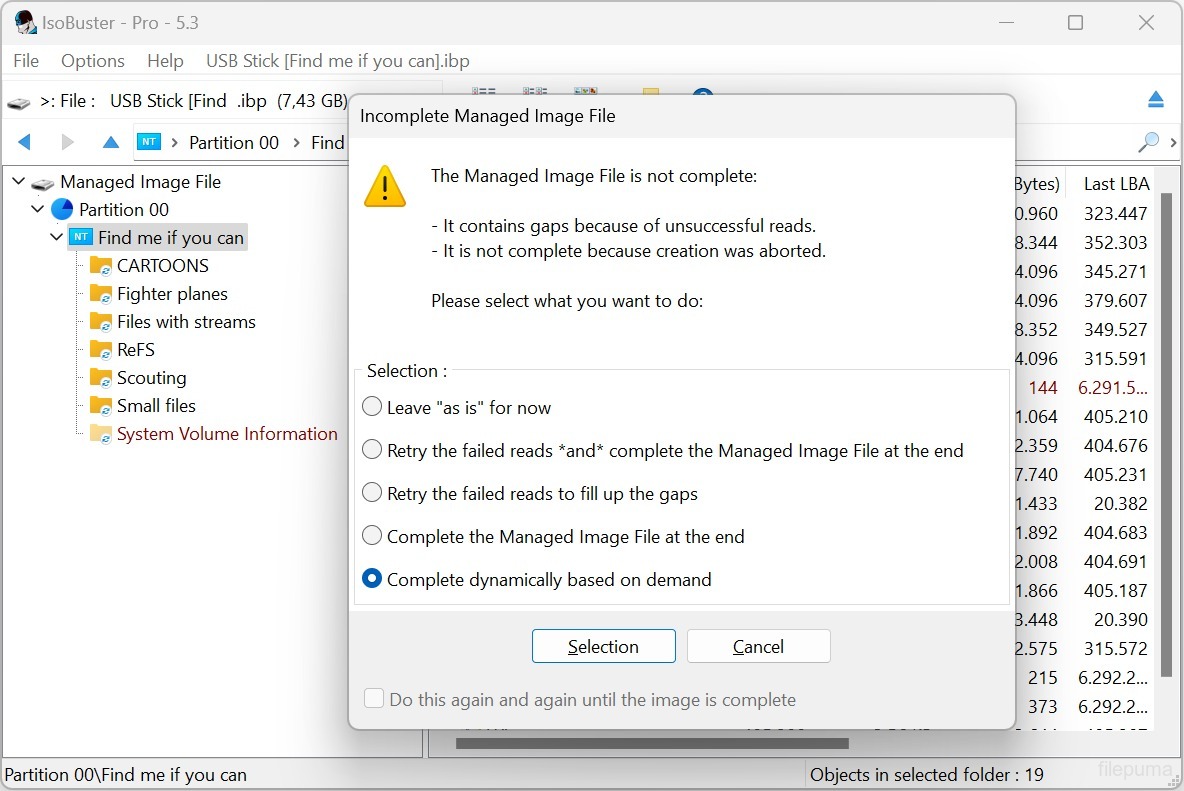
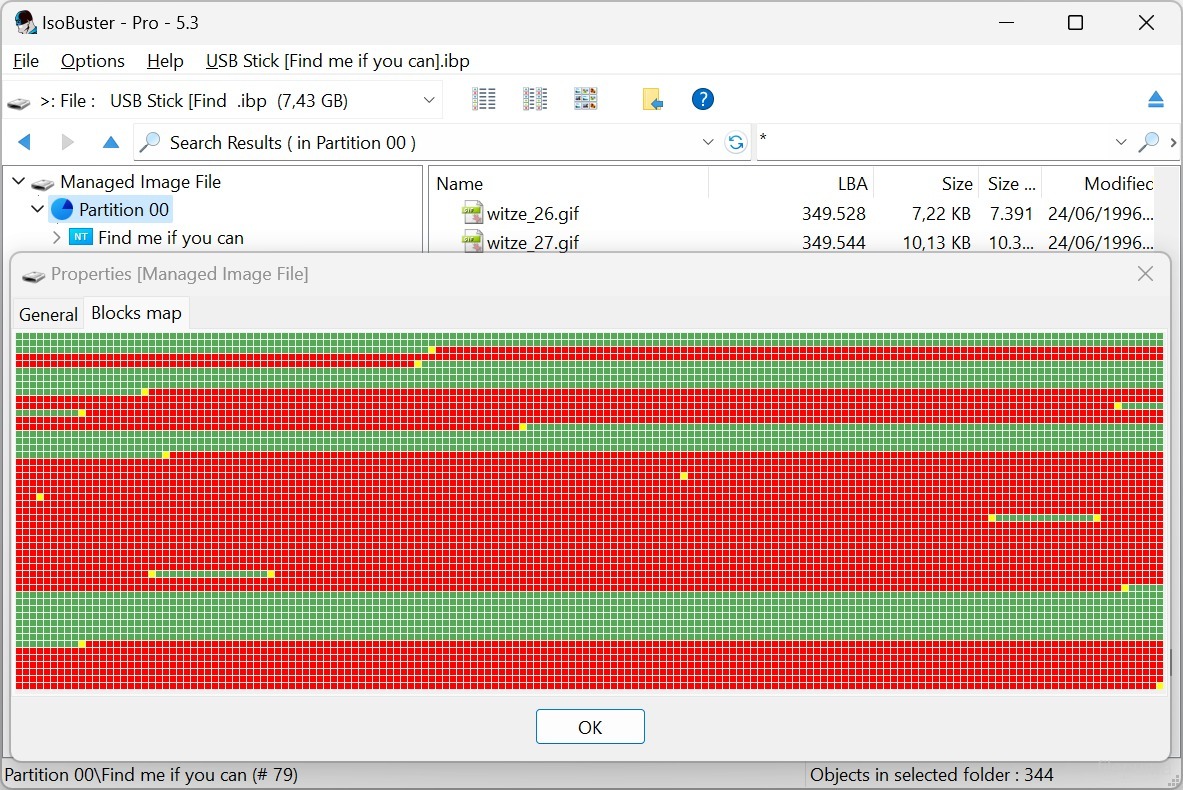


IsoBusterابزاری نرمافزاری و چندمنظوره است که برای بازیابی دادهها از انواع دیسکهای نوری و رسانههای ذخیرهسازی طراحی شده است. با رابط کاربری کاربرپسند و قابلیتهای قدرتمند، IsoBuster به راهحلی محبوب برای افراد و حرفهایها در زمینه بازیابی داده تبدیل شده است.
چه فایلهایی را به طور تصادفی حذف کرده باشید، دیسک را فرمت کرده باشید، یا به خطای خواندن برخورد کرده باشید، IsoBuster میتواند به شما کمک کند تا اطلاعات ارزشمند را از سیدیها، دیویدیها، بلوریها، درایوهای USB، کارتهای حافظه و بیشتر بازیابی کنید. این نرمافزار از مجموعه گستردهای از سیستمعاملها مانند ISO9660، UDF، FAT، NTFS و HFS پشتیبانی میکند که آن را با تقریباً هر دیسک یا دستگاهی سازگار میسازد.
IsoBuster در توانایی خود برای مدیریت رسانههای آسیبدیده یا خراب برتری دارد. این نرمافزار از الگوریتمهای پیشرفتهای برای بازیابی داده از دیسکهای خراشیده، نیمهقابلخواندن یا حتی بهطور کامل غیرقابلخواندن استفاده میکند. با اسکن کردن بخشها و تحلیل امضاهای فایل، IsoBuster میتواند فایلها و دایرکتوریهایی را بازسازی کند که سایر نرمافزارها ممکن است آنها را غیرقابلبازیابی بدانند.
این نرمافزار همچنین مجموعهای از ویژگیهای اضافی ارائه میدهد، مانند ایجاد فایلهای تصویری از دیسکها، استخراج ترکهای صوتی و بررسی صحت دادهها. این نرمافزار امکان جستجوی دقیق در سیستم فایل را فراهم میکند و به کاربران اجازه میدهد تا فایلها یا پوشههای فردی را از رسانههای نوری خود مرور و استخراج کنند.
با سازگاری گسترده، تواناییهای بازیابی قوی و مجموعه ویژگیهای جامع، IsoBuster ابزاری ضروری برای هر کسی است که با از دست دادن دادهها یا رسانههای آسیبدیده سر و کار دارد. این نرمافزار به تکامل و تطابق با چشمانداز در حال تغییر فناوریهای ذخیرهسازی ادامه میدهد و آن را به انتخابی مطمئن برای نیازهای بازیابی داده تبدیل میکند.
ویژگیهای کلیدی:
- بازیابی دادهها از رسانههای نوری آسیبدیده.
- پشتیبانی از سیستمهای فایل مختلف.
- استخراج فایلها و پوشههای مجزا از دیسکهای غیرقابل دسترس.
- ایجاد فایلهای تصویری (ISO، BIN، IMG).
- فایلهای ایمیج را به عنوان درایوهای مجازی قرار دهید.
- اسکن سطحی برای ارزیابی وضعیت دیسک.
- پشتیبانی چند زبانه.
- سازگاری با CDها، DVDها، Blu-ray، HD DVD، SSD، درایوهای USB و کارتهای حافظه.
- رابط کاربری کاربرپسند برای ناوبری آسان و بازیابی دادهها.
چه خبر؟
- Support for the Linux EXT file system
- Support for Rimage mastered CD/DVD discs with manifest file
- Support for Nintendo GameCube file system
- Support for GEMDOS / Atari - ST FAT12-16 variant
- Support for High Sierra on CD-ROM (the predecessor to ISO9660)
- Implemented internal device caching, especially used during File System recognition. Many file systems start from similar addresses. Caching avoids having to re-read blocks for every file-system that is checked
- Detect if the Nintendo Wii file system is present and show an icon for it (*)
- Detect if the Linux RomFS file system is present and show an icon for it (*)
- Detect if the Unix/Linux JFS file system is present and show an icon for it (*)
- Detect if the Unix/Linux ZFS file system is present and show an icon for it (*)
- Detect if the Unix/Linux Minix file system is present and show an icon for it (*)
- Detect if the Linux BtrFS file system is present and show an icon for it (*)
- Detect if the Linux SquashFS file system is present and show an icon for it (*)
- Detect if the Linux CramFS file system is present and show an icon for it (*)
- Detect if the Linux BeFS (BFS) file system is present and show an icon for it (*)
- Detect if the Microsoft ReFS file system is present and show an icon for it (*)
- New and much faster way to find deleted files and folders in an NTFS file system
- (*) Full exploration of this file system is not implemented but now an investigator can see if it is present
- Extra tests to make sure a child folder doesn't have subfolders that are a parent folder, creating circular links, in buggy or recovered file systems
- Added a 'Paranoid mode' when creating managing IBP/IBQ image files, to make sure all data is flushed to the destination without system caching, and structures are updated regularly
- Allow to complete a managed image file from media of which the layout doesn't fully match, but the risk is manageable [Professional]
- Allow to complete a managed image file from another non-managed image file [Professional]
- Improved speed when updating the IBP managed image file
- Added various extraction type switches via the command line: /ET: A, IBP, WAV, RAW, R2U, RUN, DLL
- Added new file system switches via the command line: /EF: see the various newly implemented file systems
- Added Pinnacle Studio mastered DVDs to the IFO/VOB recognition sequence ("PCLE UDFLib")
- Added ability (via right mouse click) to see the properties-window-text as text in a memo field (for easy copy and paste)
- Support for underscores in function names in the libewf.dll, so that Borland bcc32 built dlls can be used as well
- Always display FileName:StreamName, with or without [ADS] appended, for NTFS Alternate Data Streams
- Removed registration dialog nag when doing a surface scan on BD media
- Improvements in the Extract From-To functionality, dialog and warnings
- Make sure testing for encrypted partitions only happens once, not every time the visual node is created (e.g. when switching devices in GUI)
- Do not read extra blocks to test for partition encryption if there are enough cached blocks
- Updated the 'Agent' string when doing an online query, to check for a new version, to be more compatible with modern servers and systems
- Reverse the order of AVDP parsing, LBA 512 first rather than 256 first, in case of a CeQuadrat made UDF disc, to deal with CeQuadrat UDF bugs
- Get the proper volume name for CeQuadrat made UDF CD-R discs
- After an image file has been made, save its filename to the recently opened image files, so that it can be opened immediately from the recent image files' list
- Improved .GI image file interpretation, specifically improvements in finding the header size
- Show files and folders with the System property in another color
- Show special files, file entries that are not used in the classical way by Unix/Linux file systems, in another color
- Show Windows overlay icons and add the shortcut overlay icon to EXT symbolic link files
- Added checkbox to options to uncheck using CD-Text in filenames, when audio tracks are extracted
- The file-exists dialog now also allows to auto-rename a file, instead of over-writing or ignoring the file (non-Windows file systems allow duplicate but caps-sensitive names in the same folder)
- New dialog to auto-rename filenames that are illegal in Windows but OK in other non-Windows file systems
- Auto-rename folders, during extraction, when they contain illegal Windows-filename characters or a Windows-reserved file/folder name.
- Show Endianess in UFS, XFS, ISO and SquashFS and other File System properties
- Improvements in drag&drop functionality and the use of the temporary folder. Better clean-up afterwards
- Possibility to always get the RETRY SELECT ABORT error dialog (instead of RETRY OMIT ABORT) on file extraction
- Various improvements, changes and re-writes in the core code / engine, as this is a living project and to deal with the ever growing new functionality
- Various GUI improvements
Fixes:
- Fixed GUI issue that caused incorrect values to be displayed in certain error messages
- Fixed possible hang when EWF image files are loaded
- Fixed that sometimes the sanitizing part after finding missing files and folders on a FAT volume could take 'forever', due to bad FAT records
- Fixed data-corruption issue, introduced in 3.5, while extracting files with more than 10 extents (fragments would be extracted in the wrong order)
- Fixed it so that when an IBP/IBQ is made twice in a row from the same media (without a refresh) the bitmap is still fully written out to the IBP
- Avoid exception error on bad IBP without (enough) bitmap data (rare test case)
- Fixed extraction of named streams of an NTFS folder (not file)
برنامه در زبانهای دیگر در دسترس است
- Download IsoBuster (32bit)
- Télécharger IsoBuster (32bit)
- Herunterladen IsoBuster (32bit)
- Scaricare IsoBuster (32bit)
- ダウンロード IsoBuster (32bit)
- Descargar IsoBuster (32bit)
- Baixar IsoBuster (32bit)
بررسیهای کاربران
امتیاز کاربر
 27
27
مجوز:
آزمایش رایگان
نیازمندیها:
Windows 2000 SP4/ 2003/ XP/ Vista/ Windows 7/ Windows 8
زبانها:
Multi-languages
اندازه:
3.9MB
ناشر:
بهروزرسانیشده:
Jun 23, 2015
تمیز
نرمافزار گزارشگیری
آخرین نسخه
نسخههای قدیمی
 IsoBuster (32bit) 5.8
 IsoBuster (64bit) 5.8
 WinRAR (64bit) 7.23
 7-Zip (64bit) 26.03
 WinRAR (32bit) 7.01
 7-Zip (32bit) 26.03
 Google Drive 130.0.2.0
سطحهای امنیتی
برای جلوگیری از هر گونه آسیب بالقوه به دستگاه شما و اطمینان از امنیت دادهها و حریم خصوصیتان، تیم ما هر بار که یک فایل نصب جدید به سرورهای ما بارگذاری میشود یا به یک سرور از راه دور متصل میشود، آن را بررسی کرده و بهطور دورهای وضعیت فایل را تایید یا بهروزرسانی میکند. بر اساس این بررسی، سطوح امنیتی زیر را برای هر فایل قابل دانلود تعیین میکنیم.
 تمیز
تمیز
بسیار احتمال دارد که این نرمافزار پاک باشد.
ما فایلها و URLهای مرتبط با این نرمافزار را در بیش از ۶۰ سرویس آنتیویروس برتر جهان اسکن کردیم؛ هیچ تهدید احتمالی پیدا نشد. و هیچ نرمافزار شخص ثالثی همراه نیست.
 هشدار
هشدار
این برنامه از تبلیغات حمایت میکند و ممکن است پیشنهاد نصب برنامههای شخص ثالثی را ارائه دهد که الزامی نیستند. اینها میتوانند شامل نوارابزار، تغییر صفحهاصلی شما، موتور جستجوی پیشفرض یا نصب برنامههای دیگر باشند. این موارد ممکن است مثبت کاذب باشند و به کاربران ما توصیه میشود در هنگام نصب و استفاده از این نرمافزار احتیاط کنند.
 معلول
معلول
این نرمافزار دیگر برای دانلود در دسترس نیست. احتمالاً این برنامه نرمافزاری مخرب است یا دارای مشکلات امنیتی یا دلایل دیگر میباشد.
گزارش را ارائه دهید
ممنون!
گزارش شما ارسال شده است.
ما درخواست شما را بررسی کرده و اقدام مناسب را انجام خواهیم داد.
لطفاً توجه داشته باشید که شما هیچگونه اطلاعیهای در مورد هر اقدام انجام شده به دلیل این گزارش دریافت نخواهید کرد. ما از هرگونه ناراحتی که ممکن است ایجاد شود، عذرخواهی میکنیم.
ما از کمکتان در حفظ تمیزی و امنیت وبسایتمان سپاسگزاریم.