
Looking for a free Mac cleaner? Try diCleaner

TeamViewer (32bit)10.0.36244
 دانلود رایگان
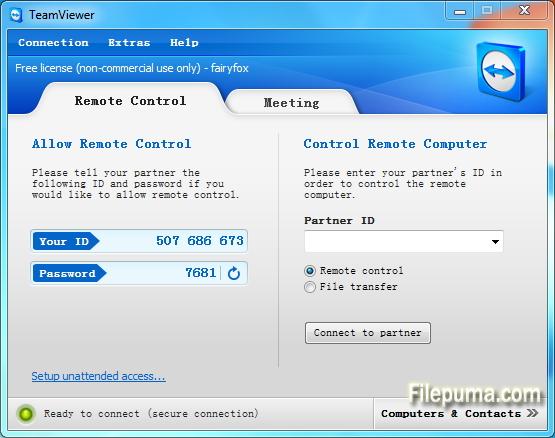
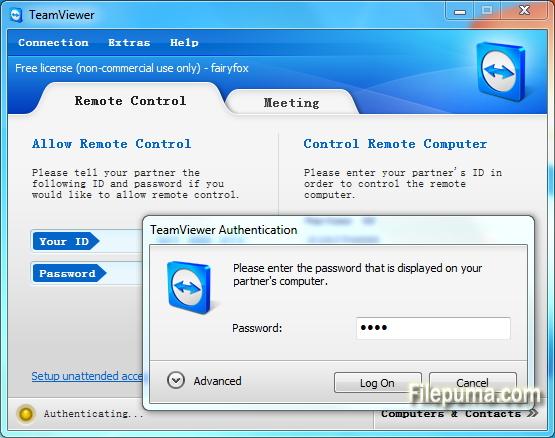
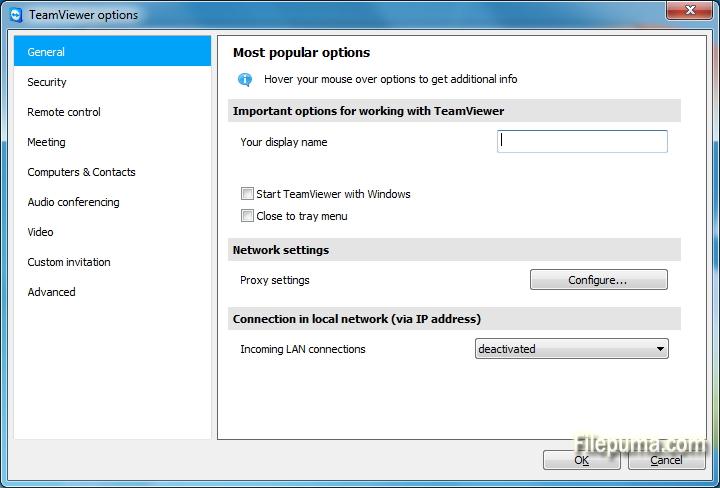
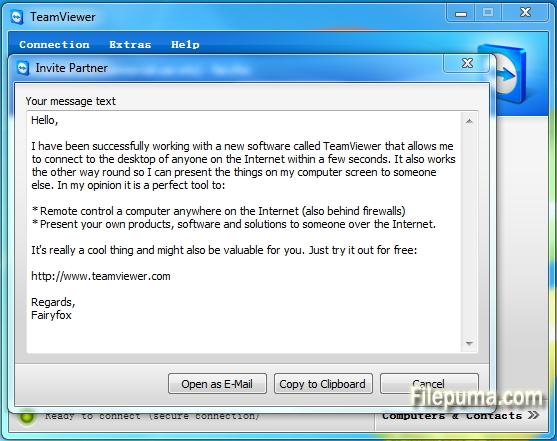


تیمویوریک ابزار پیشرفته دسترسی از راه دور و همکاری است که ارتباط بدون درز بین دستگاهها در سراسر جهان را تسهیل میکند. با رابط کاربری آسان و ویژگیهای قدرتمند، TeamViewer به یک راهحل مورد علاقه برای افراد و کسبوکارها تبدیل شده است.
در اصل، TeamViewer به کاربران امکان میدهد تا دستگاههای راه دور را به آسانی دسترسی و کنترل کنند. چه نیاز به ارائه پشتیبانی فنی به یک همکار داشته باشید، چه بخواهید به کامپیوتر کاری خود از خانه دسترسی پیدا کنید یا بر روی یک پروژه با اعضای تیم که در سراسر جهان پراکنده شدهاند همکاری کنید، TeamViewer یک ارتباط امن و کارآمد را تضمین میکند.
یکی از ویژگیهای برجسته TeamViewer سازگاری آن با پلتفرمهای مختلف است که از Windows، macOS، Linux و سیستمهای عامل موبایل مختلف پشتیبانی میکند. این ویژگی موجب میشود تا آن به یک راهحل انعطافپذیر برای کاربرانی با ترجیحات دستگاههای متفاوت تبدیل شود.
امنیت یکی از اولویتهای اصلی برای TeamViewer است، که با رمزنگاری انتها به انتها و گزینههای احراز هویت چندعاملی اثبات میشود. کاربران میتوانند اطمینان داشته باشند که دادهها و ارتباطاتشان محافظت میشوند، و این امر باعث میشود که TeamViewer گزینهای ایدهآل برای استفاده شخصی و حرفهای باشد.
ویژگیهای اضافی TeamViewer شامل انتقال فایل، چاپ از راه دور و یک عملکرد چت است که ارتباط و همکاری یکپارچه را تقویت میکند. با قابلیت اطمینان، سهولت استفاده و قابلیتهای قدرتمند خود، TeamViewer به ابزاری ضروری برای هر کسی که به دنبال دسترسی از راه دور و راهحلهای همکارانه کارآمد است، تبدیل شده است.
ویژگیهای کلیدی:
- دسترسی از راه دور: کنترل دستگاهها از راه دور.
- سازگاری بینپلتفرمی: به سامانههایعامل مختلف متصل شوید.
- انتقال فایل: به راحتی فایلها را در طول جلسات به اشتراک بگذارید.
- دسترسی متقابل مرورگر: دسترسی از طریق مرورگرهای وب مختلف.
- جلسات و ارائهها: برگزاری جلسات و ارائههای آنلاین.
- انتقال امن داده: اطلاعات را برای انتقال امن رمزگذاری میکند.
- چاپ از راه دور: به چاپگرهای محلی به صورت از راه دور چاپ کنید.
- کیفیت بالای صدا و تصویر: پشتیبانی از صدای با کیفیت و تصویر.
- همکاری چندکاربره: با چندین کاربر همکاری کنید.
- دسترسی بدون حضور: دسترسی از راه دور را بدون اجازه تنظیم کنید.
- بیداری از طریق شبکه: یک کامپیوتر از راه دور را بیدار کنید.
- برندینگ اختصاصی: رابط کاربری TeamViewer را برند کنید.
- یکپارچهسازی: با دیگر برنامهها یکپارچه شوید.
- دسترسی موبایلی: از برنامههای موبایل برای دسترسی از راه دور استفاده کنید.
- ضبط جلسه: ضبط جلسات از راه دور.
چه خبر؟
Central setting policies
Master whitelist
Chat history and persistent chat groups
One-click video calls
Add your profile picture
Automatically find nearby contacts
Ultra High Definition - 4K display - support
Greater emphasis on your corporate identity
Real-time session notes
TeamViewer 10 redesign
Computers & Contacts API
Idle session timeout
Service cases in TeamViewer Host
Integration with Dropbox, Google Drive, and more
Whiteboard for remote control
BlackBerry App (Preview)
- Control computers remotely as if you were sitting right in front of them.
- Transfer files in both directions.
- Enjoy the highest security standards: 256 Bit AES Session Encryption, 2048 Bit RSA Key Exchange.
- TeamViewer 10 users can establish remote control connections to TeamViewer version 3 or higher.
- For technical and licensing reasons, a remote control connection in the other direction, i.e. from TeamViewer 9, 8, or older to TeamViewer 10, is not possible. Meetings with version 10 are also accessible for participants with version 7 or higher; however, vice versa is not possible due to the reasons mentioned.
برنامه در زبانهای دیگر در دسترس است
- Download TeamViewer (32bit)
- Télécharger TeamViewer (32bit)
- Herunterladen TeamViewer (32bit)
- Scaricare TeamViewer (32bit)
- ダウンロード TeamViewer (32bit)
- Descargar TeamViewer (32bit)
- Baixar TeamViewer (32bit)
بررسیهای کاربران
امتیاز کاربر
 221
221
مجوز:
رایگان
نیازمندیها:
Windows All
زبانها:
Multi-languages
اندازه:
7.3MB
ناشر:
بهروزرسانیشده:
Dec 2, 2014
تمیز
نرمافزار گزارشگیری
آخرین نسخه
نسخههای قدیمی
نرمافزار توسعهدهنده
 TeamViewer (32bit) 15.81.6
 TeamViewer Portable 15.70.5
 TeamViewer (64bit) 15.81.6
 UltraVNC (64bit) 1.8.3.0
 UltraVNC (32bit) 1.8.2.9
سطحهای امنیتی
برای جلوگیری از هر گونه آسیب بالقوه به دستگاه شما و اطمینان از امنیت دادهها و حریم خصوصیتان، تیم ما هر بار که یک فایل نصب جدید به سرورهای ما بارگذاری میشود یا به یک سرور از راه دور متصل میشود، آن را بررسی کرده و بهطور دورهای وضعیت فایل را تایید یا بهروزرسانی میکند. بر اساس این بررسی، سطوح امنیتی زیر را برای هر فایل قابل دانلود تعیین میکنیم.
 تمیز
تمیز
بسیار احتمال دارد که این نرمافزار پاک باشد.
ما فایلها و URLهای مرتبط با این نرمافزار را در بیش از ۶۰ سرویس آنتیویروس برتر جهان اسکن کردیم؛ هیچ تهدید احتمالی پیدا نشد. و هیچ نرمافزار شخص ثالثی همراه نیست.
 هشدار
هشدار
این برنامه از تبلیغات حمایت میکند و ممکن است پیشنهاد نصب برنامههای شخص ثالثی را ارائه دهد که الزامی نیستند. اینها میتوانند شامل نوارابزار، تغییر صفحهاصلی شما، موتور جستجوی پیشفرض یا نصب برنامههای دیگر باشند. این موارد ممکن است مثبت کاذب باشند و به کاربران ما توصیه میشود در هنگام نصب و استفاده از این نرمافزار احتیاط کنند.
 معلول
معلول
این نرمافزار دیگر برای دانلود در دسترس نیست. احتمالاً این برنامه نرمافزاری مخرب است یا دارای مشکلات امنیتی یا دلایل دیگر میباشد.
گزارش را ارائه دهید
ممنون!
گزارش شما ارسال شده است.
ما درخواست شما را بررسی کرده و اقدام مناسب را انجام خواهیم داد.
لطفاً توجه داشته باشید که شما هیچگونه اطلاعیهای در مورد هر اقدام انجام شده به دلیل این گزارش دریافت نخواهید کرد. ما از هرگونه ناراحتی که ممکن است ایجاد شود، عذرخواهی میکنیم.
ما از کمکتان در حفظ تمیزی و امنیت وبسایتمان سپاسگزاریم.