
Looking for a free Mac cleaner? Try diCleaner

Paint.NET4.0
 Unduh Gratis
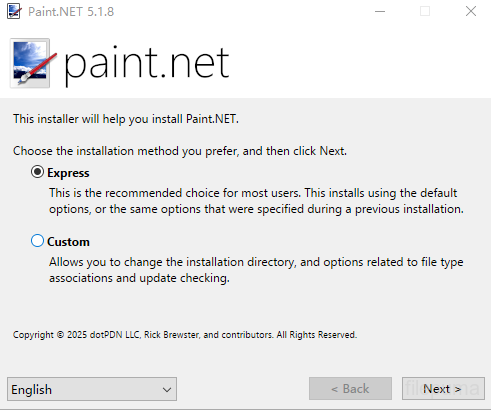
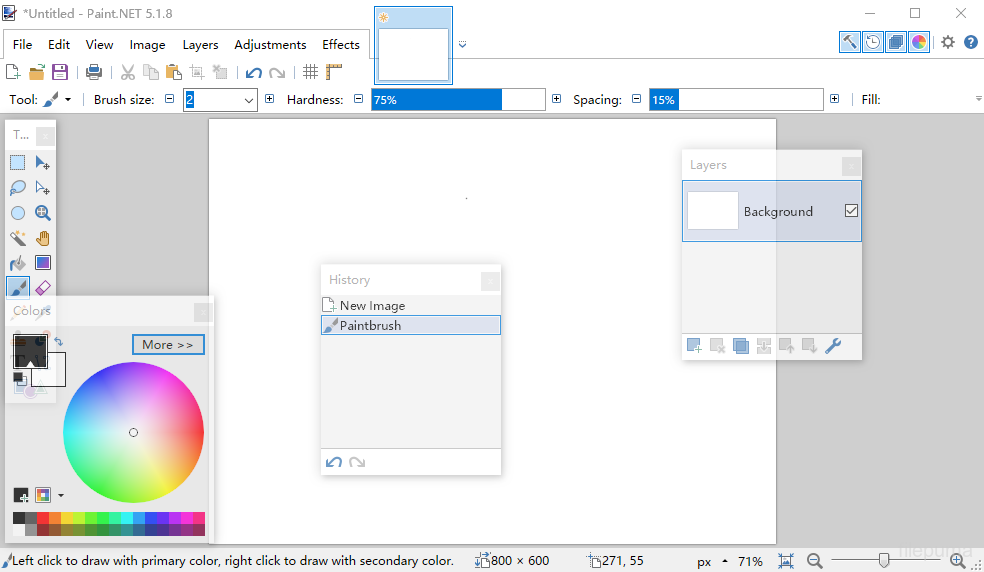
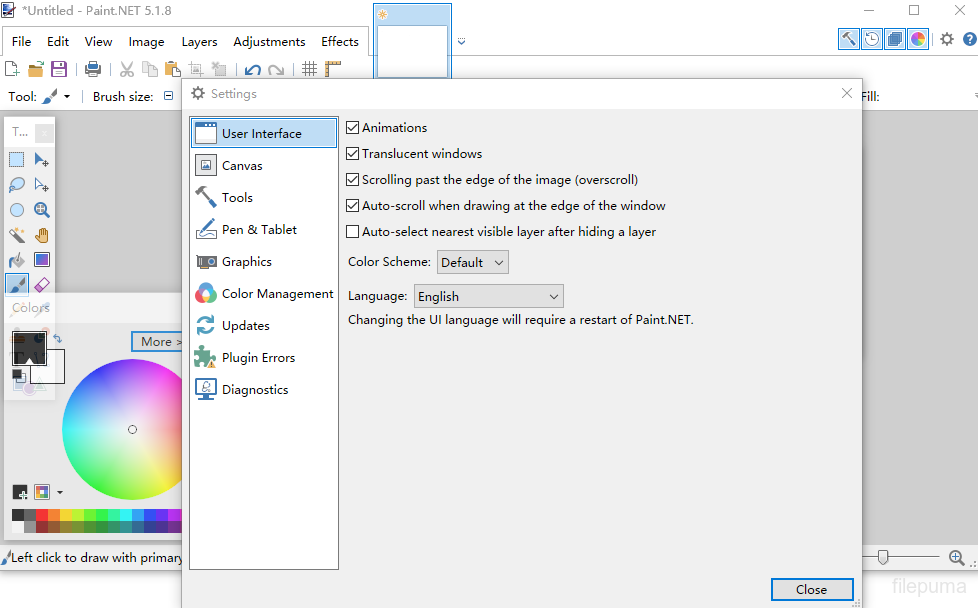


Paint.NETadalah perangkat lunak pengeditan gambar dan foto gratis yang dirancang untuk komputer yang menjalankan Windows. Ini menawarkan antarmuka yang bersih dan intuitif yang memungkinkan pengguna dengan cepat belajar dan mulai mengedit gambar dengan mudah. Awalnya dikembangkan sebagai proyek kuliah, telah berkembang menjadi aplikasi yang terpelihara dengan baik dan dihormati yang didukung oleh komunitas online yang kuat.
Paint.NETmendukung lapisan, memungkinkan pengguna mengelola komposisi kompleks dengan presisi. Fungsi pengeditan standar seperti pemotongan, pengubahan ukuran, dan pemutaran tersedia, bersama dengan kemampuan yang lebih maju seperti penyesuaian kurva, mode pencampuran, dan berbagai efek artistik. Alat-alat ini membantu pengguna meningkatkan foto atau membuat karya seni digital secara efisien.
Paint.NETmendukung berbagai format gambar, termasuk JPEG, PNG, BMP, dan bahkan file Photoshop PSD dengan plugin. Sistem plugin memungkinkan pengguna untuk memperluas fungsionalitas dengan menambahkan efek baru, penyesuaian, dan jenis file, membuatnya dapat beradaptasi dengan berbagai alur kerja kreatif.
Komunitas di balikPaint.NETsecara aktif mengembangkan tutorial, plugin, dan ekstensi, berkontribusi pada peningkatan berkelanjutan dari perangkat lunak tersebut. Dengan pembaruan rutin dan instalasi yang ringan, ini memberikan pengalaman pengeditan yang responsif tanpa memerlukan persyaratan perangkat keras yang tinggi.aint.NETadalah pilihan yang solid bagi mereka yang mencari editor gambar yang dapat diandalkan dan langsung.
Fitur Utama:
- Antarmuka yang Ramah Pengguna: Tata letak yang sederhana, bersih, dan intuitif untuk kemudahan penggunaan.
- Dukungan Lapisan: Memungkinkan komposisi gambar tingkat lanjut melalui lapisan, mirip dengan Photoshop.
- Alat yang Kuat: Termasuk alat seleksi, gerakan, zoom, gradien, cap klon, dan alat teks.
- Efek Khusus: Menawarkan efek seperti pengaburan, penajaman, penghapusan mata merah, distorsi, dan emboss.
- Sawih Unlimited: Pemulihan kesalahan tanpa batas dengan jendela sejarah visual untuk pemulihan kesalahan.
- Dukungan Plugin: Memperluas fungsionalitas dengan plugin yang dibuat oleh komunitas untuk filter, efek, dan alat.
- Komunitas Aktif: Akses tutorial, unduhan plugin, dan dukungan melalui forum pengguna yang besar.
- Kinerja Cepat: Dioptimalkan untuk kecepatan dan kinerja bahkan pada perangkat keras yang sederhana.
- Pembaruan Reguler: Sering diperbarui dengan perbaikan bug, fitur baru, dan perbaikan.
Apa yang Baru
System Requirements
- Windows 7 SP1 or newer is now required.
- NET Framework 4.5 is now required, and will be installed if needed.
- A dual-core (or more!) processor is highly recommended.
- Hardware acceleration (GPU) via Direct2D is now supported.
- Please disable this in the Settings dialog if you experience visual artifacts.
- A brand new, asynchronous, fully multithreaded rendering engine allows performance to scale very well with respect to the number of CPU cores whether you have 2, 4, 6, or even 16 of them.
- The responsiveness of the user interface has been greatly improved, especially when working with large images.
- Memory usage is lower.
- Improved battery life impact due to fixing the way the floating windows manage their transparency.
- Startup performance when many plugins are installed is improved, thanks to the Multicore JIT feature introduced in .NET 4.5.
- Selections are now antialiased, which greatly improves the quality around the edges of selected content. You can turn this on and off at any time from the toolbar.
- Everything related to selections now has much higher performance and greatly reduced CPU usage, especially if hardware acceleration (GPU) is enabled.
- The selection outline is now rendered using the “dancing ants” animation, which greatly improves the contrast between it and the image itself.
- The functionality previously provided by the Utilities, Window, and Help menus has been simplified, consolidated, and moved to the top-right corner of the main window.
- The image thumbnail list has been moved up 1 row so that it no longer intrudes into the current Tool’s toolbar space. This means it will no longer “jump around” when you switch between tools. This also means that it is aligned to the top of the monitor when the main window is maximized, making it easier to click on images (Fitt's Law)
- The image thumbnail list can now be reordered with drag-and-drop.
- The zoom slider and units selector have been moved from the toolbar to the bottom right corner of the window (into the status bar).
- Layers can now be reordered with drag-and-drop.
- Improved quality of Image->Resize.
- Copying to the clipboard now includes the “PNG” format, which allows transparency to survive from many popular applications (e.g. Office)
- Shift+Backspace will now fill the selection with the secondary color (Backspace, the shortcut key for Edit -> Fill Selection, still fills with primary color as usual).
- EXIF rotation metadata is now applied when opening images (e.g. JPG taken with a rotated camera).
- Crash logs are now stored in%LOCALAPPDATA%\paint.net\CrashLogs (e.g. C:\Users\username\AppData\Local\paint.net\CrashLogs) instead of on the desktop.
- Drawing tools (Pencil, Paintbrush, Eraser, Clone Stamp, Recolor) now have much smoother mouse input handling via GetMouseMovePointsEx.
- Brush tools (Paintbrush, Eraser, Clone Stamp, Recolor) now have soft brushes support via a “Hardness” setting in the toolbar.
- The Move tools (Move Selected Pixels, Move Selection) have a much better UI for scaling, moving, and (especially) rotation.
- The Move tools now support moving the rotation anchor, which changes the center of rotation.
- The new Shapes tool replaces the Rectangle, Rounded Rectangle, Ellipse, and Freeform shape tools. 27 shapes are currently available. You may move, resize, and rotate a shape, as well as reconfigure any other properties from the toolbar (color, outline size, etc.) before committing it to the layer.
- Color Picker has a configurable sampling radius, and can sample from either the current layer or the whole image.
- Gradient tool now supports a new Spiral gradient type and allows configuration of the repeat mode (none, repeat, wrapped).
- Gradient tool has improved rendering quality via dithering and antialiasing. You can control both of these with the standard antialiasing toggle in the toolbar.
- Magic Wand and Paint Bucket now allow live adjustment of Tolerance and the Origin (click location) after clicking (press Enter to commit/finish).
- Magic Wand and Paint Bucket can now sample from either the current layer or the whole image.
- Paint Bucket tool now supports anti-aliasing.
- Recolor tool can now use the color of the pixel where you click as the color to be replaced. Or, as usual, it can use the secondary color.
- Text tool now supports multiple rendering modes: Smooth, Sharp (Modern), and Sharp (Classic). These correspond to DirectWrite rendering modes of Outline, ClearType Natural Symmetric, and GDI Classic, respectively.
- Text tool now supports colored fonts on Windows 8.1.
Program tersedia dalam bahasa lain.
- Download Paint.NET
- Télécharger Paint.NET
- Herunterladen Paint.NET
- Scaricare Paint.NET
- ダウンロード Paint.NET
- Descargar Paint.NET
- Baixar Paint.NET
Ulasan Pengguna
Penilaian Pengguna
 224
Lisensi:
Gratis
Persyaratan:
Windows 7/ Windows 8/ Windows 8.1
Bahasa:
Multi-languages
Ukuran:
6.0MB
Penerbit:
Diperbarui:
Jun 25, 2014
Bersih
Perangkat Lunak Pelaporan
Versi Terbaru
Versi Lama
Perangkat Lunak Pengembang
 Paint.NET 5.2
Perangkat Lunak Terkait
 FastStone Image Viewer 8.5
 XnView 2.52.7
 Picasa 3.9 Build 141 259
 IrfanView (32bit) 4.76
Tingkat Keamanan
Untuk menghindari potensi kerusakan pada perangkat Anda dan memastikan keamanan data dan privasi Anda, tim kami memeriksa setiap kali file instalasi baru diunggah ke server kami atau terhubung ke server jarak jauh, serta secara berkala meninjau file tersebut untuk mengkonfirmasi atau memperbarui statusnya. Berdasarkan pemeriksaan ini, kami menetapkan tingkat keamanan berikut untuk setiap file yang dapat diunduh.
 Bersih
Sangat mungkin bahwa program perangkat lunak ini bersih.
Kami memindai berkas dan URL yang terkait dengan program perangkat lunak ini di lebih dari 60 layanan antivirus terkemuka di dunia; tidak ada ancaman yang ditemukan. Dan tidak ada perangkat lunak pihak ketiga yang dibundel.
 Peringatan
Program ini disokong oleh iklan dan mungkin menawarkan untuk menginstal program pihak ketiga yang tidak diperlukan. Ini bisa termasuk toolbar, mengubah halaman beranda Anda, mesin pencari default, atau menginstal program pihak ketiga lainnya. Ini bisa jadi positif palsu, dan pengguna kami disarankan untuk berhati-hati saat menginstal dan menggunakan software ini.
 Tuna netra
Perangkat lunak ini tidak lagi tersedia untuk diunduh. Sangat mungkin bahwa program perangkat lunak ini bersifat berbahaya atau memiliki masalah keamanan atau alasan lainnya.
Kirim Laporan
Terima kasih!
Laporan Anda telah dikirim.
Kami akan meninjau permintaan Anda dan mengambil tindakan yang sesuai.
Harap dicatat bahwa Anda tidak akan menerima pemberitahuan tentang tindakan apa pun yang diambil akibat laporan ini. Kami mohon maaf atas ketidaknyamanan yang mungkin ditimbulkan.
Kami menghargai bantuan Anda dalam menjaga situs web kami tetap bersih dan aman.