
Looking for a free Mac cleaner? Try diCleaner

SMPlayer (64bit)16.6.0
 무료 다운로드
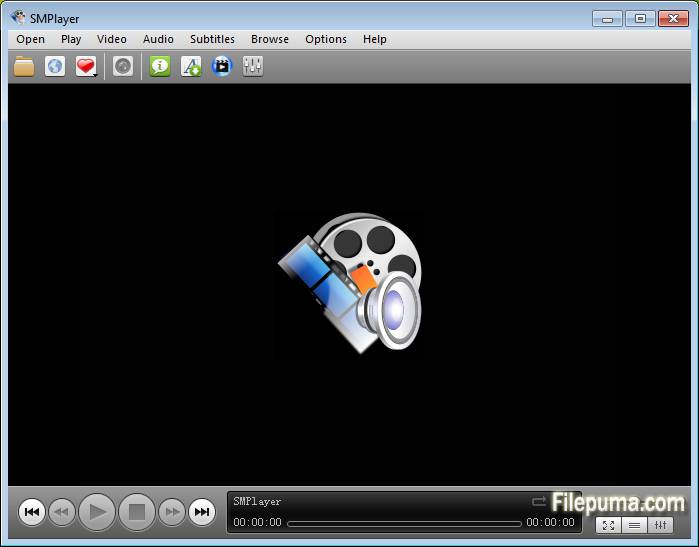
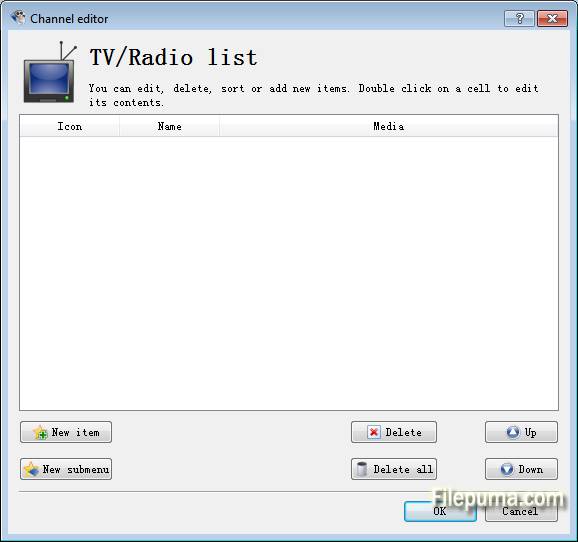


SMPlayer다양한 오디오 및 비디오 형식을 즐기기에 무결점의 경험을 제공하는 역동적이고 사용자 친화적인 멀티미디어 플레이어입니다. 직관적인 인터페이스와 다양한 기능을 제공하는 SMPlayer는 미디어 재생 요구에 있어 최고의 선택으로 두드러집니다.
SMPlayer의 주요 강점 중 하나는 광범위한 코덱 지원으로, 추가 플러그인이나 다운로드 없이도 다양한 파일 형식과 호환성을 보장한다는 점입니다. 이를 통해 다양한 미디어 형식을 자주 접하는 사용자에게 편리한 솔루션을 제공합니다.
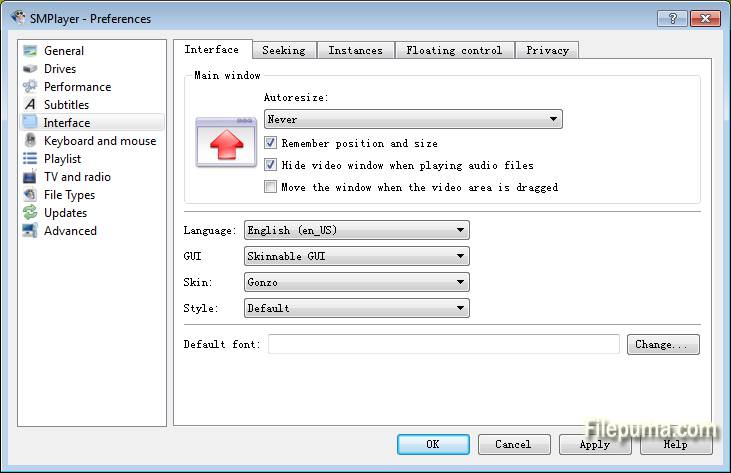
더욱이, SMPlayer의 사용자 지정 가능 인터페이스는 사용자가 자신의 기호에 맞춰 시청 경험을 조정할 수 있도록 합니다. 재생 설정을 조정하는 것부터 다양한 스킨과 테마를 선택하는 것까지, 사용자는 SMPlayer를 원하는 대로 개인화할 수 있는 유연성을 갖추고 있습니다.
SMPlayer의 또 다른 주목할 만한 기능은 프로그램을 닫거나 컴퓨터를 종료하더라도 중단된 지점에서 재생을 계속할 수 있는 기능입니다. 이 편리한 기능은 좋아하는 미디어 콘텐츠를 끊김 없이 즐길 수 있도록 보장합니다.
또한, SMPlayer는 오디오 및 비디오 동기화를 조정하고 필터를 적용하며 이미지 품질을 향상시키는 등의 고급 옵션을 제공하여 재생을 세밀하게 조정할 수 있습니다. 이러한 기능들은 미디어 재생 경험에 대해 더 많은 제어를 원하는 사용자에게 적합합니다.
SMPlayer는 신뢰할 수 있고 다재다능한 멀티미디어 플레이어로, 사용자가 좋아하는 오디오 및 비디오 콘텐츠를 원활하고 맞춤화된 플랫폼에서 즐길 수 있도록 제공합니다. 캐주얼한 시청자이든 멀티미디어 애호가이든 관계없이 SMPlayer는 뛰어난 재생 경험을 제공합니다.
주요 기능:
- 형식 호환성: 추가 코덱 없이 거의 모든 비디오 및 오디오 형식을 재생합니다.
- 자막 통합: 자막을 쉽게 처리하며, 온라인 자막 다운로드도 가능합니다.
- 사용자 정의 가능한 인터페이스: 다양한 테마와 스킨으로 외관을 개인화하세요.
- 재생 제어: 재생 속도 조정, 오디오/자막 동기화, 반복 재생.
- 오디오/비디오 필터: 내장된 필터로 오디오/비디오 품질을 향상시키세요.
- 플레이리스트 관리: 플레이리스트를 손쉽게 만들고 정리하세요.
- 재생 위치 기억: 마지막 재생 위치에서 자동으로 재개합니다.
- YouTube 재생: 플레이어에서 바로 YouTube 영상을 시청하세요.
새로운 소식은 무엇인가요?
Support for 2 in 1 computers with touch screens:
- SMPlayer includes now a 'tablet mode', available in the menu Options. When the option is turned on it makes some changes in the interface so that it would be easier to control SMPlayer by touching the screen.
- the size of windows and fonts are increased
- sliding vertically in the video changes the volume, sliding horizontally seeks in the video
- tapping while in fullscreen displays the floating control
- When the user changes the tablet mode in the Windows 10 action center, SMPlayer will detect it and ask if it should switch to the SMPlayer's tablet mode as well.
Send video to an external screen:
- Now it's possible to send the video to a second screen connected to the computer, while controlling the application in the computer's screen.
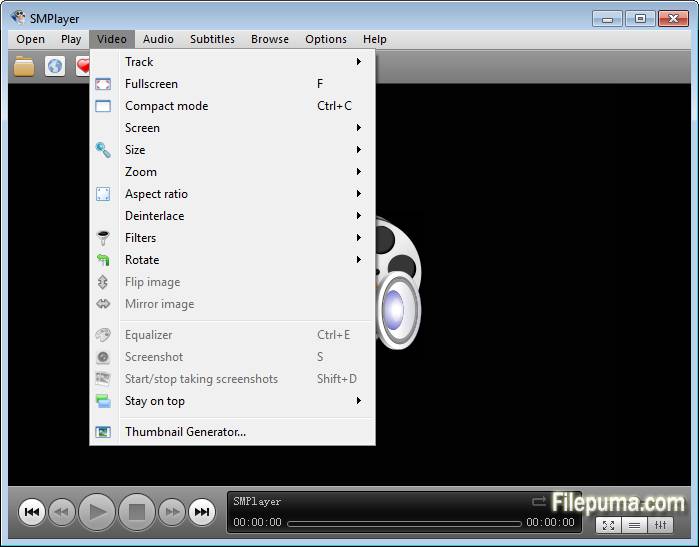
- There's a new option in the menu Video: send video to screen. It shows a submenu with all connected screens.
- One of the screens is labeled as 'primary screen', which is the computer's screen. If you send the video to another screen the video will be displayed on that screen in fullscreen mode. The SMPlayer interface will remain in the computer's screen where you can control the video (seek, change volume, subtitles, playlist, open another video, etc.) while the video is displayed on the second screen. If you send the video to the primary screen the video will be re-attached to the SMPlayer window.
- Note this feature requires the desktop to be set as 'extended'.
Support for high DPI screens:
- On high DPI (dots per inch) screens SMPlayer looked very tiny. Now the interface is automatically scaled so it looks correctly. There are also settings in Preferences -> Interface -> High DPI where you can adjust manually the scale factor or turn off this feature.
Global shortcuts:
- Now it's possible to use the media keys (play/pause, stop, volume+/-, etc.) as global shortcuts. That means that those keys will work even when SMPlayer is in the background. You can activate this option in Preferences -> Keyboard and mouse.
- Settings are remembered for online streams too:
- This means that, for example, SMPlayer can resume playback or set bookmarks on YouTube videos or other online streams (as long as they are seekable).
Other changes in SMPlayer 16.6:
- New themes: Masalla, Papirus and PapirusDark.
- Built by default with Qt 5.
다른 언어로 제공되는 프로그램
- Download SMPlayer (64bit)
- Télécharger SMPlayer (64bit)
- Herunterladen SMPlayer (64bit)
- Scaricare SMPlayer (64bit)
- ダウンロード SMPlayer (64bit)
- Descargar SMPlayer (64bit)
- Baixar SMPlayer (64bit)
사용자 리뷰
사용자 평가
 12
12
면허:
자유로운
요구사항:
Windows XP 64 / Vista 64 / Windows 7 64 / Windows 8 64 / Windows 10 64
언어들:
Multi-languages
크기:
31.3MB
출판사:
업데이트됨:
Jun 11, 2016
깨끗한
리포트 소프트웨어
최신 버전
구버전
 SMPlayer (32bit) 26.8.29
 SMPlayer (64bit) 26.8.29
 VLC Media Player (64bit) 3.0.23
 VLC Media Player (32bit) 3.0.23
 iTunes (64bit) 12.13.11.1
 Spotify 1.2.99.317
 AIMP 5.40.2727
보안 수준
장치에 잠재적인 손상이 발생하지 않도록 하고 데이터 및 개인 정보를 보호하기 위해, 저희 팀은 새로운 설치 파일이 저희 서버에 업로드되거나 원격 서버에 연결될 때마다 이를 확인하고 주기적으로 파일을 검토하여 상태를 확인하거나 업데이트합니다. 이러한 검토를 기반으로 다운로드 가능한 파일에 대해 다음과 같은 보안 수준을 설정합니다.
 깨끗한
깨끗한
이 소프트웨어 프로그램이 안전할 가능성이 높습니다.
우리는 이 소프트웨어 프로그램과 관련된 파일과 URL을 세계 60개 이상의 주요 안티바이러스 서비스에서 검사했으며, 가능한 위협은 발견되지 않았습니다. 또한 서드파티 소프트웨어가 포함되어 있지 않습니다.
 경고
경고
이 프로그램은 광고 지원을 받으며 필수는 아닌 제3자 프로그램 설치를 제안할 수 있습니다. 여기에는 툴바 설치, 홈페이지 변경, 기본 검색 엔진 변경 또는 다른 제3자 프로그램 설치가 포함될 수 있습니다. 이러한 프로그램은 오탐일 수 있으며, 사용자들은 이 소프트웨어를 설치하고 사용할 때 주의할 것을 권장합니다.
 장애인
장애인
이 소프트웨어는 더 이상 다운로드할 수 없습니다. 이 소프트웨어 프로그램은 악성일 가능성이 높거나 보안 문제 또는 기타 이유가 있을 수 있습니다.
보고서를 제출하다
감사합니다!
귀하의 보고서가 전송되었습니다.
귀하의 요청을 검토하고 적절한 조치를 취하겠습니다.
이 보고서와 관련하여 취해지는 조치에 대한 알림은 받지 않으실 것임을 알려드립니다. 이로 인해 불편을 끼쳐 드려 죄송합니다.
웹사이트를 깨끗하고 안전하게 유지하는 데 도움을 주셔서 감사합니다.