
Looking for a free Mac cleaner? Try diCleaner

TeamViewer (32bit)10.0.36244
 Muatan Percuma
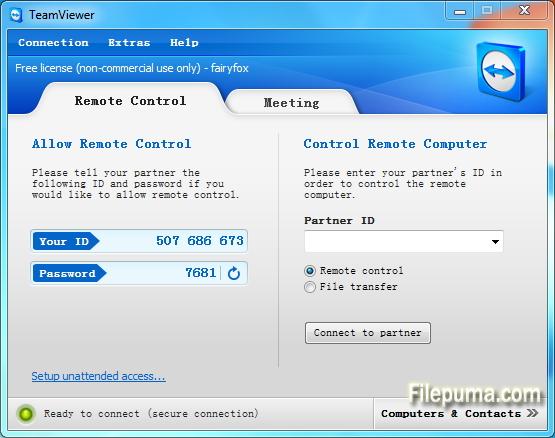
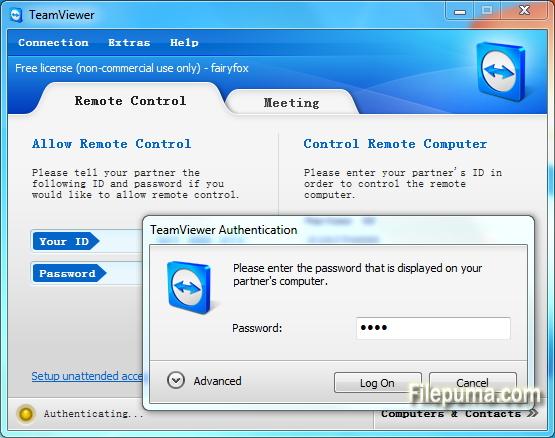
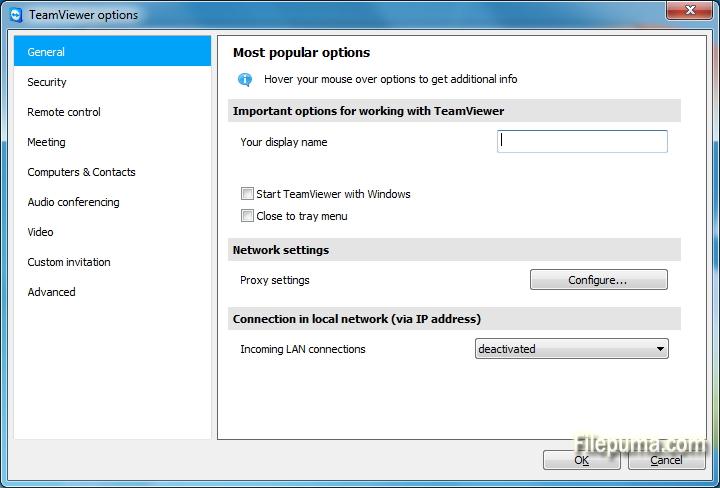
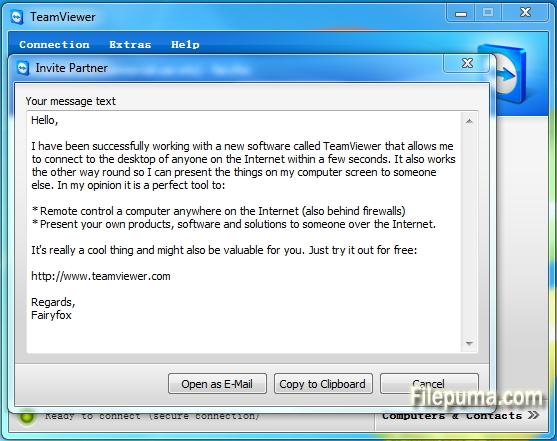


TeamViewerialah alat akses jauh dan kerjasama terkini yang memudahkan sambungan lancar antara peranti di seluruh dunia. Dengan antara muka mesra pengguna dan ciri-ciri kukuh, TeamViewer telah menjadi penyelesaian pilihan untuk individu dan perniagaan.
Pada dasarnya, TeamViewer membolehkan pengguna mengakses dan mengawal peranti jauh dengan mudah. Sama ada anda perlu memberikan sokongan teknikal kepada rakan sekerja, mengakses komputer kerja anda dari rumah, atau berkolaborasi dalam projek dengan ahli pasukan yang berada di seluruh dunia, TeamViewer memastikan sambungan yang selamat dan efisien.
Salah satu ciri utama TeamViewer ialah keserasian merentasi platform, menyokong Windows, macOS, Linux, dan pelbagai sistem operasi mudah alih. Kepelbagaian ini menjadikannya satu penyelesaian yang serba boleh untuk pengguna dengan pilihan peranti yang berbeza-beza.
Keselamatan adalah keutamaan tertinggi untuk TeamViewer, seperti yang dibuktikan oleh penyulitan hujung-ke-hujung dan pilihan pengesahan berbilang faktor. Pengguna boleh merasa yakin bahawa data dan sambungan mereka dilindungi, menjadikannya pilihan ideal untuk kegunaan peribadi dan profesional.
Ciri-ciri tambahan TeamViewer termasuk pemindahan fail, pencetakan jauh, dan fungsi sembang, memupuk komunikasi dan kerjasama yang lancar. Dengan kebolehpercayaan, kemudahan penggunaan, dan keupayaan yang kuat, TeamViewer telah menjadi alat yang tidak boleh diketepikan untuk sesiapa yang mencari penyelesaian akses jauh dan kerjasama yang cekap.
Ciri Utama:
- Akses Jauh: Kawal peranti dari jauh.
- Keserasian Rentas Platform: Sambung antara sistem pengendalian yang berbeza.
- Pemindahan Fail: Berkongsi fail dengan mudah semasa sesi.
- Akses Merentas Pelayar: Akses melalui pelbagai pelayar web.
- Mesyuarat dan Pembentangan: Mengadakan mesyuarat dan pembentangan dalam talian.
- Pemindahan Data Selamat: Menyulitkan data untuk pemindahan selamat.
- Pencetakan Jauh: Cetak dari jauh ke pencetak tempatan.
- Audio dan Video Berkualiti Tinggi: Menyokong audio dan video berkualiti.
- Kerjasama Pelbagai Pengguna: Bekerjasama dengan pelbagai pengguna.
- Akses Tanpa Hadir: Tetapkan akses jauh tanpa kebenaran.
- Wake-on-LAN: Bangunkan komputer jauh.
- Penjenamaan Khusus: Jenamakan antara muka TeamViewer.
- Integrasi: Integrasi dengan aplikasi lain.
- Akses Mudah Alih: Gunakan aplikasi mudah alih untuk akses jauh.
- Rakaman Sesi: Rakam sesi jauh.
Apa yang Baru
Central setting policies
Master whitelist
Chat history and persistent chat groups
One-click video calls
Add your profile picture
Automatically find nearby contacts
Ultra High Definition - 4K display - support
Greater emphasis on your corporate identity
Real-time session notes
TeamViewer 10 redesign
Computers & Contacts API
Idle session timeout
Service cases in TeamViewer Host
Integration with Dropbox, Google Drive, and more
Whiteboard for remote control
BlackBerry App (Preview)
- Control computers remotely as if you were sitting right in front of them.
- Transfer files in both directions.
- Enjoy the highest security standards: 256 Bit AES Session Encryption, 2048 Bit RSA Key Exchange.
- TeamViewer 10 users can establish remote control connections to TeamViewer version 3 or higher.
- For technical and licensing reasons, a remote control connection in the other direction, i.e. from TeamViewer 9, 8, or older to TeamViewer 10, is not possible. Meetings with version 10 are also accessible for participants with version 7 or higher; however, vice versa is not possible due to the reasons mentioned.
Program tersedia dalam bahasa lain.
- Download TeamViewer (32bit)
- Télécharger TeamViewer (32bit)
- Herunterladen TeamViewer (32bit)
- Scaricare TeamViewer (32bit)
- ダウンロード TeamViewer (32bit)
- Descargar TeamViewer (32bit)
- Baixar TeamViewer (32bit)
Ulasan Pengguna
Penilaian Pengguna
 221
221
Lesen:
Percuma
Keperluan:
Windows All
Bahasa:
Multi-languages
Saiz:
7.3MB
Penerbit:
Dikemas kini:
Dec 2, 2014
Bersih
Laporan Perisian
Versi Terbaru
Versi Lama
Perisian Pembangun
 TeamViewer (32bit) 15.81.6
 TeamViewer Portable 15.70.5
 TeamViewer (64bit) 15.81.6
 UltraVNC (64bit) 1.8.3.0
 UltraVNC (32bit) 1.8.2.9
Tahap Keselamatan
Untuk mengelakkan sebarang potensi bahaya kepada peranti anda dan memastikan keselamatan data serta privasi anda, pasukan kami memeriksa setiap kali fail pemasangan baru dimuat naik ke pelayan kami atau dihubungkan ke pelayan jarak jauh dan secara berkala mengkaji fail tersebut untuk mengesahkan atau mengemas kini statusnya. Berdasarkan pemeriksaan ini, kami menetapkan tahap keselamatan berikut untuk mana-mana fail yang boleh dimuat turun.
 Bersih
Adalah sangat mungkin bahawa program perisian ini bersih.
Kami telah memindai fail dan URL yang berkaitan dengan program perisian ini dalam lebih daripada 60 perkhidmatan antivirus terkemuka di dunia; tiada ancaman yang mungkin ditemui. Dan tiada perisian pihak ketiga yang disertakan.
 Amaran
Program ini disokong oleh iklan dan mungkin menawarkan untuk memasang program pihak ketiga yang tidak diperlukan. Ini mungkin termasuk bar alat, menukar laman utama anda, enjin carian lalai, atau memasang program pihak lain. Ini boleh menjadi positif palsu, dan pengguna kami dinasihatkan untuk berhati-hati semasa memasang dan menggunakan perisian ini.
 Cacat
Cacat
Perisian ini tidak lagi tersedia untuk dimuat turun. Adalah sangat mungkin bahawa program perisian ini adalah berniat jahat atau mempunyai masalah keselamatan atau sebab-sebab lain.
Hantar Laporan
Terima kasih!
Laporan anda telah dihantar.
Kami akan menyemak permintaan anda dan mengambil tindakan yang sesuai.
Sila ambil perhatian bahawa anda tidak akan menerima sebarang pemberitahuan mengenai tindakan yang diambil berikutan laporan ini. Kami meminta maaf atas sebarang kesulitan yang mungkin timbul.
Kami menghargai bantuan anda dalam menjaga laman web kami bersih dan selamat.