
Looking for a free Mac cleaner? Try diCleaner

VirtualBox4.3.4
 Gratis Download
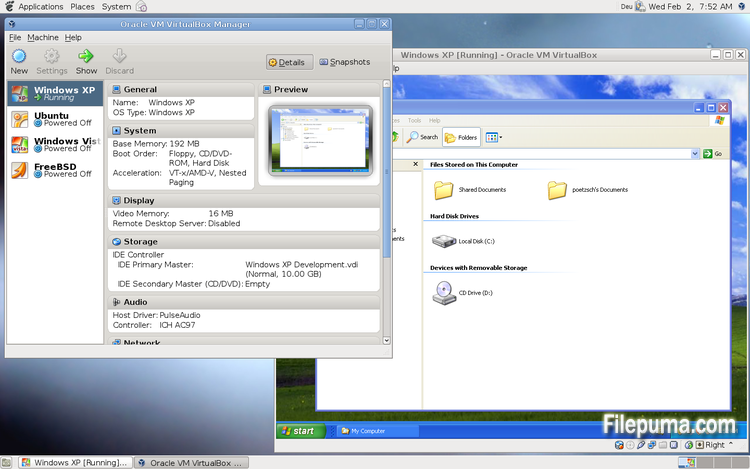
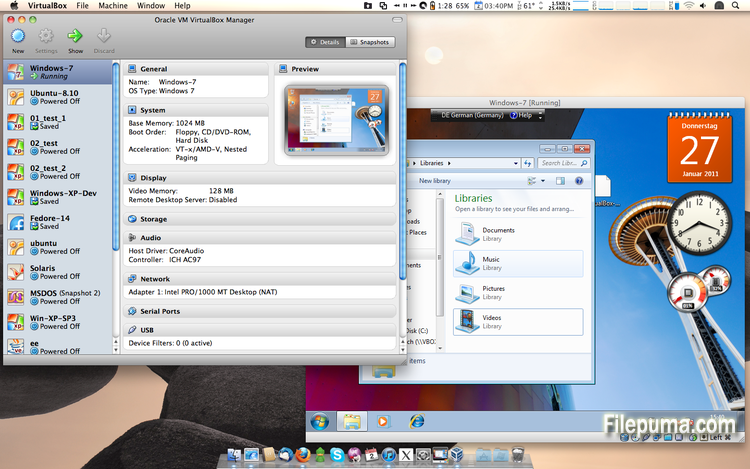
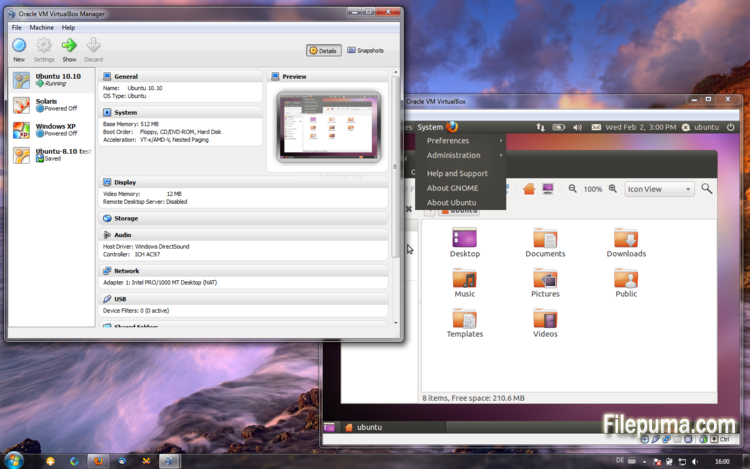


VirtualBoxis een gratis en open-source virtualisatiesoftware waarmee gebruikers virtuele machines kunnen maken en uitvoeren op hun computers. Met VirtualBox kunnen gebruikers meerdere besturingssystemen tegelijkertijd op hun computer installeren en uitvoeren zonder aparte partities te hoeven maken of extra hardware te kopen.
Een van de belangrijkste voordelen van VirtualBox is de gebruiksvriendelijkheid. Het is eenvoudig te installeren en in te stellen, zelfs voor degenen die weinig of geen ervaring hebben met virtualisatietechnologie. VirtualBox biedt ook een breed scala aan aanpassingsmogelijkheden, waaronder de mogelijkheid om de hoeveelheid RAM, CPU-kernen en harde schijfruimte die aan elke virtuele machine wordt toegewezen, aan te passen.
Een ander geweldig kenmerk van VirtualBox is de compatibiliteit met een breed scala aan besturingssystemen. Gebruikers kunnen Windows, Linux, macOS en vele andere besturingssystemen installeren en draaien op hun virtuele machines. Dit maakt het een uitstekend hulpmiddel voor ontwikkelaars, softwaretesters en iedereen die meerdere besturingssystemen op één computer moet draaien.
VirtualBox biedt ook een reeks geavanceerde functies, zoals ondersteuning voor USB-apparaten, gedeelde mappen en netwerkadapters. Deze functies maken het mogelijk om software uit te voeren die hardware- of netwerkbronnen vereist, zoals virtuele routers, firewalls en servers.
VirtualBox is een uitstekende keuze voor iedereen die meerdere besturingssystemen op één computer moet draaien. De gebruiksvriendelijkheid, het brede scala aan aanpassingsmogelijkheden en de compatibiliteit met veel verschillende besturingssystemen maken het een veelzijdig en krachtig hulpmiddel voor ontwikkelaars, IT-professionals en thuisgebruikers.
Belangrijk Kenmerk:
- Compatibiliteit tussen verschillende platforms.
- Intuïtieve grafische gebruikersinterface.
- Ondersteuning voor verschillende besturingssystemen.
- Naadloze integratie met het host besturingssysteem.
- Snapshots en clones.
- Netwerkmogelijkheden.
- Ondersteuning voor virtueel apparaat.
- Uitbreidingspakketten voor extra functionaliteit.
Wat is nieuw?
- VMM: fix for a bug in the Local APIC emulation causing a BSOD when booting certain guests (4.3.0 regression; bug #12240)
- VMM: fixed loading of saved states if VT-x/AMD-V was disabled (4.3.2 regression; bug #12291)
- VMM: fixed single-stepping inside the guest for certain instructions (VT-x only; bug #10947)
- VMM: fixed a performance issue involving APIC accesses after rebooting a VM (4.3.0 regression; VT-x only; bug #12296)
- VMM: fixed TPR patching to be enabled for 32-bit guests even when the chosen guest type is 64-bit (4.3.0 regression; AMD-V only)
- VMM: fixed occasional VINF_EM_TRIPLE_FAULT errors on hosts without the unrestricted guest execution feature (bug #12198)
- GUI: don't bother the user with the BPP warning if no Guest Additions are installed
- GUI: fixed machine-window paint artifacts on VM reboot / guest-screen resize
- GUI: make sure the assigned license and description are attached to the exported appliance
- GUI: fixed bugs in close VM action restrictions handling (bug #12333)
- GUI: fixed incorrect wizards text colors for some unusual look and feel styles (bug #11743)
- GUI: should restore seamless mode as soon as possible after VM reboot or shutdown
- GUI: fixes for medium enumeration
- GUI: the OS X hot corners were not accessible while a VirtualBox VM is running (Mac OS X hosts only; bug #4139)
- GUI: fixed an old bug which bared the host from cleanly shutdown / reboot if the VM selector window is open (Mac OS X hosts only; bug #8254)
- Host-only Networking: fixed creating of host-only network interfaces (4.3.0 regression; bug #12182)
- NAT: don't run into an infinite loop in case the host cannot access any DNS server (4.3.0 regression; bug #12300)
- NAT: don't re-connect the cable if the DNS information changes and the cable was disconnected before (4.3.0 regression; bug #12225)
- NAT: fixed several issues with automatically starting / terminating of NAT networks on VM start / stop and configuration changes
- VBoxNetDHCP: don't block prevent VBoxSVC from terminating (bug #12264)
- 2D Video acceleration: fix crashes on presentation mode switches (bug #9194)
- BusLogic: allow to run VMs with more than one BusLogic SCSI controller enabled
- Keyboard: fixed a VM crash if a VM was resumed from a saved state where at least one key was pressed (bug #11289)
- VBoxSVC: fixed a heap corruption under certain conditions (4.3.0 regression)
- VBoxSVC: fixed a race leading to a hang during initialization (bug #12349)
- OVF: fixed import logic for OVF appliances containing multiple VMs
- OVF: improved logic for finding an appropriate image format during OVF import
- API: block the removal of the current snapshot if it has child snapshots (only relevant for VMs without snapshottable hard disks, their presence always prevented removal), which resulted in VM configuration corruption
- API: mark VM configurations with snapshots but without current snapshot as inaccessible, as this combination is nonsense
- API: fixed information for some automatically generated events (only with XPCOM, Windows host was not affected), which caused errors when getting some of the attributes over the webservice (bug #12379)
- SDK: extended the functionality coverage for the C bindings
- Guest Control: various bug fixes and improved VBoxManage help (bugs #8072, #11044, #12336, #12338, #12346, #12371)
- Windows hosts: another attempt to fix the massive DPC latency (bug #6242)
- Windows host installer: make registering file extensions optional, contributed by Tal Aloni (bug #8009)
- Mac OS X hosts: properly sign the kernel extensions for Mavericks hosts (bug #12256)
- Mac OS X hosts: fixed a bug where the VirtualBox dock icon was not properly removed from the dock after a VM terminated preventing Mavericks hosts from shutting down (bug #12241)
- Mac OS X hosts: fixed minor installer issue (bug #12275)
- Linux hosts / guests: Linux 3.13 compile fixes (bug #12358)
- Linux guests: build the vboxvideo kernel module correctly on OL/RHEL 6.1 guests (bug #11996)
- Linux guests: make 3D work on Slackware 14.1 (bug #12320 comments 3 and 4)
- Guest Additions/3D: fixed an occasional dead-lock (bug #12319)
- Windows Additions/3D: fixed possible memory leaking (bug #12228)
- Windows Additions/XPDM: use separate tables containing valid video modes for each virtual monitor
- Windows Additions: fixed automatic logins for Vista and newer Windows guests (bug #12332)
Programma beschikbaar in andere talen
- Download VirtualBox
- Télécharger VirtualBox
- Herunterladen VirtualBox
- Scaricare VirtualBox
- ダウンロード VirtualBox
- Descargar VirtualBox
- Baixar VirtualBox
Gebruikersbeoordelingen
Gebruikersbeoordeling
 101
101
Licentie:
Vrij
Vereisten:
Windows All
Talen:
Multi-languages
Grootte:
101MB
Uitgever:
Bijgewerkt:
Dec 2, 2013
Schoon
Rapportsoftware
Nieuwste versie
Oude versies
Ontwikkelaarsoftware
 VirtualBox 7.2.20
 Adobe Air 51.3.3.1
 Java Runtime Environment (32bit) 8 Update 501
 Java Runtime Environment (64bit) 8 Update 501
 Java Development Kit (64bit) 8 Update 501
 Python (64bit) 3.15.0
Beveiligingsniveaus
Om eventuele schade aan uw apparaat te voorkomen en de veiligheid van uw gegevens en privacy te waarborgen, controleert ons team elke keer wanneer een nieuw installatiebestand naar onze servers wordt geüpload of aan een externe server wordt gekoppeld, en beoordeelt het bestand periodiek om de status te bevestigen of bij te werken. Op basis van deze controles stellen we de volgende veiligheidsniveaus in voor alle downloadbare bestanden.
 Schoon
Het is zeer waarschijnlijk dat dit softwareprogramma schoon is.
We hebben bestanden en URL's die aan dit softwareprogramma zijn gekoppeld gescand in meer dan 60 van 's werelds toonaangevende antivirusdiensten; er zijn geen mogelijke bedreigingen gevonden. En er is geen software van derden gebundeld.
 Waarschuwing
Dit programma wordt ondersteund door advertenties en kan aanbieden om programma's van derden te installeren die niet vereist zijn. Dit kan een werkbalk, het wijzigen van je startpagina, de standaard zoekmachine of het installeren van andere programma's van derden omvatten. Dit kunnen valse positieven zijn, en onze gebruikers worden aangeraden voorzichtig te zijn bij het installeren en gebruiken van deze software.
 Gehandicapt
Deze software is niet langer beschikbaar voor download. Het is zeer waarschijnlijk dat dit softwareprogramma kwaadwillig is of veiligheidsproblemen of andere redenen heeft.
Dien een rapport in
Dank je wel!
Je rapport is verstuurd.
We zullen uw verzoek beoordelen en passende maatregelen nemen.
Houd er rekening mee dat u geen notificatie zult ontvangen over enige actie die is ondernomen vanwege dit rapport. Onze excuses voor het ongemak dat dit kan veroorzaken.
We waarderen je hulp bij het schoon en veilig houden van onze website.