
Looking for a free Mac cleaner? Try diCleaner

VirtualBox4.3.0
 Darmowe pobieranie
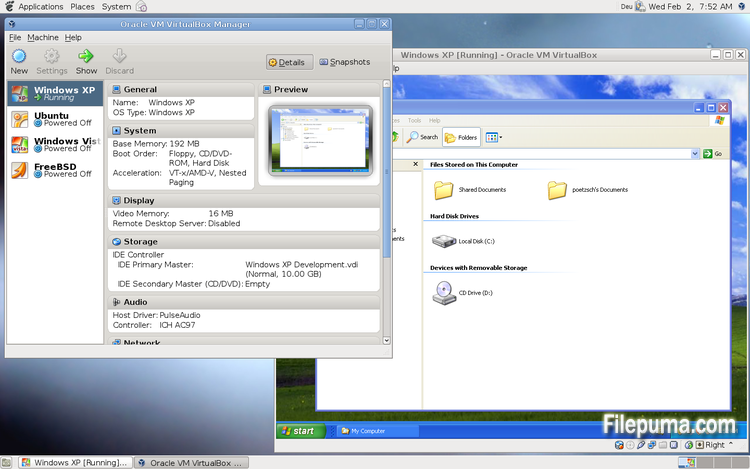
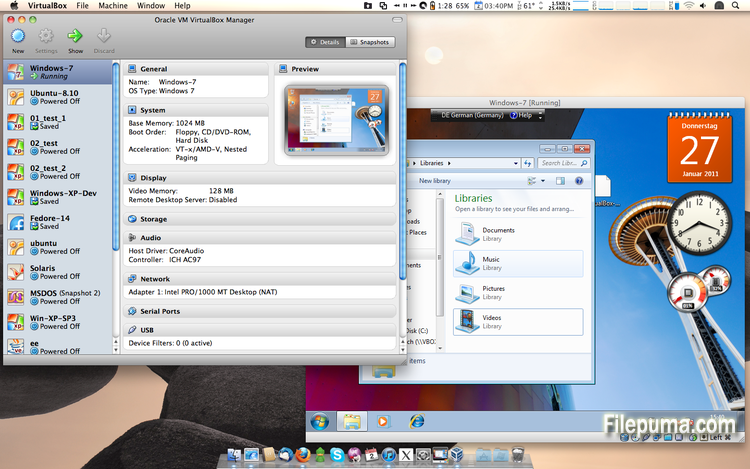
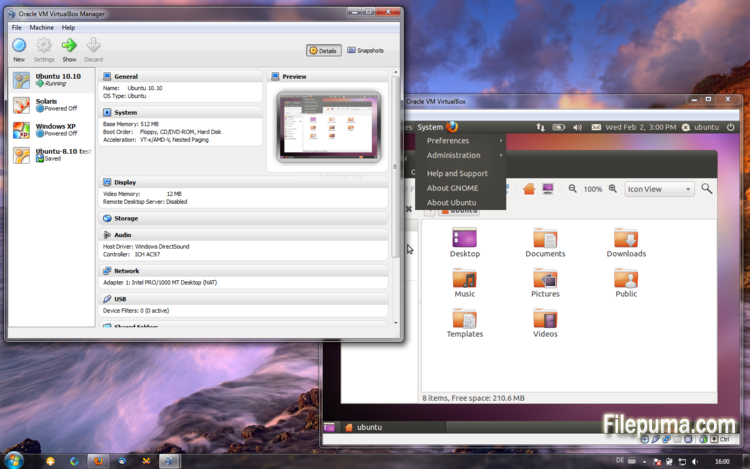


VirtualBoxjest darmowym i otwartoźródłowym oprogramowaniem do wirtualizacji, które pozwala użytkownikom tworzyć i uruchamiać maszyny wirtualne na ich komputerach. Dzięki VirtualBox użytkownicy mogą instalować i uruchamiać wiele systemów operacyjnych jednocześnie na swoim komputerze, bez konieczności tworzenia oddzielnych partycji lub kupowania dodatkowego sprzętu.
Jedną z głównych zalet VirtualBox jest jego łatwość obsługi. Jest prosty w instalacji i konfiguracji, nawet dla osób z niewielkim doświadczeniem lub bez doświadczenia w technologii wirtualizacji. VirtualBox oferuje również szeroki zakres opcji dostosowywania, w tym możliwość regulacji ilości pamięci RAM, rdzeni CPU oraz przestrzeni na dysku twardym przypisanych do każdej maszyny wirtualnej.
Kolejną świetną cechą VirtualBox jest jego kompatybilność z szeroką gamą systemów operacyjnych. Użytkownicy mogą instalować i uruchamiać Windows, Linux, macOS oraz wiele innych systemów operacyjnych na swoich maszynach wirtualnych. To czyni go doskonałym narzędziem dla deweloperów, testerów oprogramowania i każdego, kto potrzebuje uruchamiać wiele systemów operacyjnych na jednym komputerze.
VirtualBox oferuje również szereg zaawansowanych funkcji, takich jak obsługa urządzeń USB, foldery udostępnione i adaptery sieciowe. Te funkcje umożliwiają uruchamianie oprogramowania, które wymaga zasobów sprzętowych lub sieciowych, takich jak wirtualne routery, zapory ogniowe i serwery.
VirtualBox to doskonały wybór dla każdego, kto potrzebuje uruchamiać wiele systemów operacyjnych na jednym komputerze. Jego łatwość obsługi, szeroki zakres opcji dostosowywania i kompatybilność z wieloma różnymi systemami operacyjnymi czynią go wszechstronnym i potężnym narzędziem dla deweloperów, specjalistów IT oraz użytkowników domowych.
Kluczowa cecha:
- Kompatybilność międzyplatformowa.
- Intuicyjny graficzny interfejs użytkownika.
- Wsparcie dla różnych systemów operacyjnych.
- Bezproblemowa integracja z hostującym systemem operacyjnym.
- Migawki i klony.
- Możliwości sieciowe.
- Obsługa wirtualnych urządzeń.
- Pakiety rozszerzeń dla dodatkowej funkcjonalności.
Co nowego?
This version is a major update. The following major new features were added:
- VMM: major rewrite of the VT-x code and the AMD-V code including many bug fixes and performance improvements (for example bug #9659)
- VMM: introduced a lightweight instruction interpreter for situations not handled by hardware virtualization
- GUI: extended messaging mechanism (new non-modal popup overlays used to show non-critical warnings and provide user with additional information)
- GUI: keyboard shortcuts management (input page of global preferences extended with possibility to edit general keyboard shortcuts for VirtualBox Manager and Virtual Machine)
- GUI: video capturing support (bug #4766)
- Added USB touch device emulation
- Added experimental support for webcam passthrough complementing USB passthrough (see the manual for more information)
- Added SCSI CD-ROM emulation, including boot support
- VRDP: support for IPv6
- Guest Control: guest sessions now are running in dedicated, impersonated session processes (needs at least Guest Additions 4.3 installed)
- Guest Control: implemented IGuestFile support
- NAT: experimental virtual router mode: several VMs are attached to the same internal network and share one NAT service (see the manual for more information)
In addition, the following items were fixed and/or added:
- VMM: significantly improved performance of NetWare 5.x/6.x guests on host systems without nested paging support
- VMM: fixed losing host NMIs while in VT-x guest-context
- VMM: changed order of actions in emulated task switch (bug #10532)
- VMM: allow to activate VT-x while in SMX mode and provide more information if that is not possible
- GUI: update check uses https
- GUI: numerous minor internal cleanups and bug fixes
- GUI: HID LEDs synchronization when switching between guest window(s) and host (Mac OS X hosts only)
- GUI, VBoxManage: when unregistering a VM, also unregister the hard disk images which are used exclusively (bug #10311)
- GUI: use the number of physical presented processor cores instead of the number of logical processor cores to check if the users assigned too many virtual CPUs to the guest
- Snapshots: made live snapshots work again (bug #9255)
- Teleportation: made it work again (bug #9455)
- Storage: implemented AHA-154x compatibility mode in the emulated BusLogic SCSI HBA
- Storage: significantly improved performance of large ATAPI PIO transfers (BeOS, Minix 3 guests affected)
- Storage: added floppy formatting emulation (NB: cannot be used to change existing media geometry)
- Settings: global and per-VM default frontend configuration, useful to select the use of alternative VM frontends
- Settings: limit depth of snapshot tree to 250 levels, as more will lead to decreased performance and may trigger crashes
- Settings: the per-VM hwvirtextexcl setting has been replaced by a global hwvirtexclusive property
- Main: new event queue implementation which does not use the host's native event queue for processing VirtualBox events anymore
- Main: eliminate the use of SysV semaphores on all host OSes other than Windows, namely Linux, Solaris and Mac OS X, with the consequence that no system reconfiguration is needed to run more than approximately 100 VMs
- Main: use the XDG standard configuration folder instead of .VirtualBox on systems where it is appropriate (bug #5099)
- Main: extension pack framework can now support loading HGCM modules, contributed by Jeff Westphal
- VBoxManage: list more information about hard disk/DVD/floppy media, and support the --long option to show really all available details
- VBoxManage: added support for optional command line parameters for the automatic Guest Additions update
- VBoxManage: added support for listing active guest sessions, guest processes and/or guest files via guestcontrol list
- VBoxManage: added support for closing active guest sessions via guestcontrol session close --session-id
| --session-name | --all - VBoxManage: added support for terminating active guest processes via guestcontrol
process kill|close|terminate --session-id
| --session-name or guestcontrol [p[s]]kill --session-id... | --session-name ... - VBoxManage: added support for watching guest sessions via guestcontrol watch
- VBoxManage: added modifyvm --triplefaultreset to make the VM reset on triple fault instead of triggering a Guru Meditation (see the manual for more information)
- 3D support: several fixes
- 3D support: several fixes for Mac OS X hosts
- OVF: several fixes
- Extpack Installer: make it work if the file is located in a folder with special characters
- Keyboard: fix for reporting key sequences like Ctrl+Alt+Del for the USB keyboard emulation
- Shared Clipboard/X11: support for BMP-format images, contributed by François Revol
- Mac OS X hosts: limited support for Mac OS X 10.9 (Mavericks)
- Mac OS X hosts: use a launchd script instead of the deprecated StartupItem mechanism (bug #8940)
- Windows hosts: don't cause massive DPC latency (only on certain hosts; still needs improving; bug #6242)
- Windows hosts: consider symlinks when retrieving volume information (bug #11962)
- Windows hosts: fixed an issue with USB2 devices being inaccessible when plugged into USB 3.0 ports
- Windows Additions: fixed misbehavior with guest display power management (WDDM driver only; bug #11170)
- Windows Additions: fixed memory leak caused by WTSQuerySessionInformation() on Windows 2000 guests (bug #12072)
- Windows Additions: ability to track guest user idle times through the newly introduced event IGuestUserStateChangedEvent
- Linux Additions: fixed udev detection in the init script with Linux 3.x kernels
Program dostępny w innych językach.
- Download VirtualBox
- Télécharger VirtualBox
- Herunterladen VirtualBox
- Scaricare VirtualBox
- ダウンロード VirtualBox
- Descargar VirtualBox
- Baixar VirtualBox
Opinie użytkowników
Ocena użytkownika
 101
101
Licencja:
Darmowy
Wymagania:
Windows All
Języki:
Multi-languages
Rozmiar:
102MB
Wydawca:
Zaktualizowane:
Oct 15, 2013
Czysty
Zgłoś oprogramowanie
Najowsza wersja
Stare wersje
Oprogramowanie dewelopera
 VirtualBox 7.2.18
 Adobe Air 51.3.3.1
 Java Runtime Environment (32bit) 8 Update 501
 Java Runtime Environment (64bit) 8 Update 501
 Java Development Kit (64bit) 8 Update 501
 Python (64bit) 3.14.7
Poziomy bezpieczeństwa
Aby uniknąć potencjalnych szkód dla Twojego urządzenia i zapewnić bezpieczeństwo Twoich danych oraz prywatności, nasz zespół sprawdza za każdym razem, gdy nowy plik instalacyjny jest przesyłany na nasze serwery lub łączony z zdalnym serwerem, a także okresowo przegląda ten plik, aby potwierdzić lub zaktualizować jego status. Na podstawie tych kontroli ustalamy następujące poziomy bezpieczeństwa dla wszelkich plików do pobrania.
 Czysty
Bardzo prawdopodobne jest, że ten program software'owy jest czysty.
Skanowaliśmy pliki i adresy URL związane z tym programem w ponad 60 wiodących na świecie usługach antywirusowych; nie znaleziono żadnych możliwych zagrożeń. Nie ma także oprogramowania firm trzecich dołączonego do instalacji.
 Ostrzeżenie
Ten program jest wspierany przez reklamy i może oferować zainstalowanie programów stron trzecich, które nie są wymagane. Mogą one obejmować pasek narzędzi, zmianę strony startowej, domyślnej wyszukiwarki lub instalację innych programów stron trzecich. Mogą to być fałszywe pozytywy, a naszym użytkownikom zaleca się ostrożność przy instalacji i korzystaniu z tego oprogramowania.
 Niepełnosprawny
Ten program nie jest już dostępny do pobrania. Jest bardzo prawdopodobne, że ten program jest złośliwy lub ma problemy z bezpieczeństwem lub inne przyczyny.
Złóż raport
Dziękuję!
Twój raport został wysłany.
Dokonamy przeglądu twojej prośby i podejmiemy odpowiednie kroki.
Proszę zauważyć, że nie otrzymasz powiadomienia o żadnych działaniach podjętych w związku z tym raportem. Przepraszamy za wszelkie niedogodności, jakie może to spowodować.
Doceniamy Twoją pomoc w utrzymaniu naszej strony internetowej czystej i bezpiecznej.