

Keepass2.35
 Свободная загрузка
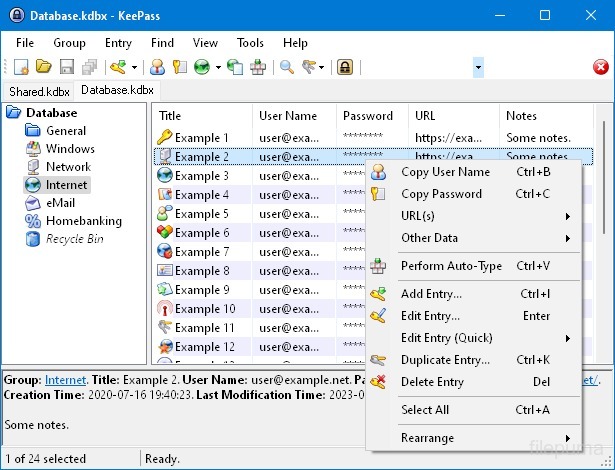
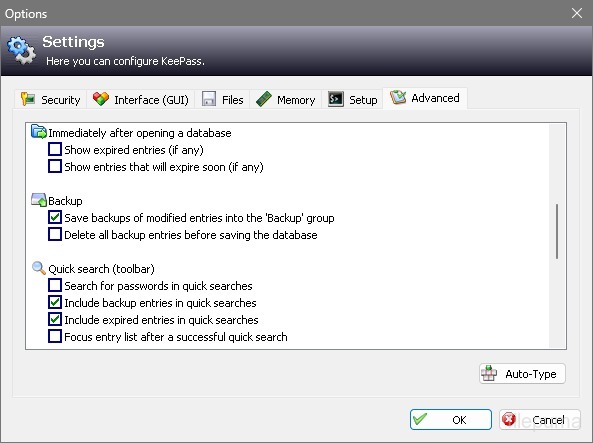


KeePassэто очень безопасный и популярный open-source менеджер паролей, используемый для хранения и управления паролями, именами пользователей и другой конфиденциальной информацией в безопасной форме. Он был разработан Dominik Reichl и доступен для различных платформ, включая Windows, macOS, Linux и мобильные устройства.
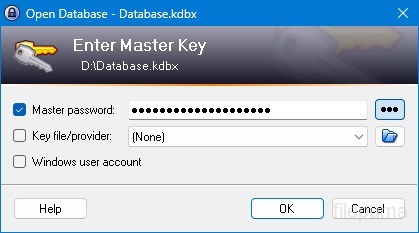
Одной из ключевых особенностей KeePass является его надежная безопасность. Он использует мощные алгоритмы шифрования (например, AES, Twofish) для защиты хранящихся данных, гарантируя, что только авторизованные пользователи с мастер-паролем могут получить доступ к своим паролям. Мастер-пароль служит основным ключом для разблокировки зашифрованной базы данных.
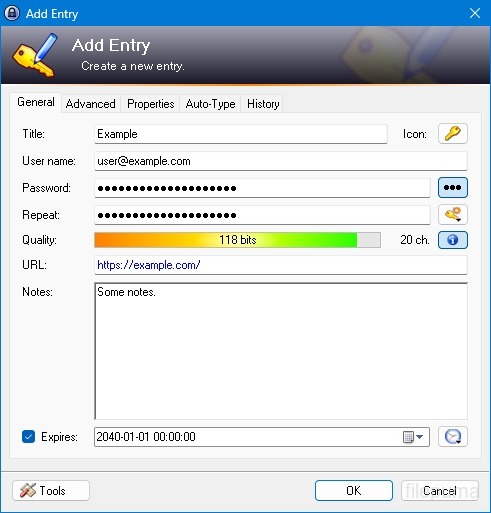
KeePass предоставляет удобный интерфейс, позволяющий пользователям организовывать свои пароли в структурированном виде с помощью папок и категорий. Кроме того, он предлагает инструменты для генерации паролей, помогая пользователям создавать сложные и уникальные пароли для повышения безопасности.
Программное обеспечение позволяет пользователям быстро искать конкретные пароли и предлагает такие функции, как автонабор, который позволяет автоматически заполнять формы для входа на сайты и в приложения. KeePass также поддерживает плагины, расширяя свои возможности и делая его настраиваемым в соответствии с индивидуальными потребностями.
Более того, KeePass подчеркивает портативность и доступность, позволяя пользователям хранить их зашифрованную базу данных паролей на различных носителях, таких как локальные диски, USB-накопители или облачные хранилища. Это позволяет пользователям получать доступ к своим паролям с различных устройств, сохраняя безопасность и конфиденциальность.
В целом, KeePass - это надежное и безопасное решение для управления паролями, которое помогает пользователям организованно хранить и защищать их конфиденциальную информацию.
Ключевые особенности:
- Безопасное хранение паролейБезопасно храните и управляйте паролями.
- Сильное шифрование: Использует продвинутое шифрование для защиты данных.
- Мастер-пароль и файл ключей: Доступ к базе данных с помощью надежного мастер-пароля и необязательного ключевого файла.
- Двухфакторная аутентификация (2FA): Обеспечивает дополнительный уровень безопасности.
- Функциональность Auto-TypeАвтоматизирует ввод имен пользователей и паролей.
- Генератор паролей: Создает надежные, случайные пароли.
- Организовать пароли: Категоризировать пароли по группам и подгруппам.
- Поиск и фильтр: Быстро находить конкретные записи.
- Пользовательские поля: Добавьте дополнительную информацию к записям.
- Вложения: Безопасно прикрепляйте файлы к записям паролей.
- Функции безопасности: Предлагает дополнительные варианты безопасности.
- Кросс-платформенный: Доступно на различных операционных системах.
- Плагины и расширения: Расширьте функциональность с помощью дополнительных функций.
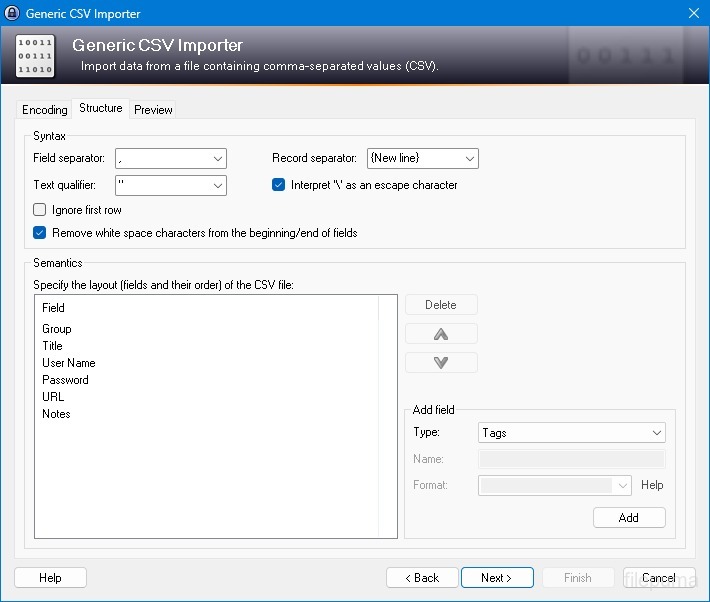
- Импорт и экспорт: Легко импортируйте/экспортируйте пароли.
- Синхронизация базы данных: Синхронизируйте базу данных между устройствами безопасно.
Что нового?
New Features:
- New KDBX 4 file format, which supports various new features (listed below; e.g. Argon2)
- Added Argon2 key derivation function (it can be activated in the database settings dialog)
- Improved header and data authentication in KDBX 4 files (using HMAC-SHA-256, Encrypt-then-MAC scheme)
- Added ChaCha20 (RFC 7539) encryption algorithm (it can be activated as KDBX file encryption algorithm in the database settings dialog; furthermore, it supersedes Salsa20 as default for generating the inner random stream of KDBX 4 files)
- Added support for opening entry URLs with Firefox or Opera in private mode via the context menu -> 'URL(s)' -> 'Open with ... (Private)'
- Added URL override suggestions for Firefox and Opera in private mode in the URL override suggestions drop-down list in the entry dialog
- Added optional built-in global URL overrides for opening HTTP/HTTPS URLs with Firefox or Opera in private mode
- Added {PICKFIELD} placeholder, which shows a dialog to pick a field whose value will be inserted
- Added option 'Hide "Close Database" toolbar button when at most one database is opened' (turned on by default)
- Added option 'Show additional auto-type menu commands', which can be turned on to show menu commands for performing entry auto-type with some specific sequences
- Added menu command 'Selected Entry's Group' (with keyboard shortcut Ctrl+G) in 'Edit' -> 'Show Entries' (and a context menu equivalent 'Show Parent Group' in 'Selected Entries'), which opens the parent group of the currently selected entry and selects the entry again
- Added menu commands in 'Edit' -> 'Show Entries' to show entries that expire in a specific number of days (1, 2, 3) or weeks (1, 2, 4, 8) or in the future
- Added configuration option that specifies the number of days within which entries are considered to expire 'soon' (the default is 7)
- Added option for changing the alternate item background color
- When the option 'Remember key sources' is enabled, KeePass now also remembers whether a master password has been used
- Added option 'Force changing the master key the next time (once)' (in 'File' -> 'Database Settings' -> tab 'Advanced')
- Added parameters 'Window style' and 'Verb' for the 'Execute command line / URL' trigger action
- Added support for importing mSecure 3.5.5 CSV files
- Added support for importing Password Saver 4.1.2 XML files
- Added support for importing Enpass 5.3.0.1 TXT files
- Enhanced SplashID CSV import (added support for the old version 3.4, added mappings for types of the latest version, groups are now created only for categories, and types are imported as tags)
- LastPass import: added support for CSV files exported by the LastPass Chrome extension, which encodes some special characters as XML entities
- Added 'KeePass KDBX (2.34, Old Format)' export module
- Export using XSL transformation: added support for the 'xsl:output' element in XSL files
- If the global auto-type hot key is Ctrl+Alt+A and the current input locale is Polish, KeePass now shows a warning dialog (telling the user that Ctrl+Alt+A is in conflict with a system key combination producing a character)
- Added Alt+X Unicode character conversion support in rich text boxes on Unix-like systems
- For development snapshots, the 'About' dialog now shows the snapshot version (in the form 'YYMMDD')
- Plugins can provide other key derivation functions now
- The header of KDBX 4 files is extensible by plugins
- Enhanced support for developing encryption algorithm plugins
- Plugins can now store custom data in groups and entries
- Plugin data stored in the database, a group or an entry can now be inspected (and deleted) in the database maintenance dialog, the group dialog and the entry dialog, respectively
- For plugins: file closing events now contain information about whether KeePass is exiting, locking or performing a trigger action
- Added workaround for .NET handle cast overflow bug in InputLanguage.Culture
- Added workaround for Mono ignoring the Ctrl+I shortcut
- Added workaround for Mono clipboard bug
- Added workaround for Mono not focusing the default control in the entry editing dialog
- Added workaround for a Mono timer bug that caused high CPU load while showing a file save confirmation dialog
- Added Mono workaround: when running on Mac OS X, KeePass now does not try to instantiate a tray icon anymore
- Added workaround for XDoTool sending diacritic characters in incorrect case
- TrlUtil now recommends to clear the 'Unused Text' tab
Improvements:
- Improved behavior when searching entries with exclusions (terms prefixed with '-')
- Improved support for auto-typing into target windows using different keyboard layouts
- Auto-Type: improved support for keyboard layouts with keys where Shift, Caps Lock and no modifier result in 3 different characters
- Auto-Type: improved support for spacing modifier letters (U+02B0 to U+02FF)
- Global auto-type now works with target windows having empty titles
- When copying entries to the clipboard, the data package now includes custom icons used by the entries
- Unified behavior when drag&dropping a field containing a placeholder
- Improved entry edit confirmation dialog
- If the screen height is insufficient to display a dialog, the dialog's banner (if the dialog has one) is now removed to save some space.
- Some tooltips are now displayed for a longer time
- A new entry created using a template now does not include the history of the template anymore
- For empty RTF attachments, the internal data editor now by default uses the font that is specified for TXT files
- Internal data editor: added support for changing the format of mixed-format selections
- Internal data viewer and editor: null characters ('', not '0') in texts are now automatically replaced by spaces (like Notepad on Windows 10)
- Improved encoding signature handling for conversions during text attachment imports (via the 'Text Encoding' dialog)
- File transactions are not used anymore for files that have a reparse point (e.g. symbolic links)
- Improved XSL stylesheets for KDBX XML files
- The internal window manager is now thread-safe
- Improved date/time handling
- Improved button image disposal
- When synchronizing two databases, custom data (by plugins) is now merged
- When opening a database file, corrupted icon indices are now automatically replaced by default values
- Added some more entropy sources for the seed of the cryptographically secure pseudo-random number generator (environment variables, command line, full operating system version, current culture)
- ChaCha20 is now used during password generation (instead of Salsa20)
- ChaCha20 is now used as fallback process memory encryption algorithm (instead of Salsa20)
- When the encryption algorithm for a database file is unknown, the error message now shows the UUID of the algorithm
- In KDBX 4, header field lengths are now 4 bytes wide
- In KDBX 4, entry attachments are now stored in an inner, binary header (encrypted, possibly compressed), before the XML part; this reduces the database file size and improves the loading/saving performance
- In KDBX 4, the inner random stream cipher ID and key (to support process memory protection) are now stored in the inner header instead of in the outer header
- KPScript: the 'ChangeMasterKey' command now also updates the master key change date
- TrlUtil: improved validation warning dialogs
- The MSI file now requires any .NET Framework version, not a specific one
- The MSI file is now built using Visual Studio 2015
- Various code optimizations
- Minor other improvements
Bugfixes:
- When executing a {HMACOTP} placeholder, the last modification time of the corresponding entry is now updated
- Key files containing exactly 64 alphanumeric characters are now loaded as intended
Программа доступна на других языках.
- Download Keepass
- Télécharger Keepass
- Herunterladen Keepass
- Scaricare Keepass
- ダウンロード Keepass
- Descargar Keepass
- Baixar Keepass
Отзывы пользователей
Оценка пользователя
 26
26
Лицензия:
Свободный
Требования:
Windows All
Языки:
Multi-languages
Размер:
2.96MB
Издатель:
Обновлено:
Jan 9, 2017
Чистый
Отчетное программное обеспечение
Последняя версия
Старые версии
Программное обеспечение разработчика
 Keepass 2.61.1
Связанное программное обеспечение
 RoboForm 10.0.0
 Dashlane 6.2632.0
 1Password 8.12.36
Уровни безопасности
Чтобы избежать возможного ущерба для вашего устройства и обеспечить безопасность ваших данных и конфиденциальность, наша команда проверяет каждый раз, когда новый файл установки загружается на наши серверы или связывается с удаленным сервером, и периодически пересматривает файл, чтобы подтвердить или обновить его статус. На основе этой проверки мы устанавливаем следующие уровни безопасности для любых загружаемых файлов.
 Чистый
Это весьма вероятно, что эта программа чистая.
Мы просканировали файлы и URL-адреса, связанные с этой программой, более чем в 60 ведущих антивирусных службах мира; угроз не найдено. И стороннее программное обеспечение не bundled.
 Предупреждение
Эта программа поддерживается рекламой и может предложить установить сторонние программы, которые не являются обязательными. Это могут включать панель инструментов, изменение вашей домашней страницы, поисковой системы по умолчанию или установку других сторонних программ. Это могут быть ложные срабатывания, и нашим пользователям рекомендуется быть осторожными при установке и использовании этого ПО.
 Инвалид
Это программное обеспечение больше недоступно для скачивания. С высокой вероятностью, эта программа вредоносна или имеет проблемы с безопасностью или другие причины.
Представить отчет
Спасибо!
Ваш отчет был отправлен.
Мы рассмотрим вашу просьбу и примем соответствующие меры.
Обратите внимание, что вы не получите уведомление о любых действиях, предпринятых по этому отчету. Приносим извинения за любые неудобства, которые это может причинить.
Мы благодарим вас за помощь в поддержании нашего сайта чистым и безопасным.