

Paint.NET4.0
 ดาวน์โหลดฟรี
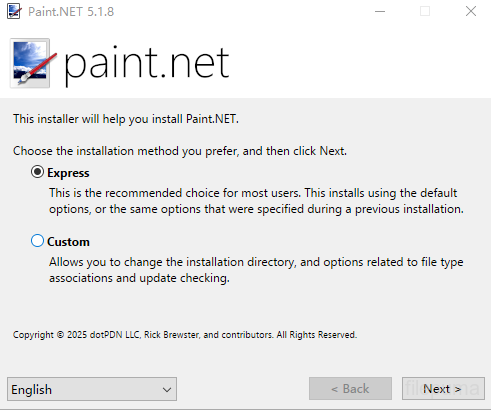
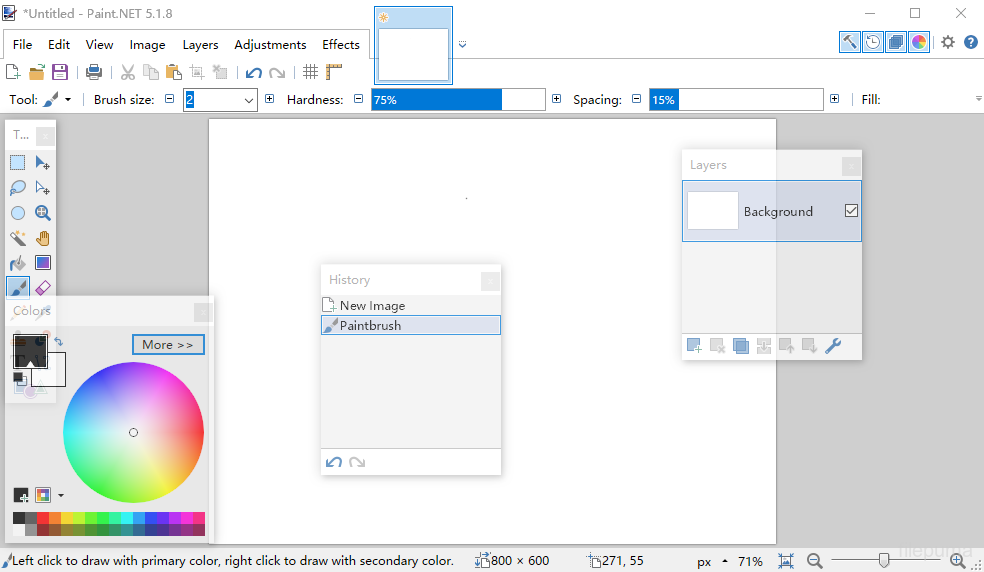


Paint.NETเป็นซอฟต์แวร์แก้ไขภาพและรูปภาพฟรีที่ออกแบบมาสำหรับคอมพิวเตอร์ที่ใช้ระบบปฏิบัติการ Windows โดยมีอินเทอร์เฟซที่สะอาดและเข้าใจง่าย ทำให้ผู้ใช้สามารถเรียนรู้และเริ่มต้นแก้ไขภาพได้อย่างรวดเร็ว เดิมทีได้รับการพัฒนาเป็นโครงการวิทยาลัย และได้เติบโตเป็นแอปพลิเคชันที่มีการดูแลอย่างดีและได้รับการยอมรับ โดยได้รับการสนับสนุนจากชุมชนออนไลน์ที่เข้มแข็ง
Paint.NETรองรับเลเยอร์ ช่วยให้ผู้ใช้จัดการองค์ประกอบที่ซับซ้อนได้อย่างแม่นยำ ฟังก์ชันการแก้ไขมาตรฐาน เช่น การครอบตัด การปรับขนาด และการหมุนมีให้ใช้งาน พร้อมด้วยความสามารถขั้นสูง เช่น การปรับเคิร์ฟ โหมดการผสม และเอฟเฟกต์ศิลปะหลากหลายที่ช่วยให้ผู้ใช้เสริมสร้างภาพถ่ายหรือสร้างงานศิลปะดิจิทัลได้อย่างมีประสิทธิภาพ
Paint.NETรองรับรูปแบบภาพที่หลากหลายรวมถึง JPEG, PNG, BMP, และแม้แต่ไฟล์ Photoshop PSD ด้วยปลั๊กอิน ระบบปลั๊กอินช่วยให้ผู้ใช้สามารถขยายฟังก์ชันการทำงานโดยการเพิ่มเอฟเฟกต์ใหม่ ปรับแต่ง และประเภทไฟล์ ทำให้สามารถปรับตัวให้เข้ากับกระบวนการทำงานสร้างสรรค์ที่หลากหลายได้
ชุมชนเบื้องหลังPaint.NETพัฒนาบทเรียน ปลั๊กอิน และส่วนขยายอย่างต่อเนื่อง มีส่วนช่วยในการปรับปรุงซอฟต์แวร์อย่างต่อเนื่อง ด้วยการอัพเดทเป็นประจำและการติดตั้งที่เบา ให้ประสบการณ์การแก้ไขที่ตอบสนองโดยไม่ต้องการฮาร์ดแวร์ที่สูงaint.NETเป็นตัวเลือกที่ดีสำหรับผู้ที่มองหาตัวแก้ไขภาพที่เชื่อถือได้และใช้งานง่าย
คุณสมบัติหลัก:
- อินเทอร์เฟซที่ใช้งานง่าย: การจัดเรียงที่เรียบง่าย สะอาด และใช้งานง่ายเพื่อความสะดวกในการใช้งาน
- การรองรับเลเยอร์: ช่วยให้การจัดองค์ประกอบภาพขั้นสูงผ่านเลเยอร์ คล้ายกับ Photoshop
- เครื่องมือที่ทรงพลัง: รวมถึงการเลือก, ย้าย, ซูม, เกรเดียนท์, Clone Stamp, และเครื่องมือข้อความ
- เอฟเฟกต์พิเศษ: มีเอฟเฟกต์เช่น เบลอ, ทำให้คมชัด, ลบตาแดง, การบิดเบือน และการประทับนูน
- Unlimited History: ยกเลิกการทำซ้ำได้ไม่จำกัดพร้อมหน้าต่างประวัติภาพสำหรับการกู้ข้อผิดพลาด
- รองรับปลั๊กอิน: ขยายการทำงานด้วยปลั๊กอินที่ชุมชนสร้างขึ้นสำหรับฟิลเตอร์, เอ็ฟเฟ็กต์, และเครื่องมือ
- ชุมชนที่มีชีวิตชีวา: เข้าถึงบทเรียน ดาวน์โหลดปลั๊กอิน และขอความช่วยเหลือผ่านฟอรัมผู้ใช้ขนาดใหญ่
- ประสิทธิภาพสูง: ปรับแต่งให้เหมาะสมสำหรับความเร็วและประสิทธิภาพแม้ในฮาร์ดแวร์ที่ไม่สูงมาก
- การอัปเดตเป็นประจำ: มีการอัปเดตข้อบกพร่อง ฟีเจอร์ใหม่ และการปรับปรุงต่าง ๆ อย่างสม่ำเสมอ
มีอะไรใหม่บ้าง
System Requirements
- Windows 7 SP1 or newer is now required.
- NET Framework 4.5 is now required, and will be installed if needed.
- A dual-core (or more!) processor is highly recommended.
- Hardware acceleration (GPU) via Direct2D is now supported.
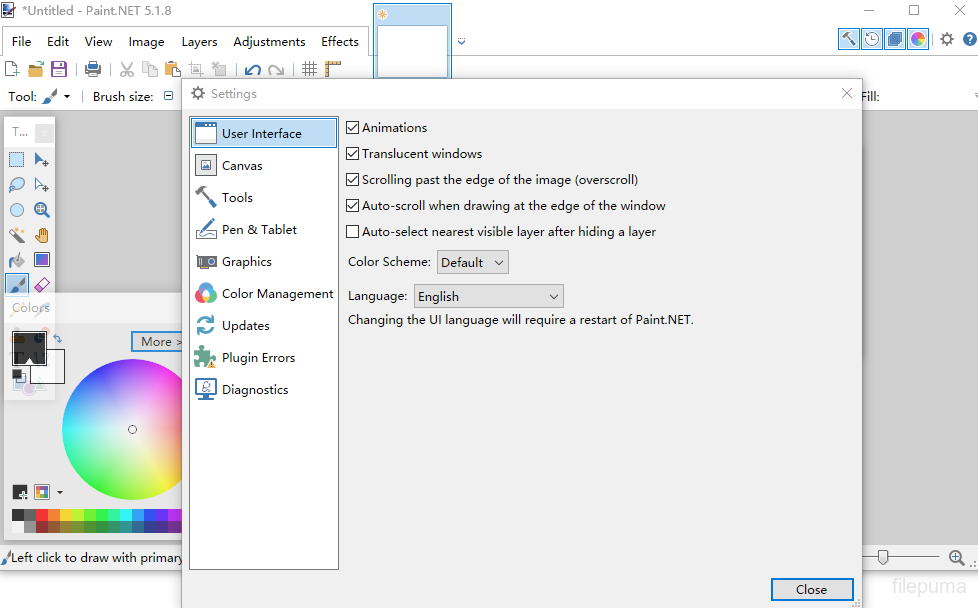
- Please disable this in the Settings dialog if you experience visual artifacts.
- A brand new, asynchronous, fully multithreaded rendering engine allows performance to scale very well with respect to the number of CPU cores whether you have 2, 4, 6, or even 16 of them.
- The responsiveness of the user interface has been greatly improved, especially when working with large images.
- Memory usage is lower.
- Improved battery life impact due to fixing the way the floating windows manage their transparency.
- Startup performance when many plugins are installed is improved, thanks to the Multicore JIT feature introduced in .NET 4.5.
- Selections are now antialiased, which greatly improves the quality around the edges of selected content. You can turn this on and off at any time from the toolbar.
- Everything related to selections now has much higher performance and greatly reduced CPU usage, especially if hardware acceleration (GPU) is enabled.
- The selection outline is now rendered using the “dancing ants” animation, which greatly improves the contrast between it and the image itself.
- The functionality previously provided by the Utilities, Window, and Help menus has been simplified, consolidated, and moved to the top-right corner of the main window.
- The image thumbnail list has been moved up 1 row so that it no longer intrudes into the current Tool’s toolbar space. This means it will no longer “jump around” when you switch between tools. This also means that it is aligned to the top of the monitor when the main window is maximized, making it easier to click on images (Fitt's Law)
- The image thumbnail list can now be reordered with drag-and-drop.
- The zoom slider and units selector have been moved from the toolbar to the bottom right corner of the window (into the status bar).
- Layers can now be reordered with drag-and-drop.
- Improved quality of Image->Resize.
- Copying to the clipboard now includes the “PNG” format, which allows transparency to survive from many popular applications (e.g. Office)
- Shift+Backspace will now fill the selection with the secondary color (Backspace, the shortcut key for Edit -> Fill Selection, still fills with primary color as usual).
- EXIF rotation metadata is now applied when opening images (e.g. JPG taken with a rotated camera).
- Crash logs are now stored in%LOCALAPPDATA%\paint.net\CrashLogs (e.g. C:\Users\username\AppData\Local\paint.net\CrashLogs) instead of on the desktop.
- Drawing tools (Pencil, Paintbrush, Eraser, Clone Stamp, Recolor) now have much smoother mouse input handling via GetMouseMovePointsEx.
- Brush tools (Paintbrush, Eraser, Clone Stamp, Recolor) now have soft brushes support via a “Hardness” setting in the toolbar.
- The Move tools (Move Selected Pixels, Move Selection) have a much better UI for scaling, moving, and (especially) rotation.
- The Move tools now support moving the rotation anchor, which changes the center of rotation.
- The new Shapes tool replaces the Rectangle, Rounded Rectangle, Ellipse, and Freeform shape tools. 27 shapes are currently available. You may move, resize, and rotate a shape, as well as reconfigure any other properties from the toolbar (color, outline size, etc.) before committing it to the layer.
- Color Picker has a configurable sampling radius, and can sample from either the current layer or the whole image.
- Gradient tool now supports a new Spiral gradient type and allows configuration of the repeat mode (none, repeat, wrapped).
- Gradient tool has improved rendering quality via dithering and antialiasing. You can control both of these with the standard antialiasing toggle in the toolbar.
- Magic Wand and Paint Bucket now allow live adjustment of Tolerance and the Origin (click location) after clicking (press Enter to commit/finish).
- Magic Wand and Paint Bucket can now sample from either the current layer or the whole image.
- Paint Bucket tool now supports anti-aliasing.
- Recolor tool can now use the color of the pixel where you click as the color to be replaced. Or, as usual, it can use the secondary color.
- Text tool now supports multiple rendering modes: Smooth, Sharp (Modern), and Sharp (Classic). These correspond to DirectWrite rendering modes of Outline, ClearType Natural Symmetric, and GDI Classic, respectively.
- Text tool now supports colored fonts on Windows 8.1.
โปรแกรมมีให้บริการในหลายภาษา
- Download Paint.NET
- Télécharger Paint.NET
- Herunterladen Paint.NET
- Scaricare Paint.NET
- ダウンロード Paint.NET
- Descargar Paint.NET
- Baixar Paint.NET
รีวิวจากผู้ใช้
การให้คะแนนจากผู้ใช้
 224
224
ใบอนุญาต:
ฟรี
ข้อกำหนด:
Windows 7/ Windows 8/ Windows 8.1
ภาษา:
Multi-languages
ขนาด:
6.0MB
ผู้จัดพิมพ์:
อัปเดตแล้ว:
Jun 25, 2014
สะอาด
ซอฟต์แวร์รายงาน
เวอร์ชันล่าสุด
เวอร์ชันเก่า
ซอฟต์แวร์สำหรับนักพัฒนา
 Paint.NET 5.1.12
ซอฟต์แวร์ที่เกี่ยวข้อง
 FastStone Image Viewer 8.5
 XnView 2.52.5
 Picasa 3.9 Build 141 259
 IrfanView (32bit) 4.75
ระดับความปลอดภัย
เพื่อลดความเสี่ยงต่ออุปกรณ์ของคุณและรับประกันความปลอดภัยของข้อมูลและความเป็นส่วนตัว ทีมงานของเราจะตรวจสอบทุกครั้งที่มีการอัปโหลดไฟล์ติดตั้งใหม่ไปยังเซิร์ฟเวอร์ของเรา หรือเชื่อมโยงกับเซิร์ฟเวอร์ระยะไกล และจะตรวจสอบไฟล์เป็นระยะเพื่อยืนยันหรือปรับปรุงสถานะของไฟล์นั้น ตามการตรวจสอบนี้ เราจึงกำหนดระดับความปลอดภัยดังต่อไปนี้สำหรับไฟล์ที่สามารถดาวน์โหลดได้
 สะอาด
สะอาด
มีความเป็นไปได้สูงที่โปรแกรมซอฟต์แวร์นี้จะไม่มีมัลแวร์
เราได้สแกนไฟล์และลิงก์ที่เกี่ยวข้องกับโปรแกรมซอฟต์แวร์นี้ในบริการป้องกันไวรัสชั้นนำมากกว่า 60 แห่งทั่วโลก และไม่พบภัยคุกคามที่เป็นไปได้ และไม่มีซอฟต์แวร์จากบุคคลที่สามรวมอยู่ด้วย
 คำเตือน
โปรแกรมนี้ได้รับการสนับสนุนจากโฆษณาและอาจเสนอให้ติดตั้งโปรแกรมของบุคคลที่สามที่ไม่จำเป็น โปรแกรมเหล่านี้อาจรวมถึงแถบเครื่องมือ การเปลี่ยนหน้าแรกของคุณ เครื่องมือค้นหาที่ตั้งค่าเริ่มต้น หรือการติดตั้งโปรแกรมของบุคคลอื่น ซึ่งอาจเป็นการแจ้งเตือนที่ผิดพลาด และเราแนะนำให้ผู้ใช้ระมัดระวังเมื่อทำการติดตั้งและใช้งานซอฟต์แวร์นี้
 พิการ
พิการ
ซอฟต์แวร์นี้ไม่สามารถดาวน์โหลดได้อีกต่อไป มีความเป็นไปได้สูงที่โปรแกรมซอฟต์แวร์นี้อาจมีลักษณะเป็นอันตรายหรือมีปัญหาด้านความปลอดภัยหรือเหตุผลอื่น ๆ
ส่งรายงาน
ขอบคุณ!
รายงานของคุณได้ถูกส่งแล้ว。
เราจะตรวจสอบคำขอของคุณและดำเนินการอย่างเหมาะสม。
โปรดทราบว่าคุณจะไม่ได้รับการแจ้งเตือนเกี่ยวกับการดำเนินการใด ๆ ที่เกิดจากรายงานนี้ เราขออภัยในความไม่สะดวกที่อาจเกิดขึ้น
เราขอขอบคุณสำหรับความช่วยเหลือของคุณในการทำให้เว็บไซต์ของเราสะอาดและปลอดภัย