

VirtualBox4.2.14
 ดาวน์โหลดฟรี
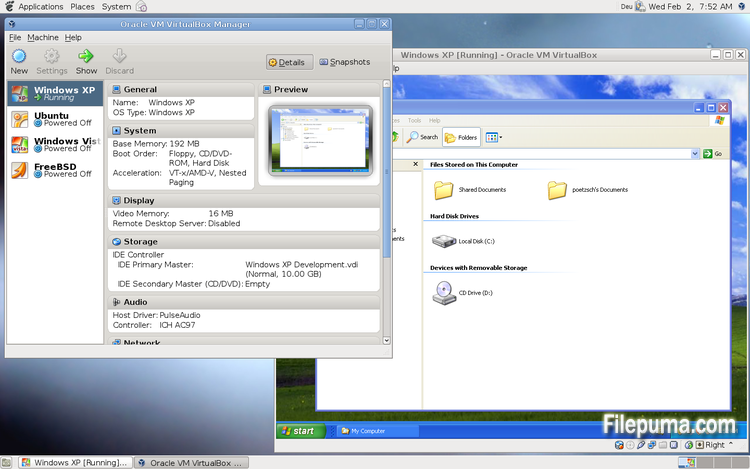
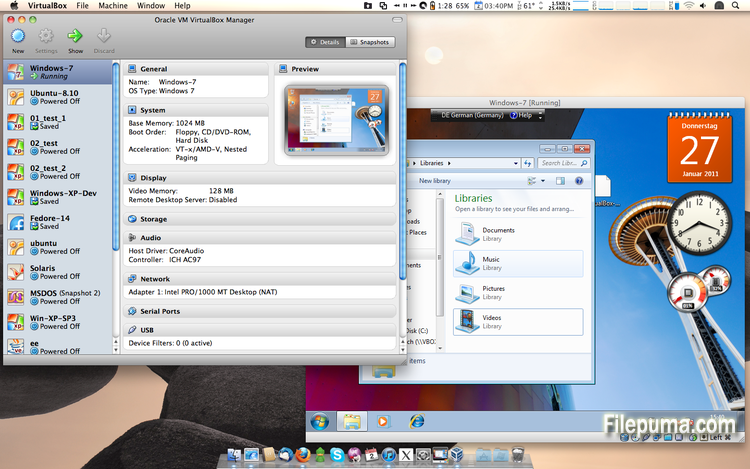
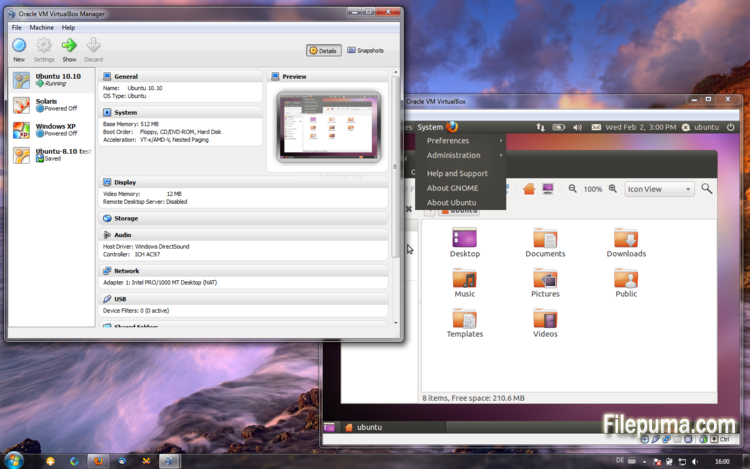


VirtualBoxเป็นซอฟต์แวร์จำลองระบบฟรีและโอเพ่นซอร์สที่อนุญาตให้ผู้ใช้สร้างและรันเครื่องเสมือนบนคอมพิวเตอร์ของพวกเขา ด้วย VirtualBox ผู้ใช้สามารถติดตั้งและรันระบบปฏิบัติการหลายระบบในเวลาเดียวกันบนคอมพิวเตอร์ของพวกเขาโดยไม่ต้องสร้างพาร์ติชันแยกหรือซื้อตัวฮาร์ดแวร์เพิ่มเติม
หนึ่งในข้อดีหลักของ VirtualBox คือใช้งานง่าย ติดตั้งและตั้งค่าได้ง่าย แม้สำหรับผู้ที่มีประสบการณ์เพียงเล็กน้อยหรือไม่มีเลยกับเทคโนโลยีการจำลองเสมือน VirtualBox ยังมีทางเลือกในการปรับแต่งที่หลากหลาย เช่น การปรับจำนวน RAM, CPU cores, และพื้นที่ฮาร์ดดิสก์ที่จัดสรรให้กับแต่ละเครื่องเสมือน
อีกหนึ่งคุณสมบัติที่ยอดเยี่ยมของ VirtualBox คือความเข้ากันได้กับระบบปฏิบัติการหลากหลาย ผู้ใช้สามารถติดตั้งและใช้งาน Windows, Linux, macOS และระบบปฏิบัติการอื่น ๆ อีกมากมายบนเครื่องเสมือนของตน ทำให้เป็นเครื่องมือที่ยอดเยี่ยมสำหรับนักพัฒนา ผู้ทดสอบซอฟต์แวร์ และบุคคลที่ต้องการใช้งานระบบปฏิบัติการหลายระบบบนคอมพิวเตอร์เครื่องเดียว
VirtualBox ยังมีคุณสมบัติขั้นสูงหลายอย่าง เช่น การรองรับอุปกรณ์ USB, โฟลเดอร์ที่แชร์ได้, และอะแดปเตอร์เครือข่าย คุณสมบัติเหล่านี้ทำให้สามารถรันซอฟต์แวร์ที่ต้องการฮาร์ดแวร์หรือทรัพยากรเครือข่าย เช่น เราท์เตอร์เสมือน, ไฟร์วอลล์, และเซิร์ฟเวอร์
VirtualBox เป็นทางเลือกที่ยอดเยี่ยมสำหรับใครก็ตามที่ต้องการใช้งานระบบปฏิบัติการหลายระบบบนคอมพิวเตอร์เครื่องเดียว ความง่ายในการใช้งาน ตัวเลือกการปรับแต่งที่หลากหลาย และความเข้ากันได้กับระบบปฏิบัติการหลากหลาย ทำให้มันเป็นเครื่องมือที่มีความหลากหลายและทรงพลังสำหรับนักพัฒนา ผู้เชี่ยวชาญด้านไอที และผู้ใช้ตามบ้าน
คุณสมบัติเด่น:
- ความเข้ากันได้ข้ามแพลตฟอร์ม
- ส่วนติดต่อผู้ใช้เชิงกราฟิกที่ใช้งานง่าย
- รองรับระบบปฏิบัติการต่าง ๆ
- การผสานรวมอย่างไร้รอยต่อกับระบบปฏิบัติการหลัก
- สแนปชอตและโคลน
- ความสามารถด้านเครือข่าย
- การรองรับอุปกรณ์เสมือน
- ชุดขยายสำหรับฟังก์ชันเพิ่มเติม
มีอะไรใหม่บ้าง
- VMM: another TLB invalidation fix for non-present pages
- VMM: fixed a performance regression (4.2.8 regression; bug #11674)
- GUI: fixed a crash on shutdown
- GUI: prevent stuck keys under certain conditions on Windows hosts (bugs #2613, #6171)
- VRDP: fixed a rare crash on the guest screen resize
- VRDP: allow to change VRDP parameters (including enabling/disabling the server) if the VM is paused
- USB: fixed passing through devices on Mac OS X host to a VM with 2 or more virtual CPUs (bug #7462)
- USB: fixed hang during isochronous transfer with certain devices (4.1 regression; Windows hosts only; bug #11839)
- USB: properly handle orphaned URBs (bug #11207)
- BIOS: fixed function for returning the PCI interrupt routing table (fixes NetWare 6.x guests)
- BIOS: don't use the ENTER / LEAVE instructions in the BIOS as these don't work in the real mode as set up by certain guests (e.g. Plan 9 and QNX 4)
- DMI: allow to configure DmiChassisType (bug #11832)
- Storage: fixed lost writes if iSCSI is used with snapshots and asynchronous I/O (bug #11479)
- Storage: fixed accessing certain VHDX images created by Windows 8 (bug #11502)
- Storage: fixed hang when creating a snapshot using Parallels disk images (bug #9617)
- 3D: seamless + 3D fixes (bug #11723)
- 3D: version 4.2.12 was not able to read saved states of older versions under certain conditions (bug #11718)
- Main/Properties: don't create a guest property for non-running VMs if the property does not exist and is about to be removed (bug #11765)
- Main/Properties: don't forget to make new guest properties persistent after the VM was terminated (bug #11719)
- Main/Display: don't lose seamless regions during screen resize
- Main/OVF: don't crash during import if the client forgot to call Appliance::interpret() (bug #10845)
- Main/OVF: don't create invalid appliances by stripping the file name if the VM name is very long (bug #11814)
- Main/OVF: don't fail if the appliance contains multiple file references (bug #10689)
- Main/Metrics: fixed Solaris file descriptor leak
- Settings: limit depth of snapshot tree to 250 levels, as more will lead to decreased performance and may trigger crashes
- VBoxManage: fixed setting the parent UUID on diff images using sethdparentuuid
- Linux hosts: work around for not crashing as a result of automatic NUMA balancing which was introduced in Linux 3.8 (bug #11610)
- Windows installer: force the installation of the public certificate in background (i.e. completely prevent user interaction) if the --silent command line option is specified
- Windows Additions: fixed problems with partial install in the unattended case
- Windows Additions: fixed display glitch with the Start button in seamless mode for some themes
- Windows Additions: Seamless mode and auto-resize fixes
- Windows Additions: fixed trying to to retrieve new auto-logon credentials if current ones were not processed yet
- Windows Additions installer: added the /with_wddm switch to select the experimental WDDM driver by default
- Linux Additions: fixed setting own timed out and aborted texts in information label of the lightdm greeter
- Linux Additions: fixed compilation against Linux 3.2.0 Ubuntu kernels (4.2.12 regression as a side effect of the Debian kernel build fix; bug #11709)
- X11 Additions: reduced the CPU load of VBoxClient in drag'and'drop mode
- OS/2 Additions: made the mouse wheel work (bug #6793)
- Guest Additions: fixed problems copying and pasting between two guests on an X11 host (bug #11792)
โปรแกรมมีให้บริการในหลายภาษา
- Download VirtualBox
- Télécharger VirtualBox
- Herunterladen VirtualBox
- Scaricare VirtualBox
- ダウンロード VirtualBox
- Descargar VirtualBox
- Baixar VirtualBox
รีวิวจากผู้ใช้
การให้คะแนนจากผู้ใช้
 101
101
ใบอนุญาต:
ฟรี
ข้อกำหนด:
Windows All
ภาษา:
Multi-languages
ขนาด:
94.6MB
ผู้จัดพิมพ์:
อัปเดตแล้ว:
Jun 23, 2013
สะอาด
ซอฟต์แวร์รายงาน
เวอร์ชันล่าสุด
เวอร์ชันเก่า
ซอฟต์แวร์สำหรับนักพัฒนา
 VirtualBox 7.2.18
 Adobe Air 51.3.3.1
 Java Runtime Environment (32bit) 8 Update 501
 Java Runtime Environment (64bit) 8 Update 501
 Java Development Kit (64bit) 8 Update 501
 Python (64bit) 3.14.7
ระดับความปลอดภัย
เพื่อลดความเสี่ยงต่ออุปกรณ์ของคุณและรับประกันความปลอดภัยของข้อมูลและความเป็นส่วนตัว ทีมงานของเราจะตรวจสอบทุกครั้งที่มีการอัปโหลดไฟล์ติดตั้งใหม่ไปยังเซิร์ฟเวอร์ของเรา หรือเชื่อมโยงกับเซิร์ฟเวอร์ระยะไกล และจะตรวจสอบไฟล์เป็นระยะเพื่อยืนยันหรือปรับปรุงสถานะของไฟล์นั้น ตามการตรวจสอบนี้ เราจึงกำหนดระดับความปลอดภัยดังต่อไปนี้สำหรับไฟล์ที่สามารถดาวน์โหลดได้
 สะอาด
สะอาด
มีความเป็นไปได้สูงที่โปรแกรมซอฟต์แวร์นี้จะไม่มีมัลแวร์
เราได้สแกนไฟล์และลิงก์ที่เกี่ยวข้องกับโปรแกรมซอฟต์แวร์นี้ในบริการป้องกันไวรัสชั้นนำมากกว่า 60 แห่งทั่วโลก และไม่พบภัยคุกคามที่เป็นไปได้ และไม่มีซอฟต์แวร์จากบุคคลที่สามรวมอยู่ด้วย
 คำเตือน
โปรแกรมนี้ได้รับการสนับสนุนจากโฆษณาและอาจเสนอให้ติดตั้งโปรแกรมของบุคคลที่สามที่ไม่จำเป็น โปรแกรมเหล่านี้อาจรวมถึงแถบเครื่องมือ การเปลี่ยนหน้าแรกของคุณ เครื่องมือค้นหาที่ตั้งค่าเริ่มต้น หรือการติดตั้งโปรแกรมของบุคคลอื่น ซึ่งอาจเป็นการแจ้งเตือนที่ผิดพลาด และเราแนะนำให้ผู้ใช้ระมัดระวังเมื่อทำการติดตั้งและใช้งานซอฟต์แวร์นี้
 พิการ
พิการ
ซอฟต์แวร์นี้ไม่สามารถดาวน์โหลดได้อีกต่อไป มีความเป็นไปได้สูงที่โปรแกรมซอฟต์แวร์นี้อาจมีลักษณะเป็นอันตรายหรือมีปัญหาด้านความปลอดภัยหรือเหตุผลอื่น ๆ
ส่งรายงาน
ขอบคุณ!
รายงานของคุณได้ถูกส่งแล้ว。
เราจะตรวจสอบคำขอของคุณและดำเนินการอย่างเหมาะสม。
โปรดทราบว่าคุณจะไม่ได้รับการแจ้งเตือนเกี่ยวกับการดำเนินการใด ๆ ที่เกิดจากรายงานนี้ เราขออภัยในความไม่สะดวกที่อาจเกิดขึ้น
เราขอขอบคุณสำหรับความช่วยเหลือของคุณในการทำให้เว็บไซต์ของเราสะอาดและปลอดภัย