

VirtualBox4.3.0
 ดาวน์โหลดฟรี
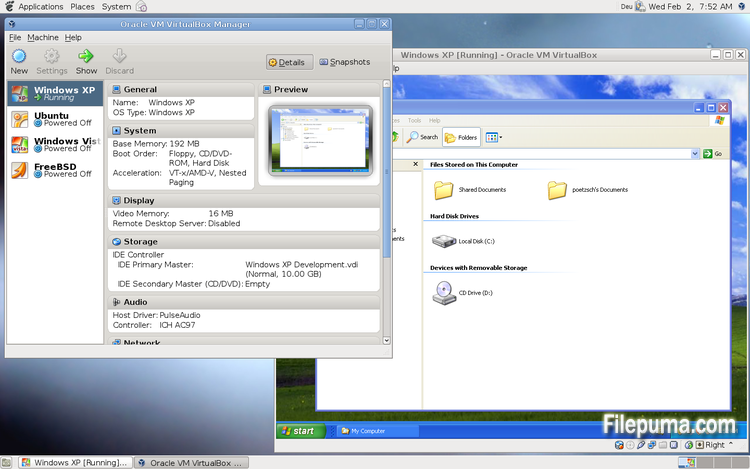
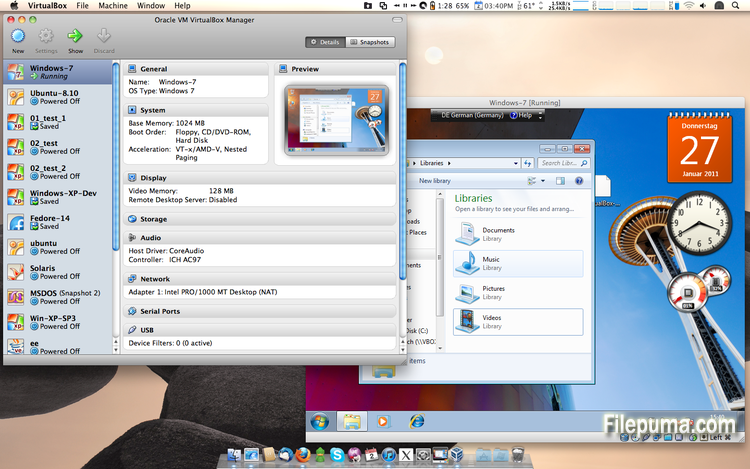
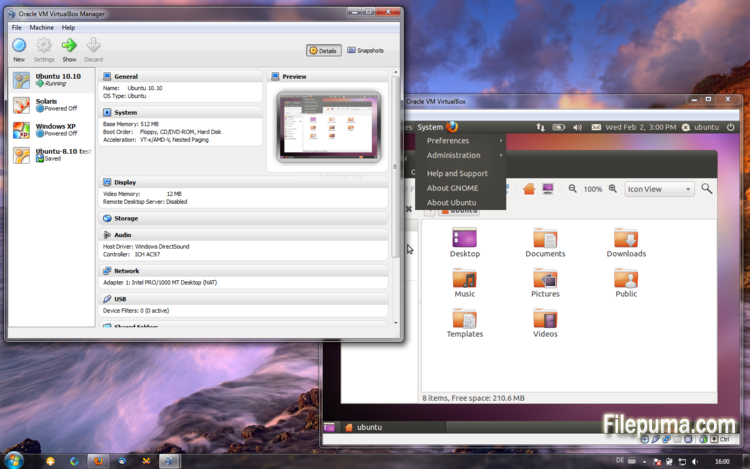


VirtualBoxเป็นซอฟต์แวร์จำลองระบบฟรีและโอเพ่นซอร์สที่อนุญาตให้ผู้ใช้สร้างและรันเครื่องเสมือนบนคอมพิวเตอร์ของพวกเขา ด้วย VirtualBox ผู้ใช้สามารถติดตั้งและรันระบบปฏิบัติการหลายระบบในเวลาเดียวกันบนคอมพิวเตอร์ของพวกเขาโดยไม่ต้องสร้างพาร์ติชันแยกหรือซื้อตัวฮาร์ดแวร์เพิ่มเติม
หนึ่งในข้อดีหลักของ VirtualBox คือใช้งานง่าย ติดตั้งและตั้งค่าได้ง่าย แม้สำหรับผู้ที่มีประสบการณ์เพียงเล็กน้อยหรือไม่มีเลยกับเทคโนโลยีการจำลองเสมือน VirtualBox ยังมีทางเลือกในการปรับแต่งที่หลากหลาย เช่น การปรับจำนวน RAM, CPU cores, และพื้นที่ฮาร์ดดิสก์ที่จัดสรรให้กับแต่ละเครื่องเสมือน
อีกหนึ่งคุณสมบัติที่ยอดเยี่ยมของ VirtualBox คือความเข้ากันได้กับระบบปฏิบัติการหลากหลาย ผู้ใช้สามารถติดตั้งและใช้งาน Windows, Linux, macOS และระบบปฏิบัติการอื่น ๆ อีกมากมายบนเครื่องเสมือนของตน ทำให้เป็นเครื่องมือที่ยอดเยี่ยมสำหรับนักพัฒนา ผู้ทดสอบซอฟต์แวร์ และบุคคลที่ต้องการใช้งานระบบปฏิบัติการหลายระบบบนคอมพิวเตอร์เครื่องเดียว
VirtualBox ยังมีคุณสมบัติขั้นสูงหลายอย่าง เช่น การรองรับอุปกรณ์ USB, โฟลเดอร์ที่แชร์ได้, และอะแดปเตอร์เครือข่าย คุณสมบัติเหล่านี้ทำให้สามารถรันซอฟต์แวร์ที่ต้องการฮาร์ดแวร์หรือทรัพยากรเครือข่าย เช่น เราท์เตอร์เสมือน, ไฟร์วอลล์, และเซิร์ฟเวอร์
VirtualBox เป็นทางเลือกที่ยอดเยี่ยมสำหรับใครก็ตามที่ต้องการใช้งานระบบปฏิบัติการหลายระบบบนคอมพิวเตอร์เครื่องเดียว ความง่ายในการใช้งาน ตัวเลือกการปรับแต่งที่หลากหลาย และความเข้ากันได้กับระบบปฏิบัติการหลากหลาย ทำให้มันเป็นเครื่องมือที่มีความหลากหลายและทรงพลังสำหรับนักพัฒนา ผู้เชี่ยวชาญด้านไอที และผู้ใช้ตามบ้าน
คุณสมบัติเด่น:
- ความเข้ากันได้ข้ามแพลตฟอร์ม
- ส่วนติดต่อผู้ใช้เชิงกราฟิกที่ใช้งานง่าย
- รองรับระบบปฏิบัติการต่าง ๆ
- การผสานรวมอย่างไร้รอยต่อกับระบบปฏิบัติการหลัก
- สแนปชอตและโคลน
- ความสามารถด้านเครือข่าย
- การรองรับอุปกรณ์เสมือน
- ชุดขยายสำหรับฟังก์ชันเพิ่มเติม
มีอะไรใหม่บ้าง
This version is a major update. The following major new features were added:
- VMM: major rewrite of the VT-x code and the AMD-V code including many bug fixes and performance improvements (for example bug #9659)
- VMM: introduced a lightweight instruction interpreter for situations not handled by hardware virtualization
- GUI: extended messaging mechanism (new non-modal popup overlays used to show non-critical warnings and provide user with additional information)
- GUI: keyboard shortcuts management (input page of global preferences extended with possibility to edit general keyboard shortcuts for VirtualBox Manager and Virtual Machine)
- GUI: video capturing support (bug #4766)
- Added USB touch device emulation
- Added experimental support for webcam passthrough complementing USB passthrough (see the manual for more information)
- Added SCSI CD-ROM emulation, including boot support
- VRDP: support for IPv6
- Guest Control: guest sessions now are running in dedicated, impersonated session processes (needs at least Guest Additions 4.3 installed)
- Guest Control: implemented IGuestFile support
- NAT: experimental virtual router mode: several VMs are attached to the same internal network and share one NAT service (see the manual for more information)
In addition, the following items were fixed and/or added:
- VMM: significantly improved performance of NetWare 5.x/6.x guests on host systems without nested paging support
- VMM: fixed losing host NMIs while in VT-x guest-context
- VMM: changed order of actions in emulated task switch (bug #10532)
- VMM: allow to activate VT-x while in SMX mode and provide more information if that is not possible
- GUI: update check uses https
- GUI: numerous minor internal cleanups and bug fixes
- GUI: HID LEDs synchronization when switching between guest window(s) and host (Mac OS X hosts only)
- GUI, VBoxManage: when unregistering a VM, also unregister the hard disk images which are used exclusively (bug #10311)
- GUI: use the number of physical presented processor cores instead of the number of logical processor cores to check if the users assigned too many virtual CPUs to the guest
- Snapshots: made live snapshots work again (bug #9255)
- Teleportation: made it work again (bug #9455)
- Storage: implemented AHA-154x compatibility mode in the emulated BusLogic SCSI HBA
- Storage: significantly improved performance of large ATAPI PIO transfers (BeOS, Minix 3 guests affected)
- Storage: added floppy formatting emulation (NB: cannot be used to change existing media geometry)
- Settings: global and per-VM default frontend configuration, useful to select the use of alternative VM frontends
- Settings: limit depth of snapshot tree to 250 levels, as more will lead to decreased performance and may trigger crashes
- Settings: the per-VM hwvirtextexcl setting has been replaced by a global hwvirtexclusive property
- Main: new event queue implementation which does not use the host\'s native event queue for processing VirtualBox events anymore
- Main: eliminate the use of SysV semaphores on all host OSes other than Windows, namely Linux, Solaris and Mac OS X, with the consequence that no system reconfiguration is needed to run more than approximately 100 VMs
- Main: use the XDG standard configuration folder instead of .VirtualBox on systems where it is appropriate (bug #5099)
- Main: extension pack framework can now support loading HGCM modules, contributed by Jeff Westphal
- VBoxManage: list more information about hard disk/DVD/floppy media, and support the --long option to show really all available details
- VBoxManage: added support for optional command line parameters for the automatic Guest Additions update
- VBoxManage: added support for listing active guest sessions, guest processes and/or guest files via guestcontrol list
- VBoxManage: added support for closing active guest sessions via guestcontrol session close --session-id
| --session-name | --all - VBoxManage: added support for terminating active guest processes via guestcontrol
process kill|close|terminate --session-id
| --session-name or guestcontrol [p[s]]kill --session-id... | --session-name ... - VBoxManage: added support for watching guest sessions via guestcontrol watch
- VBoxManage: added modifyvm --triplefaultreset to make the VM reset on triple fault instead of triggering a Guru Meditation (see the manual for more information)
- 3D support: several fixes
- 3D support: several fixes for Mac OS X hosts
- OVF: several fixes
- Extpack Installer: make it work if the file is located in a folder with special characters
- Keyboard: fix for reporting key sequences like Ctrl+Alt+Del for the USB keyboard emulation
- Shared Clipboard/X11: support for BMP-format images, contributed by François Revol
- Mac OS X hosts: limited support for Mac OS X 10.9 (Mavericks)
- Mac OS X hosts: use a launchd script instead of the deprecated StartupItem mechanism (bug #8940)
- Windows hosts: don\'t cause massive DPC latency (only on certain hosts; still needs improving; bug #6242)
- Windows hosts: consider symlinks when retrieving volume information (bug ... (closed: fixed)\">#11962)
- Windows hosts: fixed an issue with USB2 devices being inaccessible when plugged into USB 3.0 ports
- Windows Additions: fixed misbehavior with guest display power management (WDDM driver only; bug Fixed in SVN (closed: fixed)\">#11170)
- Windows Additions: fixed memory leak caused by WTSQuerySessionInformation() on Windows 2000 guests (bug Fixed in SVN (closed: fixed)\">#12072)
- Windows Additions: ability to track guest user idle times through the newly introduced event IGuestUserStateChangedEvent
- Linux Additions: fixed udev detection in the init script with Linux 3.x kernels
โปรแกรมมีให้บริการในหลายภาษา
- Download VirtualBox
- Télécharger VirtualBox
- Herunterladen VirtualBox
- Scaricare VirtualBox
- ダウンロード VirtualBox
- Descargar VirtualBox
- Baixar VirtualBox
รีวิวจากผู้ใช้
การให้คะแนนจากผู้ใช้
 101
101
ใบอนุญาต:
ฟรี
ข้อกำหนด:
Windows All
ภาษา:
Multi-languages
ขนาด:
102MB
ผู้จัดพิมพ์:
อัปเดตแล้ว:
Oct 15, 2013
สะอาด
ซอฟต์แวร์รายงาน
เวอร์ชันล่าสุด
เวอร์ชันเก่า
ซอฟต์แวร์สำหรับนักพัฒนา
 VirtualBox 7.2.18
 Adobe Air 51.3.3.1
 Java Runtime Environment (32bit) 8 Update 501
 Java Runtime Environment (64bit) 8 Update 501
 Java Development Kit (64bit) 8 Update 501
 Python (64bit) 3.14.7
ระดับความปลอดภัย
เพื่อลดความเสี่ยงต่ออุปกรณ์ของคุณและรับประกันความปลอดภัยของข้อมูลและความเป็นส่วนตัว ทีมงานของเราจะตรวจสอบทุกครั้งที่มีการอัปโหลดไฟล์ติดตั้งใหม่ไปยังเซิร์ฟเวอร์ของเรา หรือเชื่อมโยงกับเซิร์ฟเวอร์ระยะไกล และจะตรวจสอบไฟล์เป็นระยะเพื่อยืนยันหรือปรับปรุงสถานะของไฟล์นั้น ตามการตรวจสอบนี้ เราจึงกำหนดระดับความปลอดภัยดังต่อไปนี้สำหรับไฟล์ที่สามารถดาวน์โหลดได้
 สะอาด
สะอาด
มีความเป็นไปได้สูงที่โปรแกรมซอฟต์แวร์นี้จะไม่มีมัลแวร์
เราได้สแกนไฟล์และลิงก์ที่เกี่ยวข้องกับโปรแกรมซอฟต์แวร์นี้ในบริการป้องกันไวรัสชั้นนำมากกว่า 60 แห่งทั่วโลก และไม่พบภัยคุกคามที่เป็นไปได้ และไม่มีซอฟต์แวร์จากบุคคลที่สามรวมอยู่ด้วย
 คำเตือน
โปรแกรมนี้ได้รับการสนับสนุนจากโฆษณาและอาจเสนอให้ติดตั้งโปรแกรมของบุคคลที่สามที่ไม่จำเป็น โปรแกรมเหล่านี้อาจรวมถึงแถบเครื่องมือ การเปลี่ยนหน้าแรกของคุณ เครื่องมือค้นหาที่ตั้งค่าเริ่มต้น หรือการติดตั้งโปรแกรมของบุคคลอื่น ซึ่งอาจเป็นการแจ้งเตือนที่ผิดพลาด และเราแนะนำให้ผู้ใช้ระมัดระวังเมื่อทำการติดตั้งและใช้งานซอฟต์แวร์นี้
 พิการ
พิการ
ซอฟต์แวร์นี้ไม่สามารถดาวน์โหลดได้อีกต่อไป มีความเป็นไปได้สูงที่โปรแกรมซอฟต์แวร์นี้อาจมีลักษณะเป็นอันตรายหรือมีปัญหาด้านความปลอดภัยหรือเหตุผลอื่น ๆ
ส่งรายงาน
ขอบคุณ!
รายงานของคุณได้ถูกส่งแล้ว。
เราจะตรวจสอบคำขอของคุณและดำเนินการอย่างเหมาะสม。
โปรดทราบว่าคุณจะไม่ได้รับการแจ้งเตือนเกี่ยวกับการดำเนินการใด ๆ ที่เกิดจากรายงานนี้ เราขออภัยในความไม่สะดวกที่อาจเกิดขึ้น
เราขอขอบคุณสำหรับความช่วยเหลือของคุณในการทำให้เว็บไซต์ของเราสะอาดและปลอดภัย