
Looking for a free Mac cleaner? Try diCleaner

Charles3.10
 免費試用
免費試用
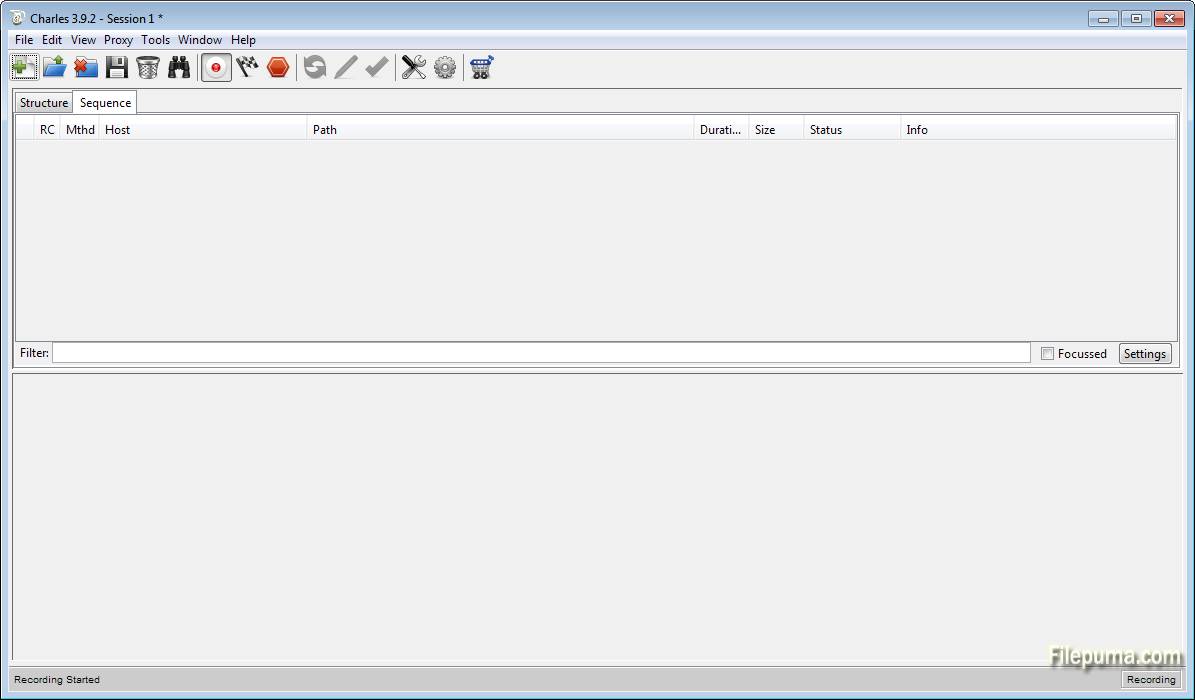
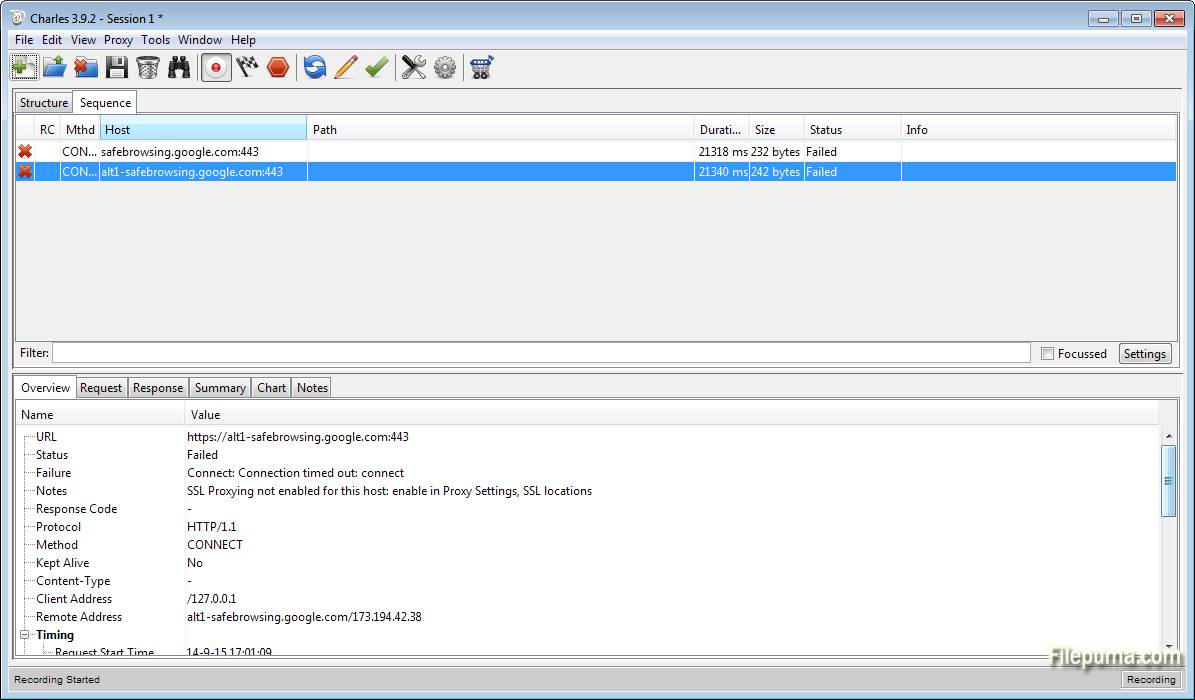


查爾斯是一個強大的網絡調試代理應用程序,供開發人員和測試人員用來監控和分析網絡流量。它允許用戶捕獲他們的計算機與互聯網之間的HTTP和HTTPS流量,提供交換數據的綜合視圖。這個工具在診斷問題、調試和優化網站性能方面是非常有價值的。
Charles 的其中一個亮點功能是其解密 HTTPS 流量的能力,使查看加密數據成為可能。這項功能對需要檢查安全數據傳輸和排除與 SSL/TLS 相關問題的開發人員至關重要。Charles 還支持各種網路協議,包括 HTTP/2、WebSockets 等,使其對不同的網路技術具有多功能性。
該工具直觀的介面提供了友好的使用體驗,讓用戶可以輕鬆瀏覽已記錄的會話、篩選流量,以及查看詳細的請求和響應資訊。透過類似於breakpoints和throttling的功能,用戶可以隨時暫停和修改流量,以真實時間模擬不同的網絡條件並在各種情況下測試響應。
Charles 是一個跨平台工具,兼容 Windows、macOS 和 Linux。由於其強大的功能集和可靠性,Charles 被網頁開發者、移動開發者和質量保證工程師廣泛使用。無論您是在排解 API 問題、檢查 JSON 或 XML,還是優化網頁性能,Charles 對於任何網頁專業人士來說都是一個必不可少的工具。
主要特色:
- HTTP/HTTPS代理:Charles充當HTTP和HTTPS的代理伺服器,允許您查看和操作網路流量。
- SSL代理:它支援SSL代理,允許您透過解密SSL/TLS資料來檢查安全流量。
- 帶寬節流:您可以通過限制帶寬來模擬較慢的網絡連接,幫助測試應用程序在不同條件下的行為。
- AJAX偵錯:Charles提供詳細的AJAX請求資料,使偵錯和分析非同步網路應用程式變得更加容易。
- WebSocket檢查:它允許您查看和分析WebSocket通信,提供對即時數據交換的可見性。
- 會議錄製:該工具可以錄製並保存會議,允許您稍後查看和分析。
- 重複和編輯請求:您可以重複或編輯請求和回應,以便進行測試和調試。
- DNS 欺騙:Charles 支援 DNS 欺騙,這對測試您的應用程式在不同 DNS 回應下的行為很有用。
最新消息
- SSL certificate root certificate change to generate a unique certificate for each installation of Charles (see SSL Proxying in the Help menu)
- SSL Proxying now has its own settings menu item in the Proxy menu
Please note that these changes will affect the way you currently use Charles for SSL Proxying. You will need to install and trust a new certificate, which will be automatically generated for you. You can install that certificate on your computer using the options in the Help menu, under SSL Proxying. You can also export the certificate, to send to other systems, or browse to download the certificate to install on mobile devices such as iPhones.
- 'Find' rewritten and dramatically improved (it's actually usable now)
- Terminate long-running transactions manually from the context menu
- Advanced Repeat now supports delays between requests and repeats
- Customisable columns in the Sequence view (with a large selection of options) including sorting
- Cookie editor
- Whitelist tool (to complement existing Blacklist tool). Enhanced both black and white list tools with options to either gracefully block or terminate the blacklisted requests.
- 'Copy cURL Request' added to the context menu
- Protobuf extensions support
Improvements
- Automatically terminate established SSL connections to a host when activating SSL proxying for that host (so you don't have to quit your browser or Charles to start SSL Proxying properly on new hosts)
- SSL requests that are not proxied now have a padlock icon, to indicate that they are encrypted (vs SSL Proxied requests which can be viewed unencrypted)
- Improved sorting in the Structure tree view
- Reduction in the amount of memory Charles uses, especially when dealing with large numbers of small transactions
- 'View Request As...' and 'View Response As...' commands added to the View menu.
- Re-organised the Proxy menu into more logical groups.
- Added tooltip for timestamp information in the Sequence table view that displays the full date/time
- When you cancel editing a request the original request is re-displayed
- Suppress the highlighting of requests when only peripheral data has changed
- Automatic fallback from TLS v1.2 to TLS v1.1 and TLS v1.0 for sites that don't support the newer protocol versions, and don't fallback nicely.
Bug fixes
- AMF editor appeared twice when editing an AMF message
- Publish Gist didn't trust the Charles root SSL certificate!
- Many dialogs in Charles could be opened multiple times via either keyboard shortcut or menu command
- Fixed the 'Throttle Settings' and 'External Proxy Settings' dialogs so that they can be dismissed using the Escape key
- Fixed a race condition that could corrupt data sent over unproxied SSL connections
- Fixed the large memory use that could occur when binary content was displayed in the Text or Raw Viewer
該程序提供其他語言版本
- Download Charles
- Télécharger Charles
- Herunterladen Charles
- Scaricare Charles
- ダウンロード Charles
- Descargar Charles
- Baixar Charles
使用者評價
用戶評分
 105
105
許可證:
免費試用
需求:
Windows XP/ Vista/ Windows 7/ Windows 8
語言:
English
尺寸:
61.6MB
出版社:
更新了:
Mar 22, 2015
清潔
報告軟體
最新版本
舊版本
開發者的軟體
 Charles 5.2.1
 Adobe Air 51.3.3.1
 Java Runtime Environment (32bit) 8 Update 501
 Java Runtime Environment (64bit) 8 Update 501
 Java Development Kit (64bit) 8 Update 501
 Python (64bit) 3.14.7
安全級別
為了避免對您的設備造成潛在損害,並確保您的數據和隱私安全,我們的團隊在每次新的安裝檔案上傳到我們的伺服器或連結到遠端伺服器時進行檢查,並定期審查該檔案以確認或更新其狀態。根據這種檢查,我們為任何可下載檔案設定以下安全級別。
 清潔
清潔
這個軟體程序極有可能是乾淨的。
我們在全球60多個主要殺毒服務中掃描了與此軟件程序相關的文件和網址;未發現任何潛在威脅。並且沒有捆綁第三方軟件。
 警告
警告
本程序是由廣告支持的,可能會提供安裝不必要的第三方程序。這些可能包括工具欄、更改您的首頁、預設搜尋引擎或安裝其他第三方程序。這些可能是誤報,我們建議用戶在安裝和使用此軟體時要小心。
 殘疾的
殘疾的
這款軟體不再提供下載。這款軟體程式很可能是惡意的,或存在安全問題或其他原因。
提交報告
謝謝你!
您的報告已經發送。
我們將審查您的請求並採取適當的行動。
請注意,您將不會收到有關此報告所採取行動的通知。我們對可能造成的任何不便表示歉意。
我們感謝您在保持我們網站清潔和安全方面的幫助。