
Looking for a free Mac cleaner? Try diCleaner

Keepass2.35
 免費下載
免費下載
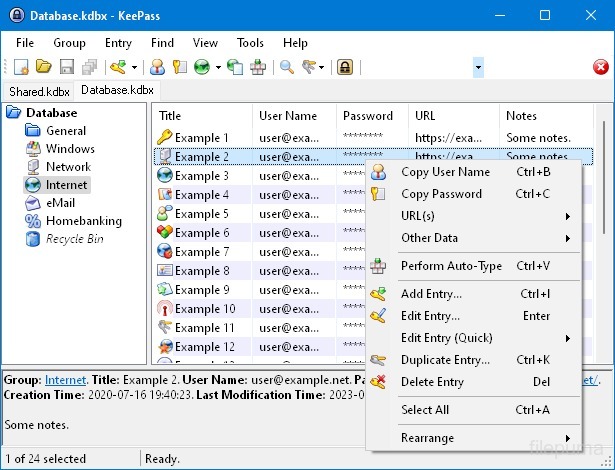
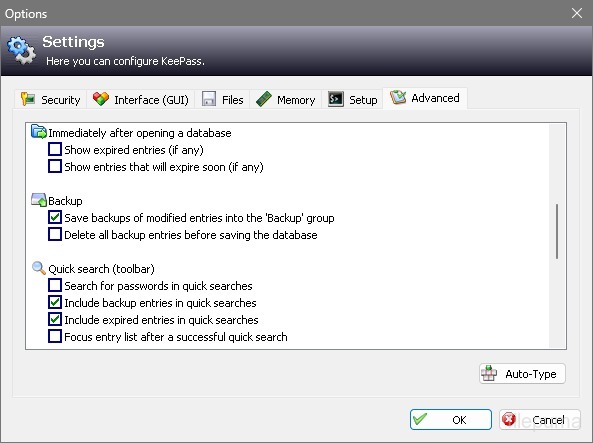


KeePass是一個高度安全和受歡迎的開源密碼管理器,用於以安全的方式存儲和管理密碼、用戶名和其他敏感信息。它由Dominik Reichl開發,適用於包括Windows、macOS、Linux和移動設備在內的各種平台。
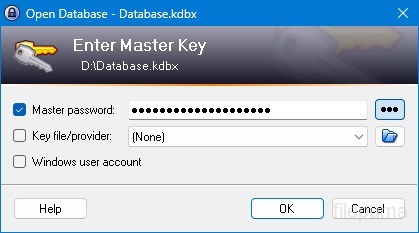
KeePass 的其中一個主要特點是其強大的安全性。它採用了強加密算法(例如,AES, Twofish)來保護存儲的數據,確保只有擁有主密碼的授權用戶才能訪問他們的密碼。主密碼作為解鎖加密數據庫的主要密鑰。
KeePass 提供了用戶友好的界面,允許用戶使用文件夾和類別以結構化的方式組織密碼。此外,它還提供了密碼生成工具,幫助用戶創建複雜且獨特的密碼以增強安全性。
該軟體使用戶能夠快速搜尋特定密碼,並提供自動輸入等功能,允許自動填寫網站和應用程式的登錄表單。KeePass 還支援插件,擴展其功能並使其可自訂以滿足個人需求。
此外,KeePass 通過允許用戶將其加密的密碼數據庫存儲在各種存儲媒介上,例如本地磁碟、USB 驅動器或雲端存儲,強調了可攜性和可訪問性。這使得用戶能夠在不同設備上存取他們的密碼,同時保持安全和隱私。
總體而言,KeePass 是一個可靠且安全的密碼管理解決方案,有助於用戶整理和保護其敏感信息。
關鍵功能:
- 安全密碼儲存安全存儲和管理密碼。
- 強加密:使用先進的加密技術來保障資料安全。
- 主密碼和密鑰文件使用強密碼和可選金鑰文件訪問資料庫。
- 雙因素身份驗證 (2FA):提供額外一層的安全保障。
- 自動鍵入功能自動輸入用戶名和密碼。
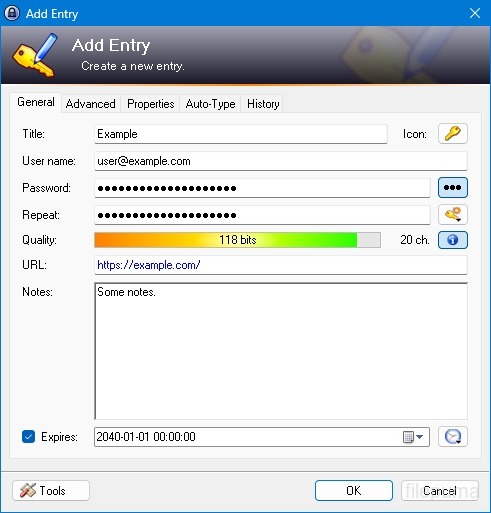
- 密碼生成器生成強而隨機的密碼。
- 整理密碼將密碼分類為組和子組。
- 搜尋和篩選快速找到特定條目。
- 自定義欄位:將額外資訊添加到條目中。
- 附件安全地將檔案附加到密碼條目。
- 安全功能:提供額外的安全選項。
- 跨平台: 可在各種操作系統上使用。
- 插件和擴充功能:透過附加功能延伸功能性。
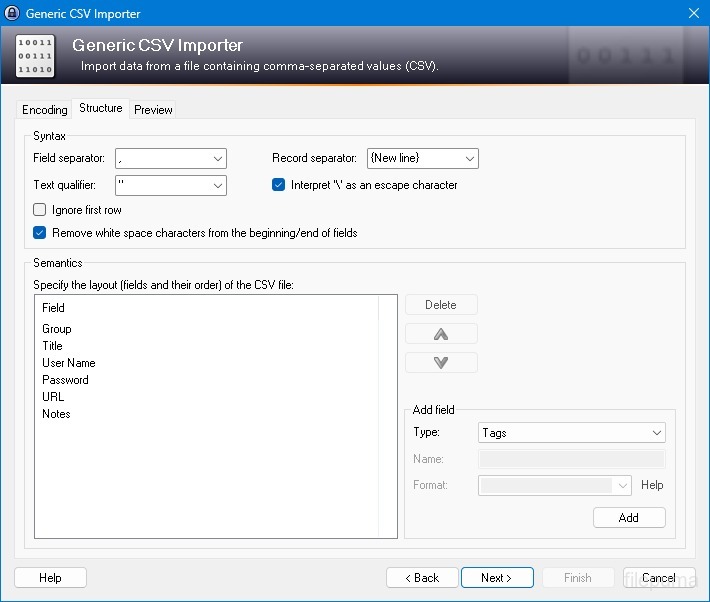
- 進口與出口:輕鬆匯入/匯出密碼。
- 資料庫同步: 安全地跨設備同步資料庫。
最新消息
New Features:
- New KDBX 4 file format, which supports various new features (listed below; e.g. Argon2)
- Added Argon2 key derivation function (it can be activated in the database settings dialog)
- Improved header and data authentication in KDBX 4 files (using HMAC-SHA-256, Encrypt-then-MAC scheme)
- Added ChaCha20 (RFC 7539) encryption algorithm (it can be activated as KDBX file encryption algorithm in the database settings dialog; furthermore, it supersedes Salsa20 as default for generating the inner random stream of KDBX 4 files)
- Added support for opening entry URLs with Firefox or Opera in private mode via the context menu -> 'URL(s)' -> 'Open with ... (Private)'
- Added URL override suggestions for Firefox and Opera in private mode in the URL override suggestions drop-down list in the entry dialog
- Added optional built-in global URL overrides for opening HTTP/HTTPS URLs with Firefox or Opera in private mode
- Added {PICKFIELD} placeholder, which shows a dialog to pick a field whose value will be inserted
- Added option 'Hide "Close Database" toolbar button when at most one database is opened' (turned on by default)
- Added option 'Show additional auto-type menu commands', which can be turned on to show menu commands for performing entry auto-type with some specific sequences
- Added menu command 'Selected Entry's Group' (with keyboard shortcut Ctrl+G) in 'Edit' -> 'Show Entries' (and a context menu equivalent 'Show Parent Group' in 'Selected Entries'), which opens the parent group of the currently selected entry and selects the entry again
- Added menu commands in 'Edit' -> 'Show Entries' to show entries that expire in a specific number of days (1, 2, 3) or weeks (1, 2, 4, 8) or in the future
- Added configuration option that specifies the number of days within which entries are considered to expire 'soon' (the default is 7)
- Added option for changing the alternate item background color
- When the option 'Remember key sources' is enabled, KeePass now also remembers whether a master password has been used
- Added option 'Force changing the master key the next time (once)' (in 'File' -> 'Database Settings' -> tab 'Advanced')
- Added parameters 'Window style' and 'Verb' for the 'Execute command line / URL' trigger action
- Added support for importing mSecure 3.5.5 CSV files
- Added support for importing Password Saver 4.1.2 XML files
- Added support for importing Enpass 5.3.0.1 TXT files
- Enhanced SplashID CSV import (added support for the old version 3.4, added mappings for types of the latest version, groups are now created only for categories, and types are imported as tags)
- LastPass import: added support for CSV files exported by the LastPass Chrome extension, which encodes some special characters as XML entities
- Added 'KeePass KDBX (2.34, Old Format)' export module
- Export using XSL transformation: added support for the 'xsl:output' element in XSL files
- If the global auto-type hot key is Ctrl+Alt+A and the current input locale is Polish, KeePass now shows a warning dialog (telling the user that Ctrl+Alt+A is in conflict with a system key combination producing a character)
- Added Alt+X Unicode character conversion support in rich text boxes on Unix-like systems
- For development snapshots, the 'About' dialog now shows the snapshot version (in the form 'YYMMDD')
- Plugins can provide other key derivation functions now
- The header of KDBX 4 files is extensible by plugins
- Enhanced support for developing encryption algorithm plugins
- Plugins can now store custom data in groups and entries
- Plugin data stored in the database, a group or an entry can now be inspected (and deleted) in the database maintenance dialog, the group dialog and the entry dialog, respectively
- For plugins: file closing events now contain information about whether KeePass is exiting, locking or performing a trigger action
- Added workaround for .NET handle cast overflow bug in InputLanguage.Culture
- Added workaround for Mono ignoring the Ctrl+I shortcut
- Added workaround for Mono clipboard bug
- Added workaround for Mono not focusing the default control in the entry editing dialog
- Added workaround for a Mono timer bug that caused high CPU load while showing a file save confirmation dialog
- Added Mono workaround: when running on Mac OS X, KeePass now does not try to instantiate a tray icon anymore
- Added workaround for XDoTool sending diacritic characters in incorrect case
- TrlUtil now recommends to clear the 'Unused Text' tab
Improvements:
- Improved behavior when searching entries with exclusions (terms prefixed with '-')
- Improved support for auto-typing into target windows using different keyboard layouts
- Auto-Type: improved support for keyboard layouts with keys where Shift, Caps Lock and no modifier result in 3 different characters
- Auto-Type: improved support for spacing modifier letters (U+02B0 to U+02FF)
- Global auto-type now works with target windows having empty titles
- When copying entries to the clipboard, the data package now includes custom icons used by the entries
- Unified behavior when drag&dropping a field containing a placeholder
- Improved entry edit confirmation dialog
- If the screen height is insufficient to display a dialog, the dialog's banner (if the dialog has one) is now removed to save some space.
- Some tooltips are now displayed for a longer time
- A new entry created using a template now does not include the history of the template anymore
- For empty RTF attachments, the internal data editor now by default uses the font that is specified for TXT files
- Internal data editor: added support for changing the format of mixed-format selections
- Internal data viewer and editor: null characters ('', not '0') in texts are now automatically replaced by spaces (like Notepad on Windows 10)
- Improved encoding signature handling for conversions during text attachment imports (via the 'Text Encoding' dialog)
- File transactions are not used anymore for files that have a reparse point (e.g. symbolic links)
- Improved XSL stylesheets for KDBX XML files
- The internal window manager is now thread-safe
- Improved date/time handling
- Improved button image disposal
- When synchronizing two databases, custom data (by plugins) is now merged
- When opening a database file, corrupted icon indices are now automatically replaced by default values
- Added some more entropy sources for the seed of the cryptographically secure pseudo-random number generator (environment variables, command line, full operating system version, current culture)
- ChaCha20 is now used during password generation (instead of Salsa20)
- ChaCha20 is now used as fallback process memory encryption algorithm (instead of Salsa20)
- When the encryption algorithm for a database file is unknown, the error message now shows the UUID of the algorithm
- In KDBX 4, header field lengths are now 4 bytes wide
- In KDBX 4, entry attachments are now stored in an inner, binary header (encrypted, possibly compressed), before the XML part; this reduces the database file size and improves the loading/saving performance
- In KDBX 4, the inner random stream cipher ID and key (to support process memory protection) are now stored in the inner header instead of in the outer header
- KPScript: the 'ChangeMasterKey' command now also updates the master key change date
- TrlUtil: improved validation warning dialogs
- The MSI file now requires any .NET Framework version, not a specific one
- The MSI file is now built using Visual Studio 2015
- Various code optimizations
- Minor other improvements
Bugfixes:
- When executing a {HMACOTP} placeholder, the last modification time of the corresponding entry is now updated
- Key files containing exactly 64 alphanumeric characters are now loaded as intended
該程序提供其他語言版本
- Download Keepass
- Télécharger Keepass
- Herunterladen Keepass
- Scaricare Keepass
- ダウンロード Keepass
- Descargar Keepass
- Baixar Keepass
使用者評價
用戶評分
 26
26
許可證:
免費
需求:
Windows All
語言:
Multi-languages
尺寸:
2.96MB
出版社:
更新了:
Jan 9, 2017
清潔
報告軟體
最新版本
舊版本
開發者的軟體
 Keepass 2.61.1
 RoboForm 10.0.0
 Dashlane 6.2632.0
 1Password 8.12.36
安全級別
為了避免對您的設備造成潛在損害,並確保您的數據和隱私安全,我們的團隊在每次新的安裝檔案上傳到我們的伺服器或連結到遠端伺服器時進行檢查,並定期審查該檔案以確認或更新其狀態。根據這種檢查,我們為任何可下載檔案設定以下安全級別。
 清潔
清潔
這個軟體程序極有可能是乾淨的。
我們在全球60多個主要殺毒服務中掃描了與此軟件程序相關的文件和網址;未發現任何潛在威脅。並且沒有捆綁第三方軟件。
 警告
警告
本程序是由廣告支持的,可能會提供安裝不必要的第三方程序。這些可能包括工具欄、更改您的首頁、預設搜尋引擎或安裝其他第三方程序。這些可能是誤報,我們建議用戶在安裝和使用此軟體時要小心。
 殘疾的
殘疾的
這款軟體不再提供下載。這款軟體程式很可能是惡意的,或存在安全問題或其他原因。
提交報告
謝謝你!
您的報告已經發送。
我們將審查您的請求並採取適當的行動。
請注意,您將不會收到有關此報告所採取行動的通知。我們對可能造成的任何不便表示歉意。
我們感謝您在保持我們網站清潔和安全方面的幫助。