
Looking for a free Mac cleaner? Try diCleaner

Multi Commander (32bit)4.2.0 Build 1672
 免費下載
免費下載
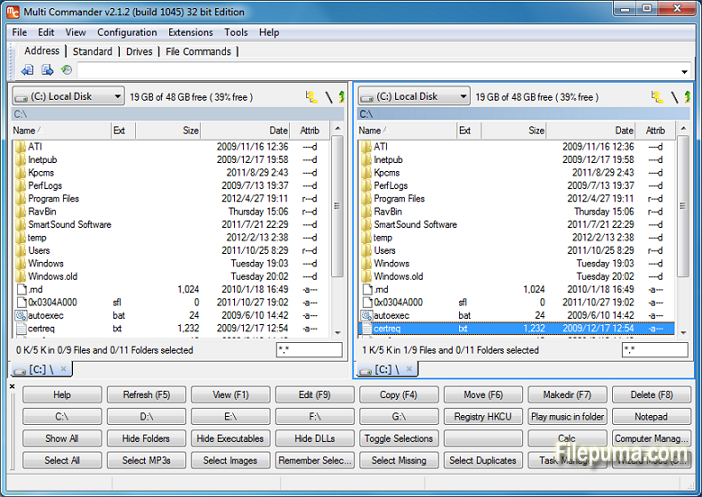
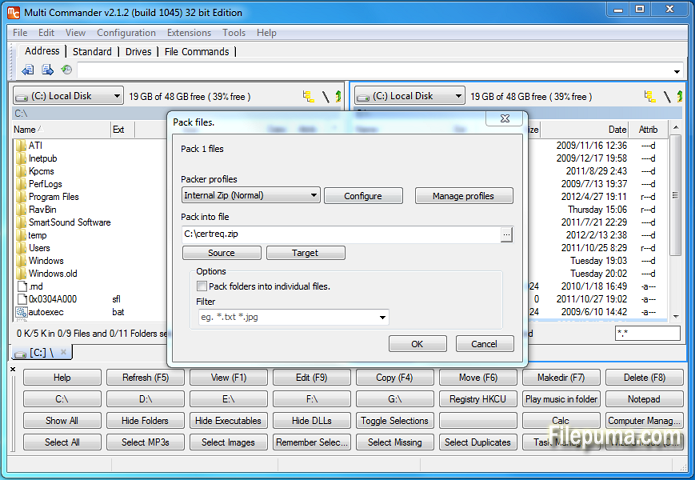
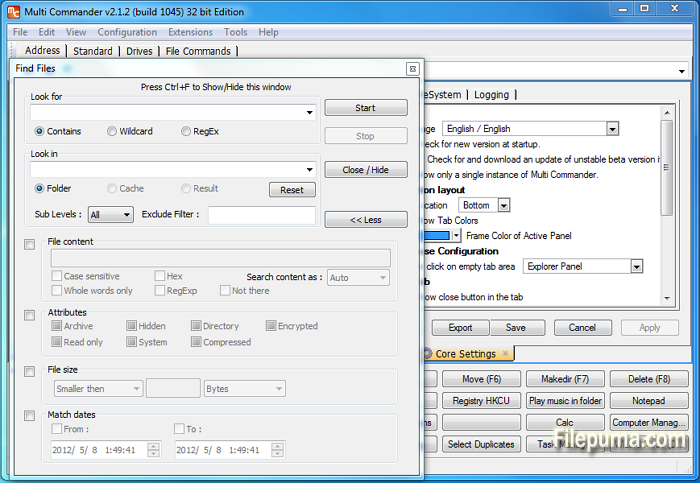
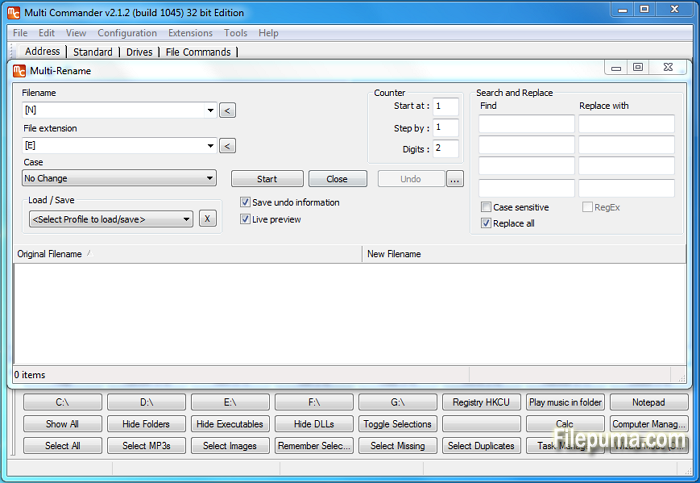


Multi Commander是一款多功能且強大的文件管理軟體,旨在簡化和提升您處理文件和資料夾的方式。借助其用戶友好的界面和多種功能,Multi Commander是新手用戶和經驗豐富的專業人士的首選。
這個檔案管理器提供雙面板瀏覽,讓您能夠輕鬆地在不同目錄之間拖放檔案,並使檔案操作更高效。此外,它還支持標籤和書籤,讓您可以同時處理多個資料夾,減少混亂並簡化工作流程。
Multi Commander的一個主要優勢就是其廣泛的自定義選項。用戶可以根據自己的喜好和工作習慣,調整界面、工具欄和鍵盤快捷鍵,從而獲得個性化和優化的文件管理體驗。
該軟體還擁有一系列內建工具,例如文件查看器、檔案管理和FTP客戶端,不需要額外的應用程式。它支持多種檔案格式,使其成為各種檔案管理任務的多功能解決方案。
此外,Multi Commander 注重安全性,提供文件雜湊和安全刪除等功能,確保您的數據免受未經授權的訪問。
Multi Commander 是一款可靠且功能豐富的文件管理軟體,將易用性與高級功能結合在一起。無論你是普通用戶還是尋求強大文件管理解決方案的專業人士,Multi Commander 都是一個絕佳的選擇。
主要功能:
- 雙窗格界面,便於文件管理。
- 使用分頁瀏覽以提高導航效率。
- 可自訂介面的亮色/暗色主題。
- 集成文件查看器和編輯器。
- 綜合文件處理操作。
- 強大的文件搜尋和過濾。
- 進階文件組織選項。
- 批量重命名工具進行大量文件重命名。
- 支持多種壓縮檔案格式。
- FTP和網路連接。
- 腳本和擴展功能。
- 自訂鍵盤快捷鍵和滑鼠手勢。
最新消息
- ADDED - User Defined Commands can now be duplicated.
- ADDED - Button panel changed so it can not be undocked. Then no close button is shown making it look better
- ADDED - Buttons in the Button panel can now be drawn transparent.
- ADDED - New column that shows the length of the name or fullpath.
- ADDED - Option to enable/disable the refresh tab when application focus is returned to MultiCommander
- ADDED - Command line field can now show hits/tips when not used. (Can be disabled in core settings)
- ADDED - Command line command ":one" now also work for going to OneDrive/SkyDrive folder
- ADDED - Option for "Expand folder hovering over during drag and drop in folder tree". (Was always enabled before, can now be disabled)
- ADDED - Option if a new tab should be opened when browsing to new location in a locked tab.
- ADDED - Rule Based file coloring can now be configured to also change font style like Bold,Italic,Underline,Strikeout
- ADDED - New MultiScript functions PathMakeRelativeMC(...), PathMakeAbsoluteMC(...), PathTranslatePath(...), TranslateEnvString(...)
- ADDED - Custom command MC.Explorer.NewBrowser now support TABCOLORS,TABNAME,TABLOCK paramters
- ADDED - New Custom Command MC.FileSystem.Unpack
- ADDED - New Custom command MC.Explorer.SetTabProp for setting tab properties like color, on existing tab
- ADDED - Duplicating a Explorer Panel tab. or opening a folder from one tab into a new tab. New tab will get the same custom Tab Colors.
- ADDED - Doing TapAndHold on touch devices will now be a right click. (Show context menu in most places)
- ADDED - MultiFileViewer have experimental support for line filtering (grep)
- FIXED - Command line fields dropdown history is now shown and saved correct.
- FIXED - QuickLaunchBar now works better with relative and environments paths.
- FIXED - Color rules are now refresh when files are renamed or attributes changed (From inside MC)
- FIXED - Copying files to folder starting with ".." now works again. Eg "..Myfolder"
- FIXED - FileTypeSetup will not clear extension field if external program is selected
- FIXED - If sorting of columns that shown extended info (info fetched in background), view will now resort automatically when data is ready.
- FIXED - Windows Shell context menu did not work in some locations.
- FIXED - A couple of strange issues with context menu handling
- FIXED - Issue with overwriting existing file inside a zip archive.
- FIXED - Refresh issues when a zip is rebuilt.
- FIXED - Lots of DPI scaling issues fixed. MC now look good in 150% DPI. Still some minor issue with 125%
- FIXED - Improved error handling and error reporting of read/write errors.
- FIXED - Improved error logging in a couple of places.
- FIXED - A lot of minor fixes and changes to error handling
- FIXED - Placeholder files is now being identified (Win8.1+ only)
- FIXED - When unpacking rar it could happen it complained that disk was full even if disk was not full.
- FIXED - Some icons was messed up if icon cached was cleared
- FIXED - Context Menu key on keyboard now works for the ".." item
- FIXED - The settings "Remember Selected files/folders when changing path" now works again. (can be turned off)
- FIXED - 14 crash issues reported by Crash report system
該程序提供其他語言版本
- Download Multi Commander (32bit)
- Télécharger Multi Commander (32bit)
- Herunterladen Multi Commander (32bit)
- Scaricare Multi Commander (32bit)
- ダウンロード Multi Commander (32bit)
- Descargar Multi Commander (32bit)
- Baixar Multi Commander (32bit)
使用者評價
用戶評分
 3
3
許可證:
免費
需求:
Windows XP/ 2003/ Vista/ Server 2008 (R2)/ Windows 7/ Windows 8 /Server 2012
語言:
English
尺寸:
5.7MB
出版社:
更新了:
Apr 20, 2014
清潔
報告軟體
最新版本
Multi Commander (32bit) 16.5.0 Build 3215
舊版本
Multi Commander (32bit) 16.2.0 Build 3213
Multi Commander (32bit) 16.2.0 Build 3211
Multi Commander (32bit) 16.2.0 Build 3210
Multi Commander (32bit) 16.2.0 Build 3205
Multi Commander (32bit) 16.1.0 Build 3200
Multi Commander (32bit) 16.1.0 Build 3198
Multi Commander (32bit) 16.1.0 Build 3195
Multi Commander (32bit) 16.1.0 Build 3190
 Multi Commander (32bit) 16.5.0 Build 3215
 Multi Commander (64bit) 16.5.0 Build 3215
 CrystalDiskInfo 9.9.2
 Update Detector 6.64.0.64
 Defraggler 2.22.995
 Recuva 1.55.133
 EaseUS Data Recovery Wizard Free 20.8.0
安全級別
為了避免對您的設備造成潛在損害,並確保您的數據和隱私安全,我們的團隊在每次新的安裝檔案上傳到我們的伺服器或連結到遠端伺服器時進行檢查,並定期審查該檔案以確認或更新其狀態。根據這種檢查,我們為任何可下載檔案設定以下安全級別。
 清潔
清潔
這個軟體程序極有可能是乾淨的。
我們在全球60多個主要殺毒服務中掃描了與此軟件程序相關的文件和網址;未發現任何潛在威脅。並且沒有捆綁第三方軟件。
 警告
警告
本程序是由廣告支持的,可能會提供安裝不必要的第三方程序。這些可能包括工具欄、更改您的首頁、預設搜尋引擎或安裝其他第三方程序。這些可能是誤報,我們建議用戶在安裝和使用此軟體時要小心。
 殘疾的
殘疾的
這款軟體不再提供下載。這款軟體程式很可能是惡意的,或存在安全問題或其他原因。
提交報告
謝謝你!
您的報告已經發送。
我們將審查您的請求並採取適當的行動。
請注意,您將不會收到有關此報告所採取行動的通知。我們對可能造成的任何不便表示歉意。
我們感謝您在保持我們網站清潔和安全方面的幫助。