

VirtualBox5.0.6
 免費下載
免費下載
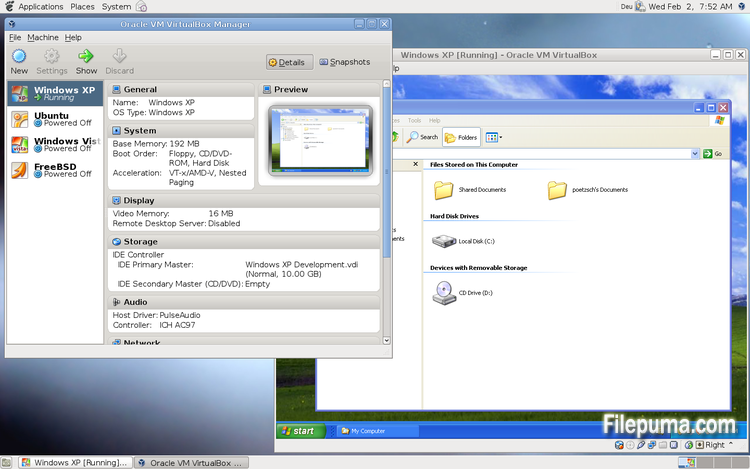
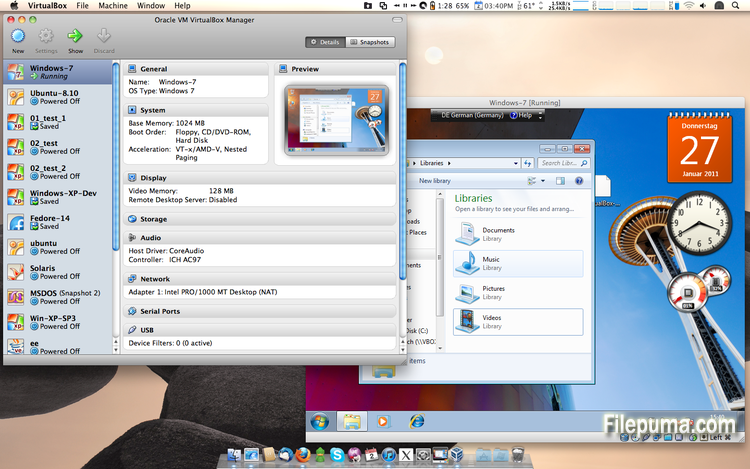
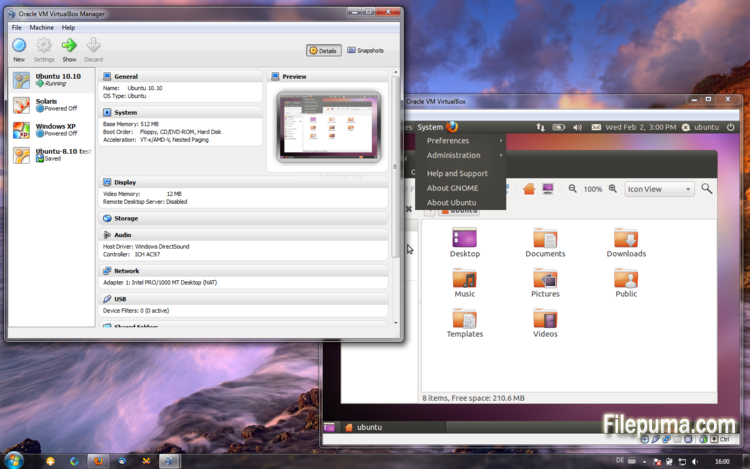


VirtualBox是一款免費且開源的虛擬化軟體,允許用戶在電腦上創建和運行虛擬機器。使用VirtualBox,用戶可以在不需要創建單獨的分區或購買額外硬體的情況下,在電腦上同時安裝和運行多個操作系統。
VirtualBox 的主要優勢之一是其易於使用。即使是對虛擬化技術幾乎沒有經驗的人,也可以輕鬆安裝和設置。VirtualBox 還提供廣泛的自定義選項,包括調整分配給每個虛擬機的 RAM、CPU 核心和硬碟空間的能力。
VirtualBox的另一個優點是其與多種作業系統的兼容性。使用者可以在其虛擬機器上安裝和運行Windows、Linux、macOS以及其他許多作業系統。這使得它成為開發人員、軟體測試人員以及需要在單一電腦上運行多個作業系統的人的絕佳工具。
VirtualBox 也提供了一系列的進階功能,如對 USB 設備、共享資料夾和網路配接器的支持。這些功能使得運行需要硬體或網路資源的軟體成為可能,如虛擬路由器、防火牆和伺服器。
VirtualBox 是需要在單一電腦上運行多個作業系統的人的極佳選擇。其易用性、多樣化的自訂選項以及與許多不同作業系統的相容性,使其成為開發人員、IT 專業人士和家庭用戶皆適用的多功能且強大的工具。
關鍵特性:
- 跨平台相容性。
- 直觀的圖形用戶介面。
- 支援各種作業系統。
- 與主機作業系統無縫整合。
- 快照和克隆。
- 網路功能。
- 虛擬設備支援。
- 擴充套件以增加功能。
最新消息
- GUI: the update check now uses the HTTP system proxy settings by default
- GUI: About dialog improvements. Copyable version text, do not close dialog on mouse-clicks and focus losing, explicit close button at the bottom of dialog and disabled close button fix on OS X.
- GUI: fixed bug when re-assigning shortcuts
- GUI: fixed default focus button in message-box dialogs
- GUI: fixed settings dialog which is opened if the network settings need to be changed at VM startup
- GUI: fixed crash during VM start if an early error message needs to be shown, for example Linux kernel modules not present
- Bridged Networking: fixed handling of guest DHCP requests without UDP checksum when bridging to a wireless interface
- Audio: latency fixes
- Guest Control: correctly set USERNAME and USERPROFILE environment variables
- Guest Control: several fixes
- API: properly restore NAT port forwarding rules when reverting to a snapshot
- Parallel ports: Several fixes allowing to enable two parallel ports for a VM
- VBoxManage: fixed wrong output of debugvm show command
- VBoxManage: fixed hang when specifying logging groups with debugvm log starting with h, for example hex
- Windows hosts: renamed VBoxStartup.log to VBoxHardening.log and provide this log file in the GUI log viewer
- Windows hosts: fixed a small memory leak in the Windows host interface driver (VBoxNetAdp) which caused a BSOD if the driver verifier is enabled
- Windows hosts: fixed a failure to start VMs on hosts where dsound.dll is not available
- Windows hosts: another fix for VERR_LDR_MISMATCH_NATIVE errors
- Windows hosts: fixed host-to-guest communication with bridged networking
- Windows hosts: fixed broken data receiving from the serial device with the named pipe backend if Kaspersky AV is installed
- Linux hosts: Linux 4.3 compile fixes
- Linux hosts: installer fix for certain systems
- Linux hosts / guests: native systemd support for the host/guest installer scripts. The scripts for re-compiling the kernel modules are now located at /sbin/rcvboxdrv (host) and /sbin/rcvboxadd (Guest Additions)
- Mac OS X hosts: GUI-related fixes for El Capitan
- Mac OS X hosts: fixed a problem with capturing USB devices under El Capitan
- Mac OS X hosts: allow colon character on shared folders
- Linux Additions: properly set the VBoxService process ID in the PID file
- Linux Additions: Guest Control fixes
- Windows Additions: fixed shutting down VBoxTray when running with older VirtualBox host versions
- Windows Additions: fixed video playback with VLC and Windows Media Player when the WDDM driver is used and 3D is not used
- Windows Additions: prevent a possible VLC crash when the WDDM driver is used and 3D is enabled by implementing YV12 surfaces
該程序提供其他語言版本
- Download VirtualBox
- Télécharger VirtualBox
- Herunterladen VirtualBox
- Scaricare VirtualBox
- ダウンロード VirtualBox
- Descargar VirtualBox
- Baixar VirtualBox
使用者評價
用戶評分
 101
101
許可證:
免費
需求:
Windows All
語言:
Multi-languages
尺寸:
112MB
出版社:
更新了:
Oct 8, 2015
清潔
報告軟體
最新版本
舊版本
開發者的軟體
 VirtualBox 7.2.18
 Adobe Air 51.3.3.1
 Java Runtime Environment (32bit) 8 Update 501
 Java Runtime Environment (64bit) 8 Update 501
 Java Development Kit (64bit) 8 Update 501
 Python (64bit) 3.14.7
安全級別
為了避免對您的設備造成潛在損害,並確保您的數據和隱私安全,我們的團隊在每次新的安裝檔案上傳到我們的伺服器或連結到遠端伺服器時進行檢查,並定期審查該檔案以確認或更新其狀態。根據這種檢查,我們為任何可下載檔案設定以下安全級別。
 清潔
清潔
這個軟體程序極有可能是乾淨的。
我們在全球60多個主要殺毒服務中掃描了與此軟件程序相關的文件和網址;未發現任何潛在威脅。並且沒有捆綁第三方軟件。
 警告
警告
本程序是由廣告支持的,可能會提供安裝不必要的第三方程序。這些可能包括工具欄、更改您的首頁、預設搜尋引擎或安裝其他第三方程序。這些可能是誤報,我們建議用戶在安裝和使用此軟體時要小心。
 殘疾的
殘疾的
這款軟體不再提供下載。這款軟體程式很可能是惡意的,或存在安全問題或其他原因。
提交報告
謝謝你!
您的報告已經發送。
我們將審查您的請求並採取適當的行動。
請注意,您將不會收到有關此報告所採取行動的通知。我們對可能造成的任何不便表示歉意。
我們感謝您在保持我們網站清潔和安全方面的幫助。