
Looking for a free Mac cleaner? Try diCleaner

Paint.NET4.0
 مفت ڈاؤن لوڈ
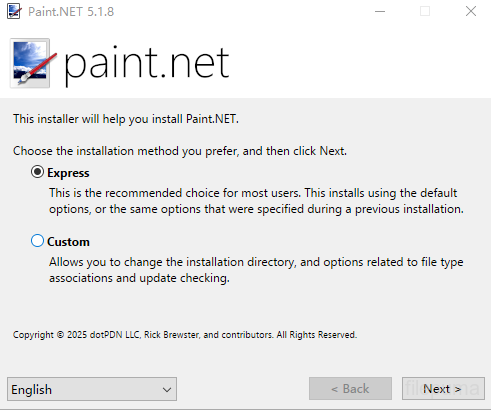
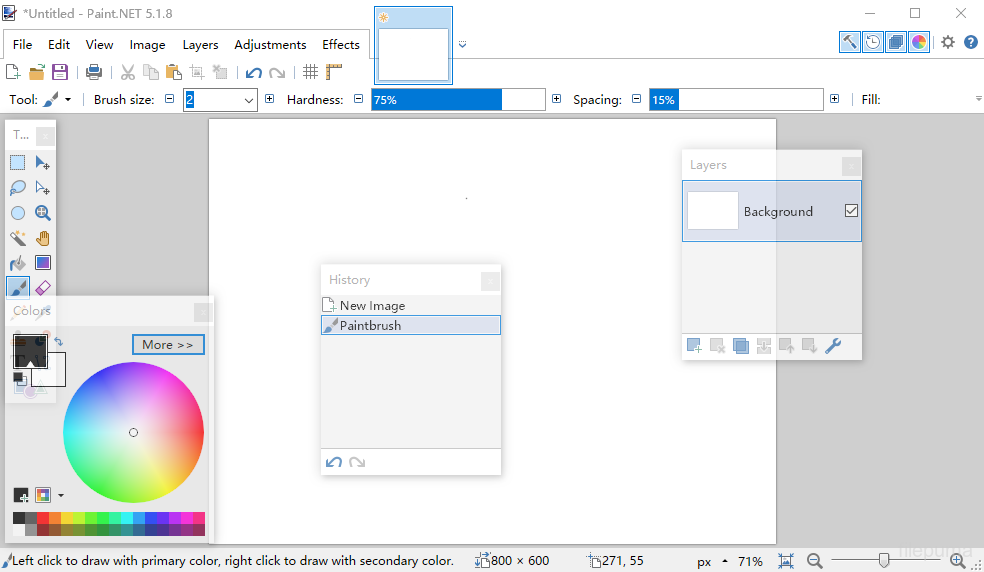
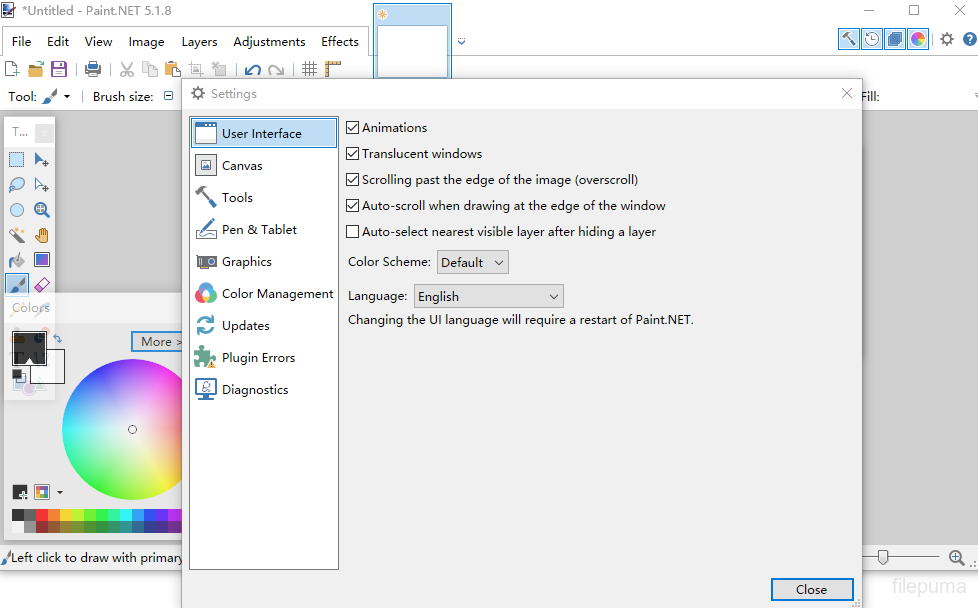


پینٹ.NETیہ ایک مفت تصویر اور فوٹو ایڈیٹنگ سوفٹ ویئر ہے جو ونڈوز چلانے والے کمپیوٹرز کے لیے ڈیزائن کیا گیا ہے۔ یہ ایک صاف اور آسان یوزر انٹرفیس پیش کرتا ہے جو صارفین کو تیزی سے سیکھنے اور آرام سے تصویریں ایڈٹ کرنے کی اجازت دیتا ہے۔ یہ ابتدا میں ایک کالج پروجیکٹ کے طور پر تیار کیا گیا تھا، اور اب یہ ایک بہترین دیکھ بھال اور معزز ایپلیکیشن بن چکا ہے جس کی ایک مضبوط آن لائن کمیونٹی حمایت کرتی ہے۔
پینٹ.NETیہ سطحوں کی معاونت کرتا ہے، جس سے صارفین کو پیچیدہ کمپوزیشنز کو عینیت کے ساتھ منظم کرنے کی سہولت ملتی ہے۔ عام ترمیمی افعال جیسے کہ کاٹنا، سائز تبدیل کرنا، اور گھمانا دستیاب ہیں، ساتھ ہی زیادہ جدید قابلیت جیسے کرؤو ایڈجسٹمنٹ، بلینڈنگ موڈز، اور مختلف فنکارانہ اثرات۔ یہ اوزار صارفین کو تصویروں کو بہتر بنانے یا ڈیجیٹل آرٹ ورک بنانے میں مؤثر طریقے سے مدد کرتے ہیں۔
پینٹ.NETمختلف تصویر فارمیٹس کی وسیع رینج کی حمایت کرتا ہے، جس میں JPEG، PNG، BMP اور یہاں تک کہ Photoshop PSD فائلز بھی شامل ہیں جب کہ پلگ انز کے ساتھ۔ اس کا پلگ ان سسٹم صارفین کو نئے اثرات، ایڈجسٹمنٹس اور فائل اقسام کو شامل کر کے فعالیت کو بڑھانے کی اجازت دیتا ہے، جس سے یہ مختلف تخلیقی ورک فلو کے مطابق ڈھالنے کے قابل ہوتا ہے۔
کے پیچھے کمیونٹیپینٹ.NETسافٹ ویئر کی مسلسل بہتری میں حصہ ڈالتے ہوئے فعال طور پر ٹیوٹوریلز، پلگ انز، اور ایکسٹینشنز تیار کرتا ہے۔ باقاعدہ اپ ڈیٹس اور ہلکی پھلکی تنصیب کے ساتھ، یہ بغیر کسی سخت ہارڈ ویئر کی ضروریات کے جوابدہ ایڈیٹنگ کا تجربہ پیش کرتا ہے۔aint.NETان لوگوں کے لئے ایک بہترین انتخاب ہے جو ایک قابل اعتماد اور سادہ تصویر کو ایڈٹ کرنے والا چاہتے ہیں۔
اہم خصوصیات:
- صارف دوست انٹرفیس: سادہ، صاف، اور سمجھنے میں آسان لے آؤٹ تاکہ استعمال میں آسانی ہو۔
- لیئر سپورٹ: فوٹوشاپ کی طرح لیئرز کے ذریعے جدید امیج کمپوزیشن کی اجازت دیتا ہے۔
- طاقتور اوزار: انتخاب، حرکت، زوم، گرادیئنٹ، کلون اسٹامپ، اور ٹیکسٹ اوزار شامل ہیں۔
- خصوصی اثرات: بلرنگ، شارپنگ، ریڈ آئی ہٹانے، مسخ کرنے، اور ایمبوسنگ جیسے اثرات پیش کرتا ہے۔
- لامحدود تاریخ: غلطیوں کی درستگی کے لئے بصری تاریخ کی ونڈو کے ساتھ لامحدود انڈو۔
- پلیگ انز سپورٹ: فلٹرز، اثرات، اور ٹولز کے لئے کمیونٹی کے تیار کردہ پلگ انز کے ساتھ فعالیت کو بڑھائیں۔
- فعال کمیونٹی: بڑے صارف فورم کے ذریعے ٹیوٹوریلز، پلگ ان ڈاؤن لوڈز، اور معاونت تک رسائی حاصل کریں۔
- تیز کارکردگی: رفتار اور کارکردگی کے لئے بہتر بنایا گیا، یہاں تک کہ معمولی ہارڈویئر پر بھی۔
- باقاعدگی سے اپ ڈیٹس: اکثر بگ فکسز، نئی خصوصیات، اور بہتری کے ساتھ اپ ڈیٹ کیا جاتا ہے۔
کیا نیا ہے؟
System Requirements
- Windows 7 SP1 or newer is now required.
- NET Framework 4.5 is now required, and will be installed if needed.
- A dual-core (or more!) processor is highly recommended.
- Hardware acceleration (GPU) via Direct2D is now supported.
- Please disable this in the Settings dialog if you experience visual artifacts.
- A brand new, asynchronous, fully multithreaded rendering engine allows performance to scale very well with respect to the number of CPU cores whether you have 2, 4, 6, or even 16 of them.
- The responsiveness of the user interface has been greatly improved, especially when working with large images.
- Memory usage is lower.
- Improved battery life impact due to fixing the way the floating windows manage their transparency.
- Startup performance when many plugins are installed is improved, thanks to the Multicore JIT feature introduced in .NET 4.5.
- Selections are now antialiased, which greatly improves the quality around the edges of selected content. You can turn this on and off at any time from the toolbar.
- Everything related to selections now has much higher performance and greatly reduced CPU usage, especially if hardware acceleration (GPU) is enabled.
- The selection outline is now rendered using the “dancing ants” animation, which greatly improves the contrast between it and the image itself.
- The functionality previously provided by the Utilities, Window, and Help menus has been simplified, consolidated, and moved to the top-right corner of the main window.
- The image thumbnail list has been moved up 1 row so that it no longer intrudes into the current Tool’s toolbar space. This means it will no longer “jump around” when you switch between tools. This also means that it is aligned to the top of the monitor when the main window is maximized, making it easier to click on images (Fitt's Law)
- The image thumbnail list can now be reordered with drag-and-drop.
- The zoom slider and units selector have been moved from the toolbar to the bottom right corner of the window (into the status bar).
- Layers can now be reordered with drag-and-drop.
- Improved quality of Image->Resize.
- Copying to the clipboard now includes the “PNG” format, which allows transparency to survive from many popular applications (e.g. Office)
- Shift+Backspace will now fill the selection with the secondary color (Backspace, the shortcut key for Edit -> Fill Selection, still fills with primary color as usual).
- EXIF rotation metadata is now applied when opening images (e.g. JPG taken with a rotated camera).
- Crash logs are now stored in%LOCALAPPDATA%\paint.net\CrashLogs (e.g. C:\Users\username\AppData\Local\paint.net\CrashLogs) instead of on the desktop.
- Drawing tools (Pencil, Paintbrush, Eraser, Clone Stamp, Recolor) now have much smoother mouse input handling via GetMouseMovePointsEx.
- Brush tools (Paintbrush, Eraser, Clone Stamp, Recolor) now have soft brushes support via a “Hardness” setting in the toolbar.
- The Move tools (Move Selected Pixels, Move Selection) have a much better UI for scaling, moving, and (especially) rotation.
- The Move tools now support moving the rotation anchor, which changes the center of rotation.
- The new Shapes tool replaces the Rectangle, Rounded Rectangle, Ellipse, and Freeform shape tools. 27 shapes are currently available. You may move, resize, and rotate a shape, as well as reconfigure any other properties from the toolbar (color, outline size, etc.) before committing it to the layer.
- Color Picker has a configurable sampling radius, and can sample from either the current layer or the whole image.
- Gradient tool now supports a new Spiral gradient type and allows configuration of the repeat mode (none, repeat, wrapped).
- Gradient tool has improved rendering quality via dithering and antialiasing. You can control both of these with the standard antialiasing toggle in the toolbar.
- Magic Wand and Paint Bucket now allow live adjustment of Tolerance and the Origin (click location) after clicking (press Enter to commit/finish).
- Magic Wand and Paint Bucket can now sample from either the current layer or the whole image.
- Paint Bucket tool now supports anti-aliasing.
- Recolor tool can now use the color of the pixel where you click as the color to be replaced. Or, as usual, it can use the secondary color.
- Text tool now supports multiple rendering modes: Smooth, Sharp (Modern), and Sharp (Classic). These correspond to DirectWrite rendering modes of Outline, ClearType Natural Symmetric, and GDI Classic, respectively.
- Text tool now supports colored fonts on Windows 8.1.
پروگرام دوسرے زبانوں میں دستیاب ہے۔
- Download Paint.NET
- Télécharger Paint.NET
- Herunterladen Paint.NET
- Scaricare Paint.NET
- ダウンロード Paint.NET
- Descargar Paint.NET
- Baixar Paint.NET
صارف کے جائزے
صارف کی درجہ بندی
 224
224
لائسنس:
آزاد
ضروریات:
Windows 7/ Windows 8/ Windows 8.1
زبانیں:
Multi-languages
سائز:
6.0MB
ناشر:
اپ ڈیٹ کیا گیا:
Jun 25, 2014
صاف
رپورٹ سافٹ ویئر
حالیہ ورژن
پرانی ورژنز
ڈویلپر کا سافٹ ویئر
 Paint.NET 5.1.12
 FastStone Image Viewer 8.5
 XnView 2.52.5
 Picasa 3.9 Build 141 259
 IrfanView (32bit) 4.75
سیکیورٹی کی سطحیں
اپنے ڈیوائس کو کسی ممکنہ نقصان سے بچانے اور اپنے ڈیٹا اور رازداری کی سیکیورٹی کو یقینی بنانے کے لیے، ہماری ٹیم ہر بار جب ایک نیا انسٹالیشن فائل ہمارے سرورز پر اپلوڈ کیا جاتا ہے یا کسی دور دراز کے سرور کے ساتھ منسلک ہوتا ہے، اسے چیک کرتی ہے اور فائل کی حیثیت کی تصدیق یا تازہ ترین کرنے کے لیے اسے وقتاً فوقتاً جائزہ لیتی ہے۔ اس چیکنگ کی بنیاد پر، ہم کسی بھی ڈاؤن لوڈ کے قابل فائلوں کے لیے مندرجہ ذیل سیکیورٹی سطحیں متعین کرتے ہیں۔
 صاف
صاف
یہ بہت ممکن ہے کہ یہ سافٹ ویئر پروگرام محفوظ ہو۔
ہم نے دنیا کے 60 سے زائد معروف اینٹی وائرس سروسز میں اس سافٹ ویئر پروگرام سے منسلک فائلوں اور یو آر ایل کو اسکین کیا؛ کوئی ممکنہ خطرات نہیں ملے۔ اور کوئی تیسری پارٹی کا سافٹ ویئر شامل نہیں ہے۔
 خبردار
یہ پروگرام اشتہاری حمایت یافتہ ہے اور یہ تیسری پارٹی کے پروگرامز کو انسٹال کرنے کی پیشکش کر سکتا ہے جو ضرورت نہیں ہیں۔ ان میں ایک ٹول بار، آپ کے ہوم پیج میں تبدیلی، ڈیفالٹ سرچ انجن، یا دوسرے پارٹی پروگرامز کا انسٹال کرنا شامل ہو سکتا ہے۔ یہ جھوٹے مثبت ہو سکتے ہیں، اور ہمارے صارفین کو اس سافٹ ویئر کو انسٹال اور استعمال کرتے وقت محتاط رہنے کی نصیحت کی جاتی ہے۔
 معذور
معذور
یہ سافٹ ویئر اب ڈاؤن لوڈ کے لیے دستیاب نہیں ہے۔ اس بات کا زیادہ امکان ہے کہ یہ سافٹ ویئر پروگرام خطرناک ہے یا اس میں سیکیورٹی کے مسائل ہیں یا دیگر وجوہات ہیں۔
ایک رپورٹ جمع کریں
شکریہ!
آپ کی رپورٹ بھیج دی گئی ہے۔
ہم آپ کی درخواست کا جائزہ لیں گے اور مناسب کارروائی کریں گے۔
براہ کرم نوٹ کریں کہ اس رپورٹ کی وجہ سے کیے گئے کسی بھی عمل کے بارے میں آپ کو کوئی اطلاع نہیں ملے گی۔ ہم اس کی وجہ سے ہونے والی کسی بھی تکلیف کے لیے معذرت خواہ ہیں۔
ہم آپ کی مدد کی قدر کرتے ہیں تاکہ ہماری ویب سائٹ کو صاف اور محفوظ رکھا جا سکے۔