

TOWeb5.15
 무료 다운로드
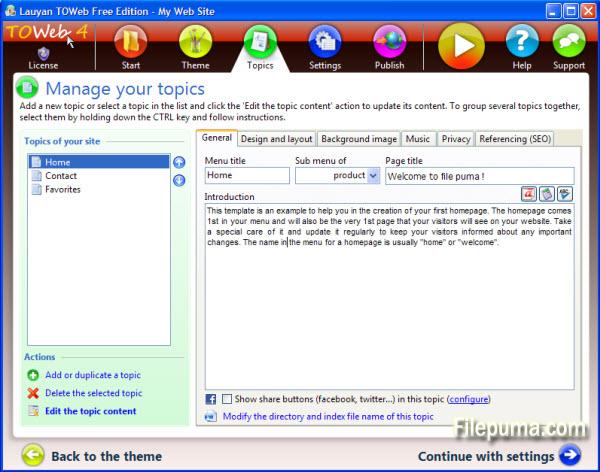
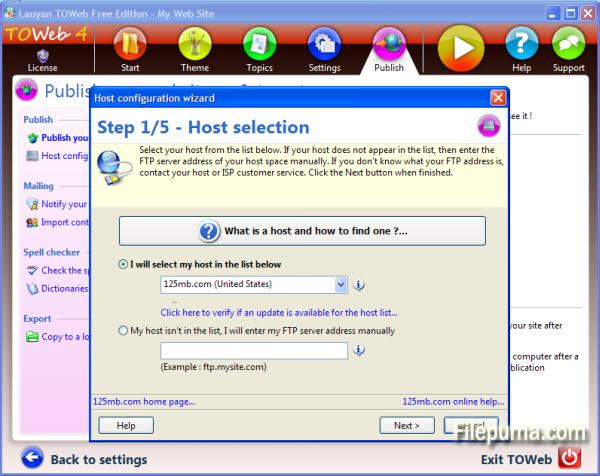
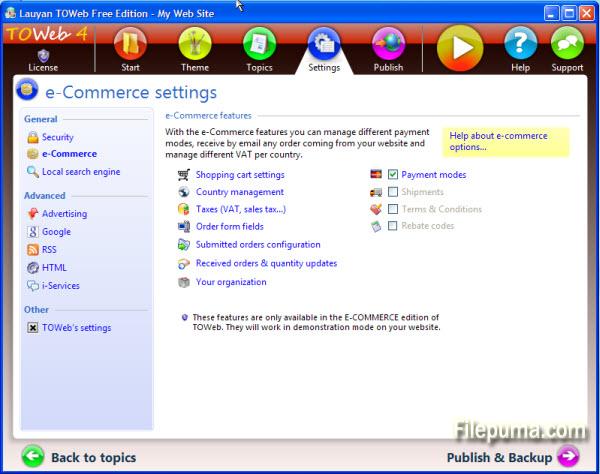
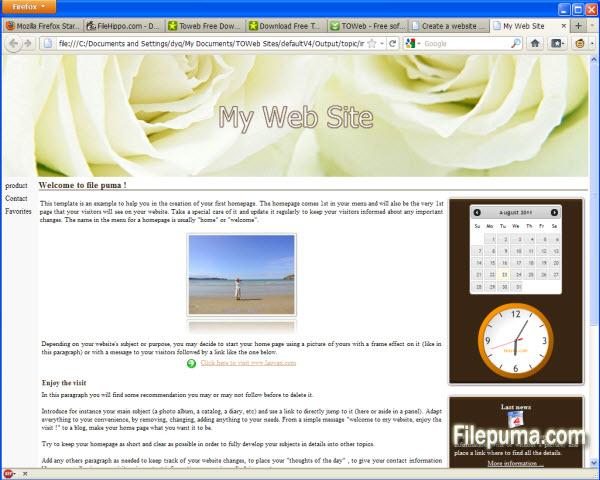


TOWeb 소프트웨어를 사용하여 전문가이든 초보자이든 몇 분 안에 웹사이트를 만들고 유지할 수 있습니다.
TOWeb을 사용하면 단 5단계로: 주제에서 웹사이트를 만들고, 독특한 비주얼 아이덴티티를 부여하며, 몇 가지 옵션을 선택하고 웹사이트를 어떤 호스팅 서비스에든 게시하십시오. 특히, TOWeb에는 이미지 편집기가 통합되어 있어 여러분의 이미지에 크롭, 테두리 효과, 텍스트 또는 변형을 적용할 수 있으며, 검색 엔진에서 웹사이트의 참조를 최적화할 수 있는 모든 조언과 필요한 도구를 제공합니다.
모든 고급 기능이 한 번의 클릭으로 가능합니다. 명확한 지침의 일관성에 따라 하면 귀하의 사이트가 성공적으로 완성될 것입니다.
새로운 소식은 무엇인가요?
Version 5.15
- In design mode under the Topics' step, a toolbar is now displayed when hovering over some editable or customizable elements (such as paragraphs, site's menu or shopcart button) to easily access their options. The double-click remains operational as before to directly modify any editable element such as titles and texts. These toolbars are all displayed by default at the end of the hovered elements but can be displayed at the beginning of these elements by using the option located in the "Options > TOWeb" screen
- The drop-down list of topics now starts with a “Add a new topic” entry to facilitate the creation of a new topic in your site
- New checkbox “Flat buttons” located in the theme under the element "Site > General > Buttons > Default button" to remove the default gradient/3D effects of all buttons of your site. This allows to make flat buttons used a lot in webdesign these days
- New option located in “Options > e-Commerce > Shopping cart” to quickly remove the shopping cart of your site and deactivate all e-Commerce features
- The different states of Brazil are now available. Not activated by default you can use them from TOWeb step “Options > e-Commerce > Selling Countries” by selecting 'Brazil” and checking the option called “Use states/departments for Brazil”
- In the “Options> Advertising” screen, the input area containing the custom advert script was expanded to occupy the maximum screen size for a better readability of your script. Furthermore in the generated web pages, the script is now purged of all newline characters in order to avoid any error due to misplaced returns but also to reduce the size of the generated pages
- Product information may have been initially displayed with wrong default values when using subproducts categories with different values (like different prices for instance)
- The zoom and “Street View” functions were not working properly in Google Maps and the markers were not been displayed correctly when using several maps into the same topic
다른 언어로 제공되는 프로그램
- Download TOWeb
- Télécharger TOWeb
- Herunterladen TOWeb
- Scaricare TOWeb
- ダウンロード TOWeb
- Descargar TOWeb
- Baixar TOWeb
사용자 리뷰
사용자 평가

면허:
자유로운
요구사항:
Windows XP/ Vista/ Windows 7/ Windows 8
언어들:
English
크기:
24.8MB
출판사:
업데이트됨:
Mar 6, 2014
깨끗한
리포트 소프트웨어
최신 버전
구버전
개발자 소프트웨어
 TOWeb 6.18
 Web Page Maker 3.22
 Sitoo Web 2010
 TopStyle 5.0.0.108
보안 수준
장치에 잠재적인 손상이 발생하지 않도록 하고 데이터 및 개인 정보를 보호하기 위해, 저희 팀은 새로운 설치 파일이 저희 서버에 업로드되거나 원격 서버에 연결될 때마다 이를 확인하고 주기적으로 파일을 검토하여 상태를 확인하거나 업데이트합니다. 이러한 검토를 기반으로 다운로드 가능한 파일에 대해 다음과 같은 보안 수준을 설정합니다.
 깨끗한
깨끗한
이 소프트웨어 프로그램이 안전할 가능성이 높습니다.
우리는 이 소프트웨어 프로그램과 관련된 파일과 URL을 세계 60개 이상의 주요 안티바이러스 서비스에서 검사했으며, 가능한 위협은 발견되지 않았습니다. 또한 서드파티 소프트웨어가 포함되어 있지 않습니다.
 경고
경고
이 프로그램은 광고 지원을 받으며 필수는 아닌 제3자 프로그램 설치를 제안할 수 있습니다. 여기에는 툴바 설치, 홈페이지 변경, 기본 검색 엔진 변경 또는 다른 제3자 프로그램 설치가 포함될 수 있습니다. 이러한 프로그램은 오탐일 수 있으며, 사용자들은 이 소프트웨어를 설치하고 사용할 때 주의할 것을 권장합니다.
 장애인
장애인
이 소프트웨어는 더 이상 다운로드할 수 없습니다. 이 소프트웨어 프로그램은 악성일 가능성이 높거나 보안 문제 또는 기타 이유가 있을 수 있습니다.
보고서를 제출하다
감사합니다!
귀하의 보고서가 전송되었습니다.
귀하의 요청을 검토하고 적절한 조치를 취하겠습니다.
이 보고서와 관련하여 취해지는 조치에 대한 알림은 받지 않으실 것임을 알려드립니다. 이로 인해 불편을 끼쳐 드려 죄송합니다.
웹사이트를 깨끗하고 안전하게 유지하는 데 도움을 주셔서 감사합니다.