
Looking for a free Mac cleaner? Try diCleaner

CodeLite18.5.0
 Téléchargement gratuit


Quoi de neuf
Version 18.5.0
Highlights
- Claude Code integration: run and manage Claude Code sessions directly inside CodeLite.
- Terminal Settings dialog: configure the default shell, scroll-back size, and drawing options for the built-in terminal from one place.
New Features
- Added a new Claude Code plugin that hosts Claude Code in its own tab with a toolbar, keyboard shortcut, and menu entry.
- Configurable Claude executable path via a new "Options…" dialog, with a fallback to
PATHlookup. - Remote workspace support — Claude Code can now be launched against SFTP/remote projects.
- The Claude Code plugin's terminal is fully clickable:
Ctrl+Left-Click (Cmd+Left-Click on macOS) any file path, symbol, class name, directory, executable, or plain URL that Claude Code prints, and it opens right inside CodeLite — in the editor, a file explorer, a browser, or via the "Open Resource" dialog as a fallback when the word isn't a direct file match. - Tab title and theme changes now follow the Claude Code session correctly.
- Added a persisted system prompt for Chat AI: edit it any time from
Chat AI→Edit System Prompt.... It's applied to every new agent session, and edits now take effect on the running session immediately, without a restart. - Chat AI now automatically loads a workspace's
AGENTS.md(orCLAUDE.mdif there's noAGENTS.md) into its system context as soon as the workspace opens, giving the model project-specific instructions without manually running/context. - Added a dedicated Terminal Settings dialog for the built-in terminal (default shell, scroll-back buffer size, safe/optimized drawing).
- Added type-ahead (incremental) search to tree control panels — start typing to jump to a matching item.
- Migrated the Remote Directory Control and Open Resource Dialog to
wxDataViewTreeCtrl/wxDataViewListCtrl, improving performance, icon rendering, and keyboard navigation. - Added asynchronous SFTP directory listing for a more responsive remote file browsing experience.
- Extended the file system watcher to monitor remote SFTP files (not just local files), so remote-workspace editors correctly detect external changes and deletions.
- Added support for the LLM "retry" reason in the AI Chat window, with a new warning icon shown when a request is retried.
- Added a Linux package build target and improved macOS build signing/notarization for release artifacts.
Improvements
- Reworked how the built-in terminal claims keyboard shortcuts, so application-wide shortcuts (e.g.
Ctrl-Tab,Ctrl-`, and mostCtrl+<letter>combinations) are no longer swallowed or misrouted while a terminal has focus. - Refactored SFTP account management and the SFTP tree view toolbar (now AUI-based, using standard icons) for a more consistent look and feel; the Quick Connect dialog now uses a notebook-based layout.
- Refactored the Diff Folders frame's icon handling and toolbar for consistency with the rest of the IDE.
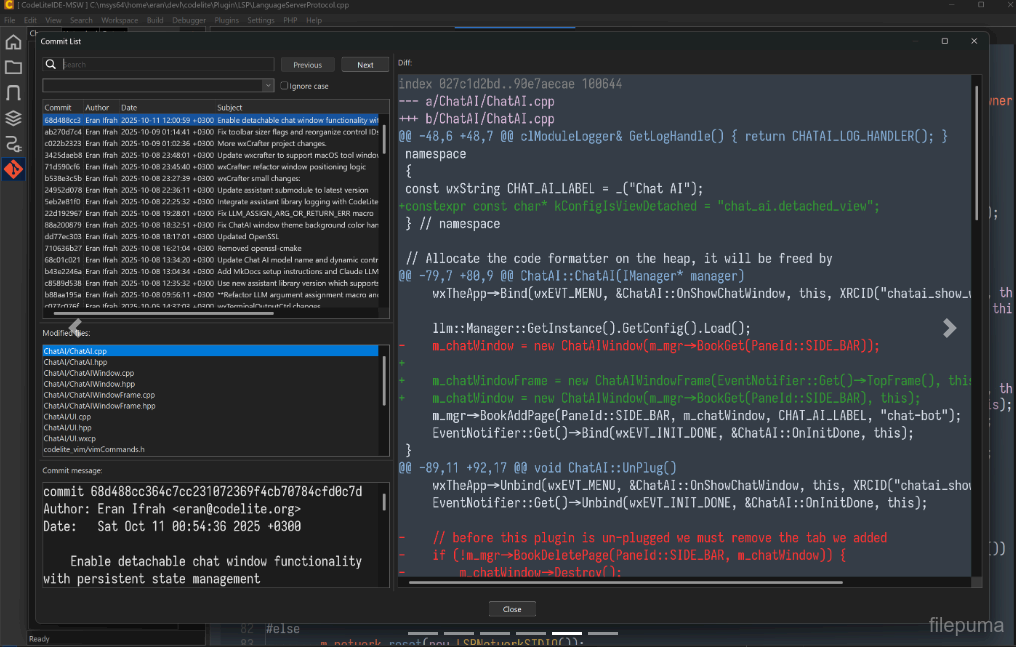
- Improved the Git Commit dialog: selection handling, search, and general visual consistency.
- Adjusted alternate row colors and tree indentation on Windows for better readability in dark/light themes.
- Simplified default shell selection for new terminals (modal selection instead of a toolbar dropdown) and improved WSL distribution discovery.
- Chat window docking now defaults to disabled.
- Renamed the "AI" menu to "Chat AI" for clarity, and added a predefined Ollama endpoint to the default AI settings.
- The tab switcher (
Ctrl-Tab) now shows each entry's icon in its own column, with a modified-file indicator prepended to the file name instead of overlaid on the icon.
Bug Fixes
- Fixed a
Ctrl+Tabassertion failure. - Fixed folder expand/collapse not toggling correctly on double-click in file trees.
- Fixed terminal-related events (tab title, termination, link clicks) not reaching plugins hosting their own terminal (e.g. Claude Code) due to a cross-plugin event delivery issue.
- Fixed a potential crash from a null file-watcher handler, and ensured watchers are cleared correctly when files are closed.
- Fixed disabled bitmaps rendering incorrectly (scaling) on Windows.
- Fixed the DataView row height on Windows.
- Fixed a potential null-pointer access in the Git Commit dialog when changing the selected file.
- Fixed the "Safe Drawing" terminal menu item not reflecting its actual state.
- Fixed terminal notebook event binding and ensured the GLEW DLL is bundled on Windows, avoiding a missing-dependency failure.
- Fixed font handling so the configured default font is applied correctly to editors.
- LSP: now shows a message box when a code action (e.g. renaming a namespace via clangd) cannot be applied, instead of failing silently.
- LSP: fixed an incorrect Code Action request being sent to the language server.
- Removed invalid/stale theme files.
- Fixed a bug where closing one tab in an AUI-docked notebook could notify plugins (e.g. Claude Code) that a different tab had closed.
- Fixed Chat AI not fully resetting its context: "Clear Session" could leave stale context active on the running client instead of clearing it.
- Corrected the placeholder environment-variable name used for the default LLM authorization key in the default AI settings.
Programme disponible dans d'autres langues
- Download CodeLite
- Herunterladen CodeLite
- Scaricare CodeLite
- ダウンロード CodeLite
- Descargar CodeLite
- Baixar CodeLite
Avis des utilisateurs
Évaluation des utilisateurs

Permis:
Gratuit
Exigences:
Windows 10 64/ Windows 11 64
Langues:
Multi-languages
Taille:
68.10 MB
Éditeur:
Mis à jour:
Sep 22, 2026
Propre
Signalez le logiciel
Dernière Version
Logiciel du développeur
 Adobe Air 51.3.3.1
 Java Runtime Environment (32bit) 8.0.2210.11
 Java Runtime Environment (64bit) 8.0.2910.10
 Java Development Kit (64bit) 8.0.2110.12
 Python (64bit) 3.15.1
Niveaux de sécurité
Pour éviter tout dommage potentiel à votre appareil et assurer la sécurité de vos données et de votre vie privée, notre équipe vérifie chaque fois qu'un nouveau fichier d'installation est téléchargé sur nos serveurs ou lié à un serveur distant et examine périodiquement le fichier pour confirmer ou mettre à jour son statut. Sur la base de cette vérification, nous définissons les niveaux de sécurité suivants pour tous les fichiers téléchargeables.
 Propre
Il est très probable que ce programme logiciel soit propre.
Nous avons analysé des fichiers et des URL associés à ce programme logiciel dans plus de 60 des principaux services antivirus mondiaux; aucune menace possible n'a été trouvée. Et il n'y a pas de logiciel tiers inclus.
 Avertissement
Ce programme est financé par la publicité et peut proposer d'installer des programmes tiers qui ne sont pas nécessaires. Ceux-ci peuvent inclure une barre d'outils, le changement de votre page d'accueil, du moteur de recherche par défaut ou l'installation d'autres programmes tiers. Ceux-ci pourraient être des faux positifs, et nous conseillons à nos utilisateurs d'être prudents lors de l'installation et de l'utilisation de ce logiciel.
 Handicapé
Ce logiciel n'est plus disponible en téléchargement. Il est très probable que ce programme soit malveillant ou qu'il présente des problèmes de sécurité ou d'autres raisons.
Soumettre un rapport
Merci !
Votre rapport a été envoyé.
Nous examinerons votre demande et prendrons les mesures appropriées.
Veuillez noter que vous ne recevrez aucune notification concernant toute action entreprise en raison de ce rapport. Nous nous excusons pour tout inconvénient que cela pourrait causer.
Nous apprécions votre aide pour garder notre site web propre et sûr.